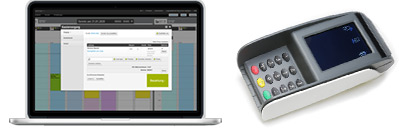
If you want to use Belbo in your business, the right hardware is an important component of your work organization. Belbo gives you the option to choose from a variety of devices. Here we present different options for you.
Read more
Transfer prices and services to other locations
If you have multiple locations in your calendar, prices and services can be synchronized from one location to another to save time.
Read more
Satellite on Windows
Satellite under macOS
Services » Scheduling » Booked Employee
If you receive a warning in the scheduling of a service that no "Booked Employee" is selected, this can mean that this service cannot be correctly entered in the calendar or booked online.
Belbo Satellite for cash drawer and receipt printer
Your register can communicate with the printer and cash drawer via Belbo Satellite in addition to the simple mode. The advantage is that the cash drawer can be addressed directly without having to print via the bond printer first.
mPOP Cash Register Installation for Mac

You can connect your mPOP cash register to Belbo to print receipts faster and open the cash drawer with one click.
The Star mPOP cash register must be connected to the computer via a USB cable. This cable is not included in the delivery and must be ordered separately; it requires a USB-B connector on one end and USB-C on the other (for newer Macs).
Read moremPOP Cash Register Installation for Windows
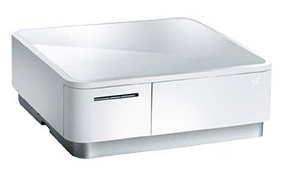
You can connect your mPOP cash register to Belbo to print receipts faster and open the cash drawer with one click. Please follow these steps:
- Step 1: mPOP installation and test
- Step 2: Install Belbo Satellite
- Step 3: Printer connection
Your Star mPOP cash register can be connected to your computer via USB cable. This cable is not included and must be ordered separately. You can do this here.
Read moreVAT reduction 2020 (Germany)
 This article is particularly relevant for users from Germany.
The coalition committee agreed on the reduction of value-added tax between July 1st and December 31st, 2020.
We have compiled the most important information here for users of the cash register system.
Connect EC Terminal
With Belbo, you can automatically forward payment amounts to your card terminal. This ensures that the invoice amount is transferred correctly during the payment process. This saves time and reduces the likelihood of errors.