
belbo
  • Overview
    • Getting to know Belbo
    • Location Settings
    • Switch to Belbo
    • Calendar View & Navigation
    • Recurring Appointments & Courses
    • Appointment Entry & Management
    • Tasks
    • Overview
    • Multiple Locations & Head Office
    • Manage Employees
    • Logins
    • Rights
    • Overview
    • Absences & Holidays
    • Working Hours
    • Time Tracking
    • Overview
    • Data Protection (GDPR)
    • Customer Communication (Email, SMS)
    • Customer Management & Records
    • Overview
    • Bonus & Loyalty Programs
    • Campaigns (Newsletter & SMS)
    • Marketing Consents (GDPR)
    • Tracking & Analytics
    • Overview
    • Services & Prices
    • Service Packages & Subscriptions
    • Vouchers
    • Products
    • Purchasing & Suppliers
    • Inventory & Stock Count
    • Scanning & Sales
    • Goods Used & Costs
    • Overview
    • Design & Texts
    • Setup & Settings
    • Integration (Website, Google, Instagram, Facebook)
    • Online payment
    • Overview
    • Accounting & Exports
    • Cash Register Settings & Hardware
    • Checkout process
    • Daily Closing & Reports
    • TSE & Cash Register Anti-Tampering Ordinance
    • Overview
    • Export Overview
    • Employee Utilization
    • Revenue & Reports
    • Belbo Satellite
    • Printer
    • EC Terminal & Card Payment
    • Troubleshooting Hardware
    • Scanner & POS Devices
    • General Settings
    • API & Integrations
    • Notifications & Emails
    • Contracts & Legal
Skip to content

Statistics & Reports

Statistics & Reports

In the Statistics & Reports section, you will find statistics on online bookings, your services and staff utilization, as well as reports on your employees' working hours, which you can download in Excel or as PDF.

You can access this section via Settings > Statistics & Reports

Available Statistics & Reports

New Customers
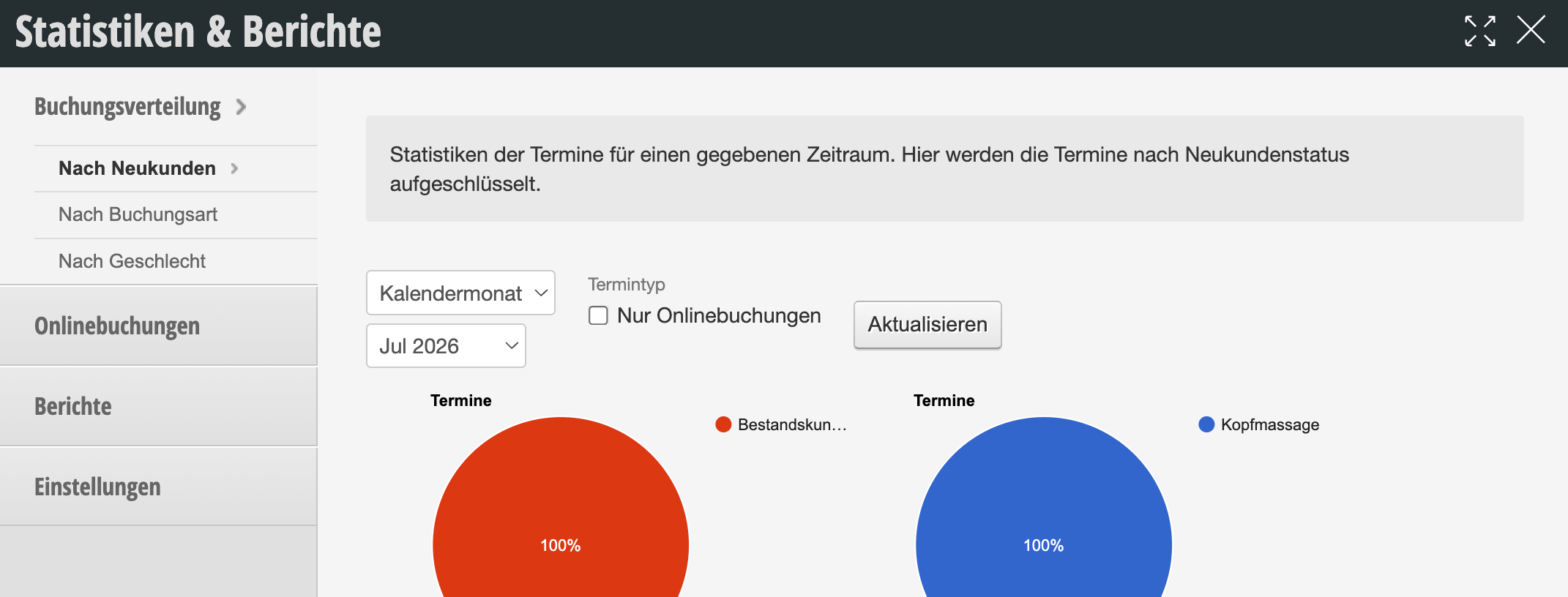
In the New Customers section, you will see the breakdown of your bookings by new customers/regular customer status.
More information about this statistic can be found here.
Analysis
In the Analysis section, you will see the breakdown of your bookings by gender.
More information about this statistic can be found here.

Booking List
The booking list contains the online bookings and helps you track the latest online appointment bookings. You can jump directly from the list to the calendar or to the corresponding customer file.
More information about this statistic can be found here.

Reports
Available Reports:

  • Staff Utilization
  • Services & Products
  • Appointment Evaluation
  • Projection
  • Customer Loss Analysis
  • Customer Loss with Data
  • Customer Recommendations
  • Work Weeks
  • Work Months
  • Appointment Export
  • Day of Week Evaluation

Message Log
Overview of all messages sent to your customers.
More information about this statistic can be found here.

Statistics & Reports: Pie charts for appointments by new customer status and appointment type for July 2026

Additional Statistics and Reports:

  • Schedule: Exports of working hours and absences
  • Till: Monthly Overview
  • Till: Product Sales
  • Employees: Dashboard

Guides

Customer Frequency
Customer frequency is a key metric that indicates the average time intervals at which your customers return. This…
Customer liability
The function provides an evaluation option based on appointments recorded in the calendar and the associated cash transactions.…
Customer Loss Analysis
Analyze how many of your regular customers had their last appointment in the past. You can use this…
Performance and Product Report
You can compare which of your services and products were sold within a definable time period. You can…
Statistics of Online New Customers
In the "Information" section, you can view statistics about your online bookings. In the Online New Customers section,…
Top Customers
The "Top Customers" module provides you with a clear overview of your customers along with essential data such…
This manual is a service by belbo. Legal notice