
belbo
  • Overview
    • Getting to know Belbo
    • Location Settings
    • Switch to Belbo
    • Calendar View & Navigation
    • Recurring Appointments & Courses
    • Appointment Entry & Management
    • Tasks
    • Overview
    • Multiple Locations & Head Office
    • Manage Employees
    • Logins
    • Rights
    • Overview
    • Absences & Holidays
    • Working Hours
    • Time Tracking
    • Overview
    • Data Protection (GDPR)
    • Customer Communication (Email, SMS)
    • Customer Management & Records
    • Overview
    • Bonus & Loyalty Programs
    • Campaigns (Newsletter & SMS)
    • Marketing Consents (GDPR)
    • Tracking & Analytics
    • Overview
    • Services & Prices
    • Service Packages & Subscriptions
    • Vouchers
    • Products
    • Purchasing & Suppliers
    • Inventory & Stock Count
    • Scanning & Sales
    • Inventory Usage & Costs
    • Overview
    • Design & Texts
    • Setup & Settings
    • Integration (Website, Google, Instagram, Facebook)
    • Online payment
    • Overview
    • Accounting & Exports
    • Cash Register Settings & Hardware
    • Checkout process
    • Daily Closing & Reports
    • TSE & Cash Register Anti-Tampering Ordinance
    • Overview
    • Export Overview
    • Employee Utilization
    • Revenue & Reports
    • Belbo Satellite
    • Printer
    • EC Terminal & Card Payment
    • Troubleshooting Hardware
    • Scanner & POS Devices
    • General Settings
    • API & Integrations
    • Notifications & Emails
    • Contracts & Legal
Skip to content

Everything about: Marketing & Customer Loyalty

Get marketing approvals when you have too few.

To be allowed to inform your customers about news, exclusive offers or other information, you need explicit marketing approval from the customer.

Read more →

Customer filter for newsletter

With Belbo you can send newsletters to your customers. If you only want to reach certain customer groups, you can narrow down the recipient list according to specific criteria.

Read more →

Paid Marketing SMS

If you want to send your customers important and urgent information, you can use marketing SMS. Costs are incurred when sending.
Read more →

Revenue Bonus

With loyalty cards, you can award a customer points based on the amount of sales the customer generates with you. Once a certain number of points is reached, a freely definable discount can be given. This ensures that the discount given is proportional to the customer's sales.

You can access this area via Settings > Loyalty Programs
If this function is not activated, it can be activated via "Settings > Add Function".

Read more →

Referral Bonus

If you want to reward customers as soon as they recommend your business to friends, you can use the "Referral Bonus" feature. This feature is only available if you also use the Belbo Cash Register System.

You can access this area via Settings > Referral Bonus If this feature is not activated, it can be activated via "Settings > Add Feature".
Read more →

Send Online Booking Invitation

Introducing online booking for customers is an event where you can draw attention to your business and demonstrate your innovation capability. If you already have existing customers in your customer database and therefore have email addresses, you can use this opportunity to write an email to all customers.

Read more →

Stamp Cards

With Belbo stamp cards, you can stamp the number of visits your customers make to award them a bonus after a certain number of appointments attended. This is a popular way to increase customer loyalty.

You can access this area via Settings > Bonus Programs
If this function is not enabled, it can be activated via "Settings > Add Function".

Read more →

Marketing release in the customer file

If you want to send Belbo newsletters to your customers, you must ensure that your customers have explicitly agreed to receive newsletters.
Read more →

Enable call tracking

With the help of call tracking, you can see incoming calls in your business directly in your Belbo calendar. To use call tracking, you need to go through the following steps.

Read more →

Rating function

With the rating function, you enable your customers to quickly and easily rate their visit to you. Ratings show you what customers think of your business. You can use ratings for your internal quality assurance or publish them for marketing purposes on your online booking page.
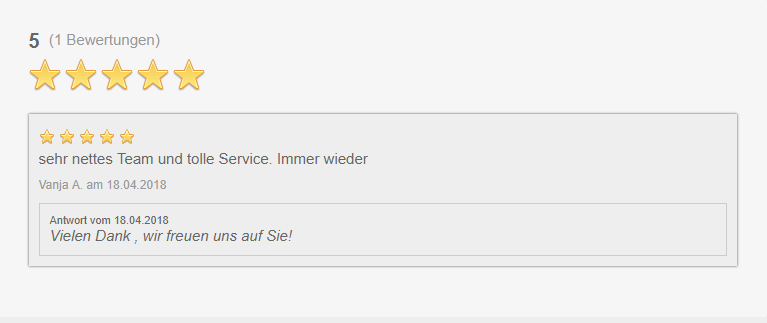
You can access this area via Settings > Ratings If this function is not enabled, it can be activated via "Settings > Add Function".

Read more →

Post navigation

← Older posts
This manual is a service by belbo. Legal notice