belbo
  • Overview
    • Getting to know Belbo
    • Location Settings
    • Switch to Belbo
    • Calendar View & Navigation
    • Recurring Appointments & Courses
    • Appointment Entry & Management
    • Logins & Permissions
    • Multiple Locations & Head Office
    • Manage Employees
    • Absences & Holidays
    • General
    • Working Hours
    • Time Tracking
    • Data Protection (GDPR)
    • Customer Communication (Email, SMS)
    • Customer Management & Records
    • Bonus & Loyalty Programs
    • Campaigns (Newsletter & SMS)
    • Marketing Consents (GDPR)
    • Tracking & Analytics
    • Overview
    • Services & Prices
    • Products
    • Service Packages & Subscriptions
    • Vouchers
    • Purchasing & Suppliers
    • Stock & Inventory
    • Scanning & Sales
    • Cost of goods & expenses
    • Design & Texts
    • Setup & Settings
    • Integration (Website, Google, Instagram, Facebook)
    • Online payment
    • Accounting & Exports
    • Cash Register Settings & Hardware
    • Checkout process
    • Daily Closing & Reports
    • TSE & Cash Register Anti-Tampering Ordinance
    • Export Overview
    • Employee Utilization
    • Revenue & Reports
    • Belbo Satellite
    • Printer
    • EC Terminal & Card Payment
    • Troubleshooting Hardware
    • Scanner & POS Devices
    • General Settings
    • API & Integrations
    • Notifications & Emails
    • Contracts & Legal
Skip to content

Sales bonus

With bonus cards, you can award points to a customer based on the revenue they generate with you. Once a certain number of points is reached, a customizable discount can be applied. This ensures that the discount given is proportionate to the customer's sales.

You can access this area via Settings > Bonus Programs
If this function is not enabled, it can be activated via "Settings > Add Function".

To use the sales bonus, the Belbo Cash Register System must be used.

Create a Sales Bonus Template

To create a new bonus card, click on "+ Bonus Card" in the Bonus Programs > Sales Bonus function.

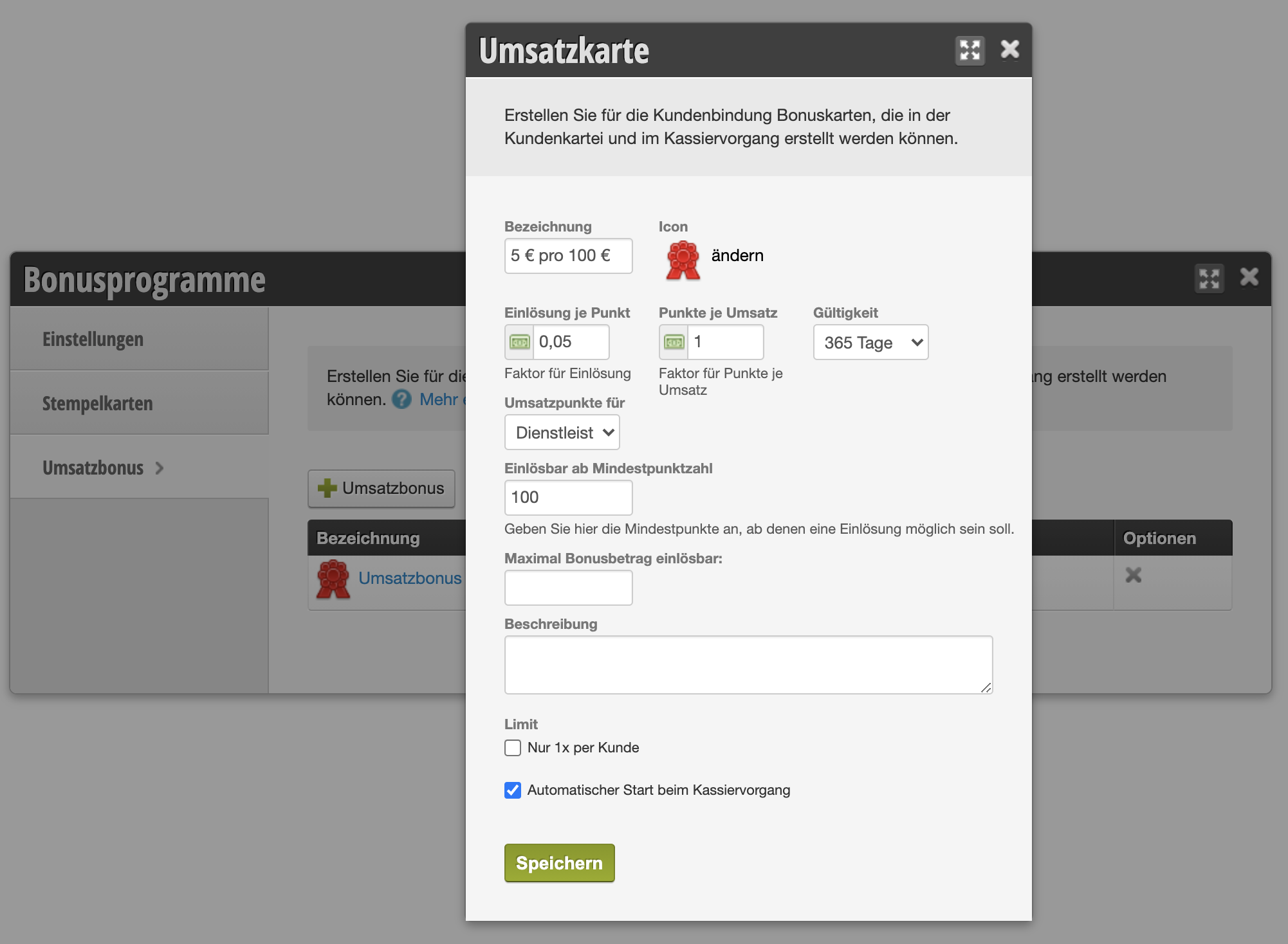
Bonus Card Properties

  • Name Name of your bonus card to be able to select it in the customer file and cash register
  • Validity Validity of the bonus in days
  • Redemption per Point Control the discount to be realized through the turnover
  • Points per Revenue Control the discount to be realized through the turnover
  • Sales Points for Specify whether you want to award the sales bonus for service revenue, product sales, or both.
  • Redeemable from Minimum Points Specify the minimum points from which redemption should be possible.
  • Maximum Bonus Amount Redeemable: Set the minimum redeemable amount, if you want to limit it.
  • Description Describe your bonus card for internal purposes.

Example: In the image, a bonus card is created where the customer receives a bonus of €5 after purchasing services worth €100 within one year.

You can find some concrete examples of how to calculate the correct bonus in the article Sales Bonus – Explained Practically.

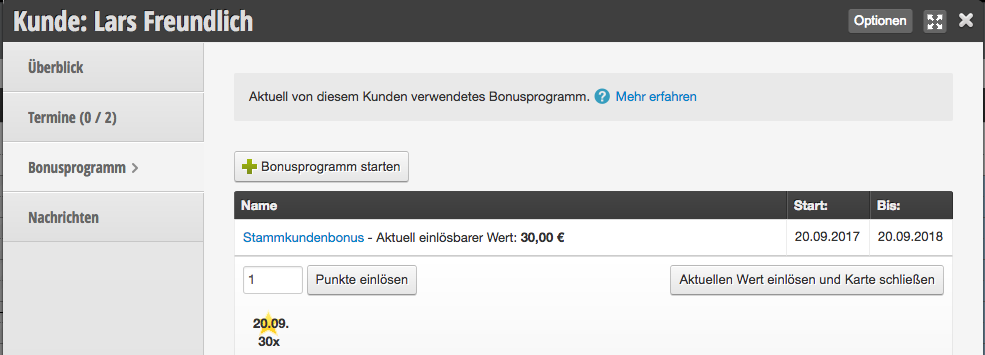
Start Bonus Card in the Customer File

In each customer file, you can start the saved bonus cards and redeem existing revenue.

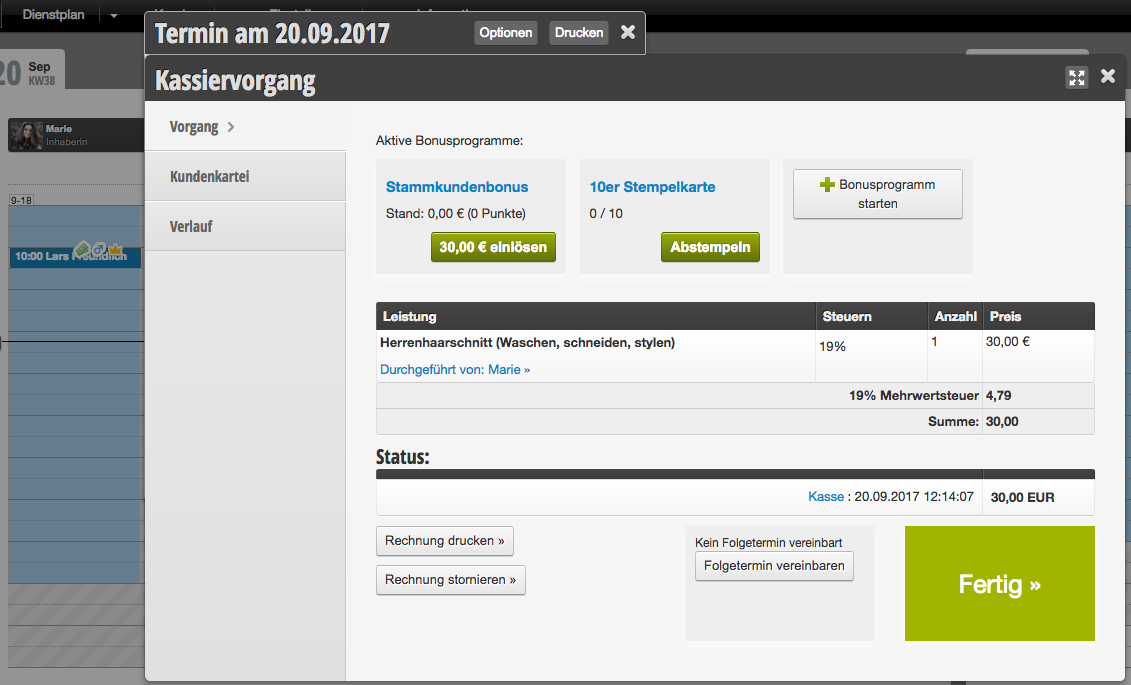
Start Bonus Card During Checkout

When you cash in an appointment, you have the option during the checkout process to redeem the revenue or start a new bonus program.

You can also create stamp cards whose redemption depends on the number of appointments attended, instead of the customer's total revenue. Learn more about stamp cards here.
Categories: Bonus & Loyalty Programs
This manual is a service by belbo. Legal notice