
With Belbo you can send newsletters to your customers. If you only want to reach certain customer groups, you can narrow down the recipient list according to specific criteria.
Newsletter for customers with appointments in a specific time period
If you only want to contact customers who have an appointment within a specific time period, you can narrow it down as follows:
- Click on "Customers" in the main menu to open the customer overview.
- Click on "last appointment" in the table header, a dialog box will open.
- Enter the desired date range and click on "Activate filter". It is also possible to leave one of the date fields empty if you want to contact all customers until or from a certain date.
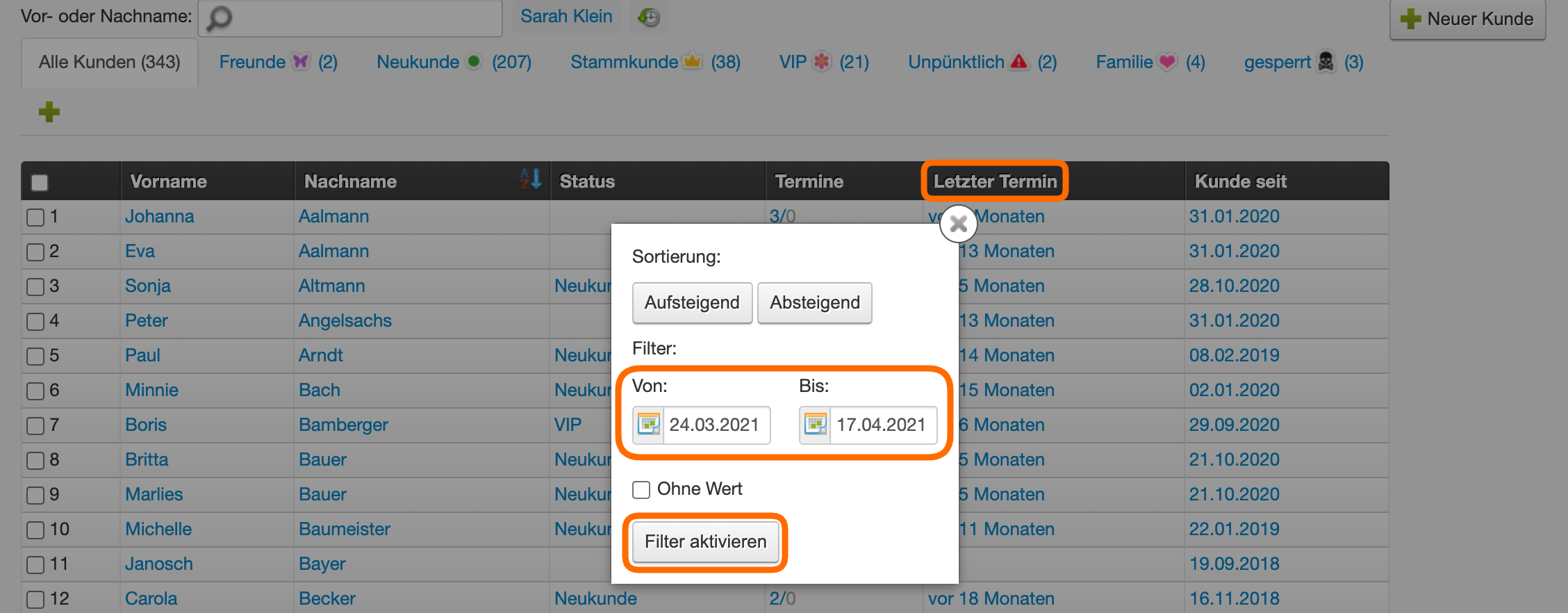
Your customer list will then show only those customers with an appointment in the desired time period.
- Here you can click on the "Contact customers" button to create a campaign only for the filtered customers. This button is located in the footer area of the page.
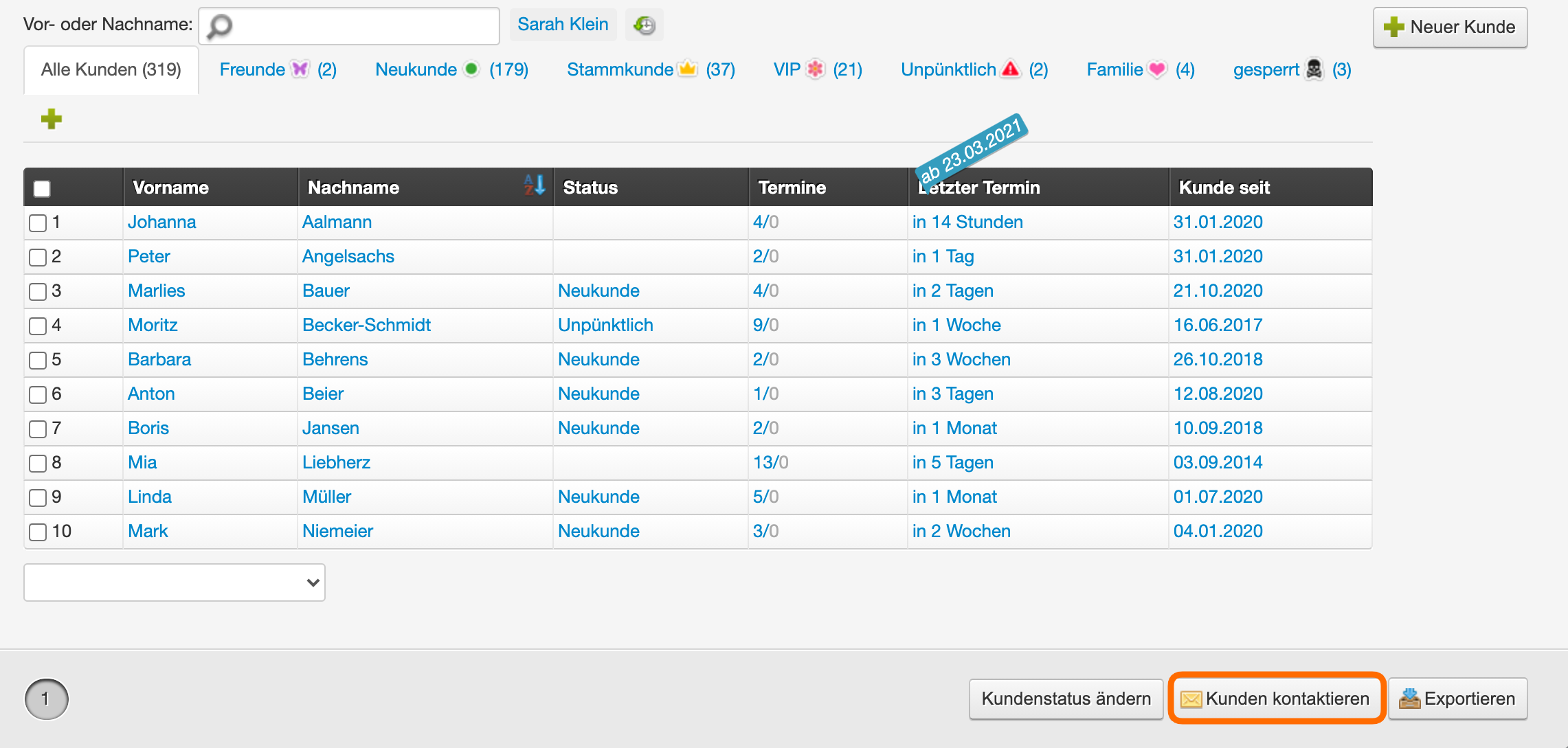
In the following dialog box you can create the campaign.
- Set the type (recommended: "Mailing")
- Assign an internal name for the campaign. Your customers will not see this, but it allows you to find the campaign in your marketing module.
- The estimated number of recipients shows the number of customers who would receive the campaign.
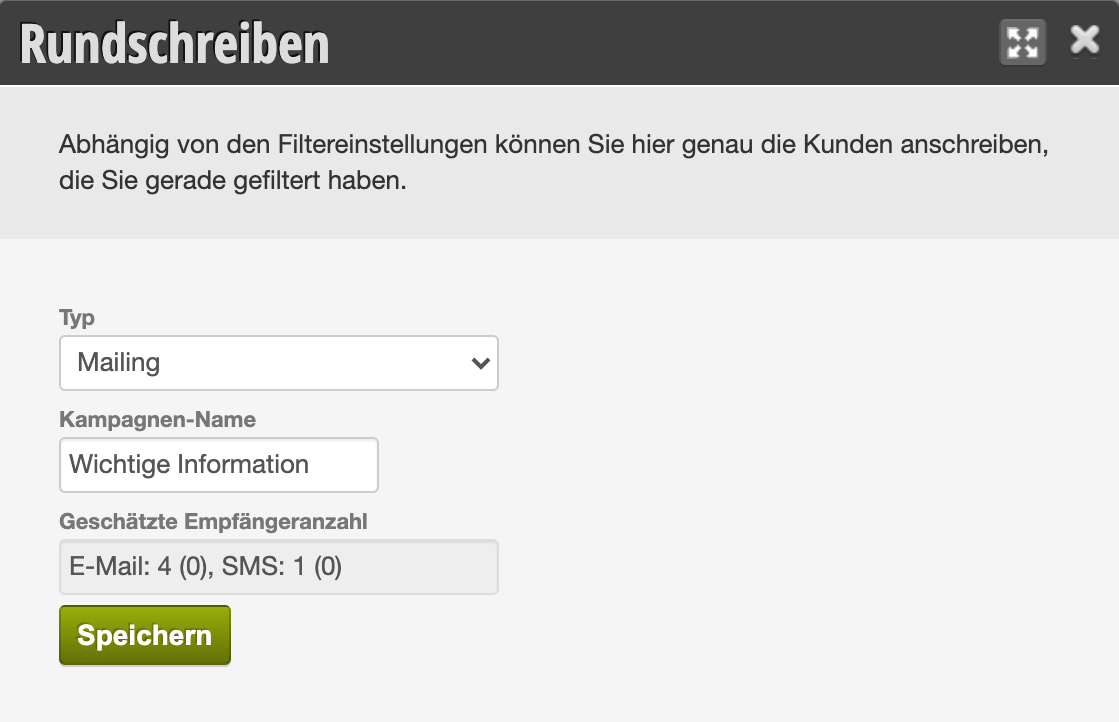
After clicking "Save", the dialog for creating a newsletter will open. You can set a design and proceed as described here.
Optional: Treatment filter
To reach only customers who have received a specific treatment within a time period, you can set an additional filter:
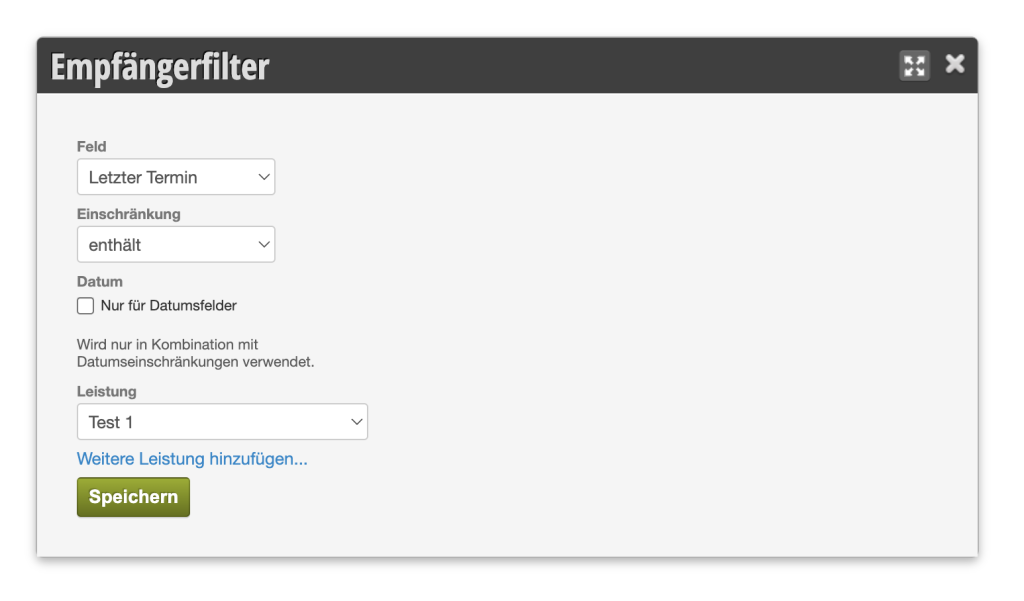
With this setting, only those customers who have ever used this service are selected. If additional filters are set, this filter is combined accordingly.