
If you want to back up your data locally, you can do so. On this page you will find an overview of the export options available in Belbo.Read more
Price change reasons
If you manually change an existing price during the checkout process, a reason must be entered for this. In order to work in compliance with the law, it is required to justify and document a price change. With the price change templates, you can create buttons that simplify the entry of reasons.
Epson Printer Installation for Windows

Set up service packages
The service packages function allows you to sell and document service packages. Here we explain how to set them up.
IMPORTANT: An active cash register is a prerequisite!
Manage Service Packages
By selling performance packages, you increase customer loyalty and reduce the risk of customer loss. We support you in the processes of creating, selling and documenting packages. The performance package function is fully compatible with the cash register system.
Read moreSwitch from Salonware to Belbo
If you have been using the hairdressing software Salonware so far and now want to switch to Belbo, there is the option to transfer some data from your old system.
Head Office
The Belbo Headoffice enables business owners with multiple locations to have an overview of all locations.
Read more
Display customer data on receipt and A4 invoice
If your company exceeds the small invoice limit of § 33 Sentence 1 USTDV (PDF), additional data such as the customer's name and address must be added to the receipt and invoice. With belbo, this is possible if this data is maintained in the customer file.
 This article is particularly relevant for users from Germany.
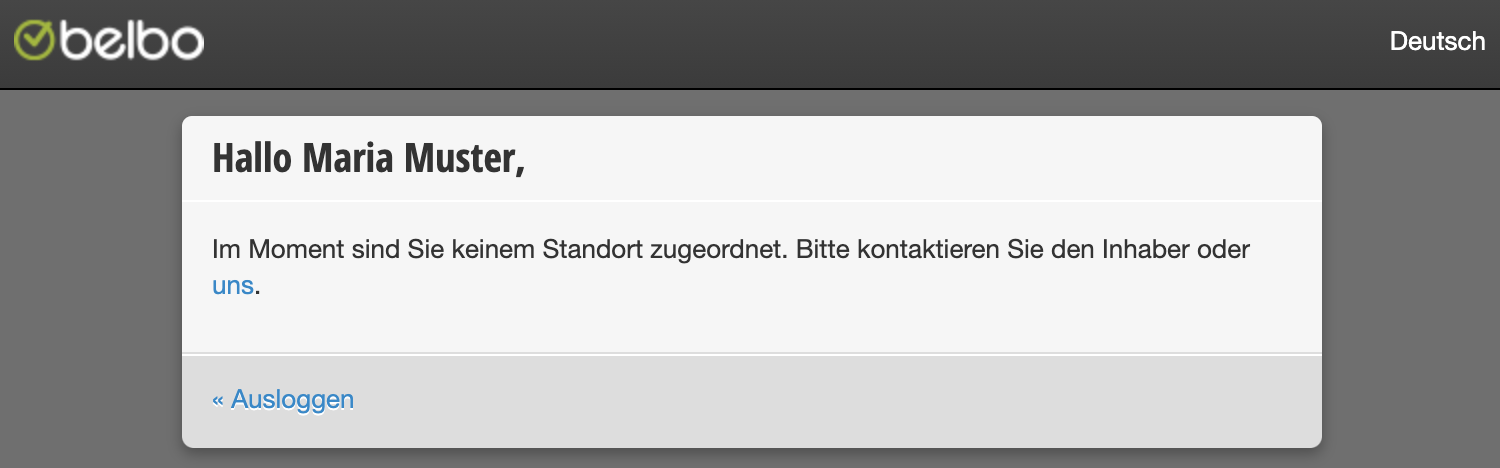
Login is not assigned to any location
If you see the following message in your calendar after logging in, you are using an email address that is not registered as a login address for this account.
Cash Register Security Ordinance 2020
On January 1, 2020, the first part of the new cash register security ordinance comes into force. This is primarily about registering your cash register with the tax office, as well as the obligation to issue receipts. We receive numerous questions about the 2020 Cash Register Security Ordinance, which we answer on this page.
Read more