
belbo
  • Overview
    • Getting to know Belbo
    • Location Settings
    • Switch to Belbo
    • Calendar View & Navigation
    • Recurring Appointments & Courses
    • Appointment Entry & Management
    • Logins & Permissions
    • Multiple Locations & Head Office
    • Manage Employees
    • Absences & Holidays
    • General
    • Working Hours
    • Time Tracking
    • Data Protection (GDPR)
    • Customer Communication (Email, SMS)
    • Customer Management & Records
    • Bonus & Loyalty Programs
    • Campaigns (Newsletter & SMS)
    • Marketing Consents (GDPR)
    • Tracking & Analytics
    • Overview
    • Services & Prices
    • Products
    • Service Packages & Subscriptions
    • Vouchers
    • Purchasing & Suppliers
    • Stock & Inventory
    • Scanning & Sales
    • Cost of goods & expenses
    • Design & Texts
    • Setup & Settings
    • Integration (Website, Google, Instagram, Facebook)
    • Online payment
    • Accounting & Exports
    • Cash Register Settings & Hardware
    • Checkout process
    • Daily Closing & Reports
    • TSE & Cash Register Anti-Tampering Ordinance
    • Export Overview
    • Employee Utilization
    • Revenue & Reports
    • Belbo Satellite
    • Printer
    • EC Terminal & Card Payment
    • Troubleshooting Hardware
    • Scanner & POS Devices
    • General Settings
    • API & Integrations
    • Notifications & Emails
    • Contracts & Legal
Skip to content

Price change reasons

If you manually change an existing price during the checkout process, a reason must be entered for this. In order to work in compliance with the law, it is required to justify and document a price change. With the price change templates, you can create buttons that simplify the entry of reasons.

You can access this area via Settings > Cash Register System > Basic Settings > Price Change Reasons

Create price change reasons

If it can happen frequently in your company that prices are changed during the checkout process, the reasons for this can be stored.
Common examples are:

  • Additional effort
  • Material consumption
  • Entry of the actual price if a price range is entered in the service

Create your templates here so you can use them in the checkout process.

Price change reasons in the checkout process

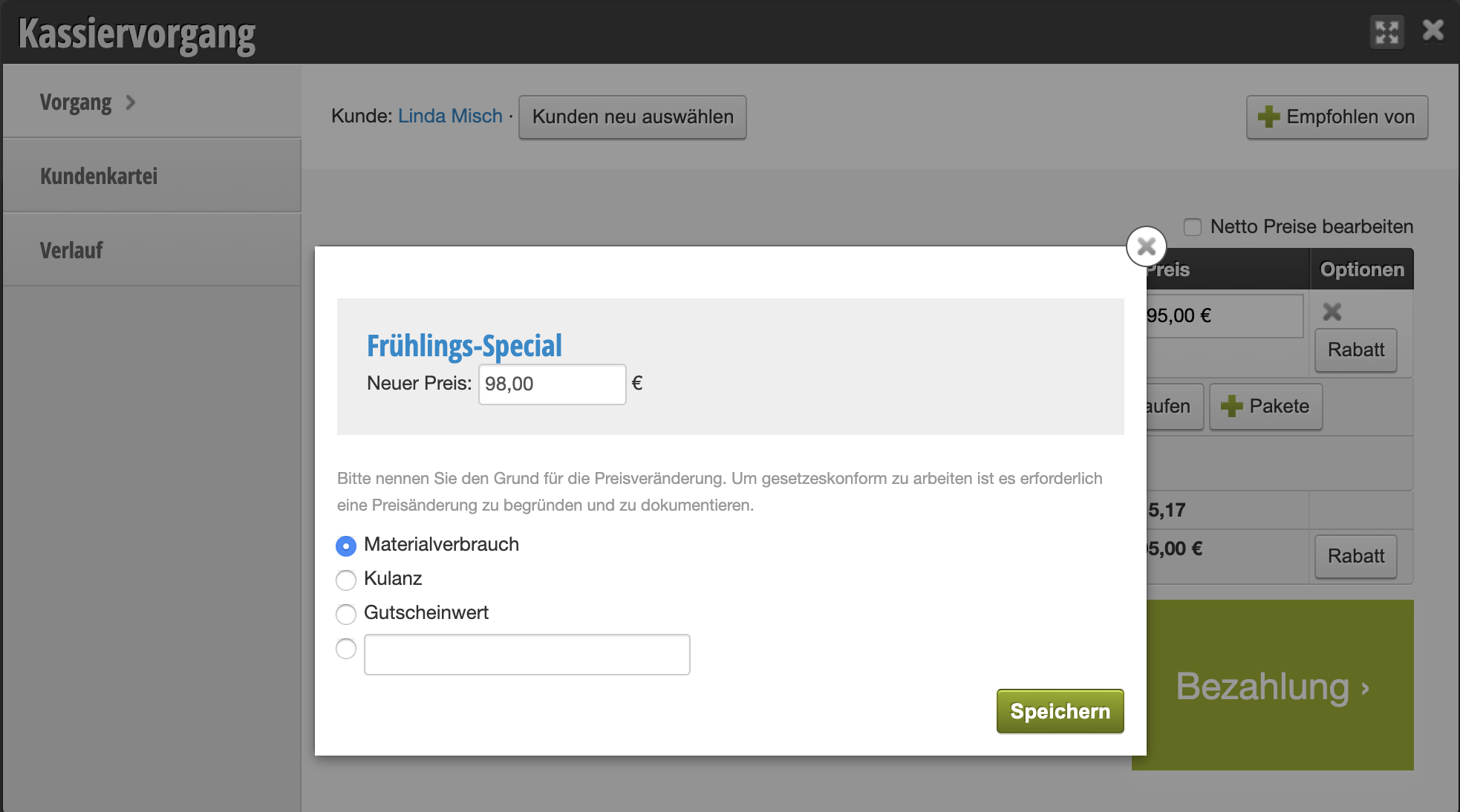
If you click on a price during the checkout process to change it, you can manually type a reason in the input field or click on one of the already created templates:
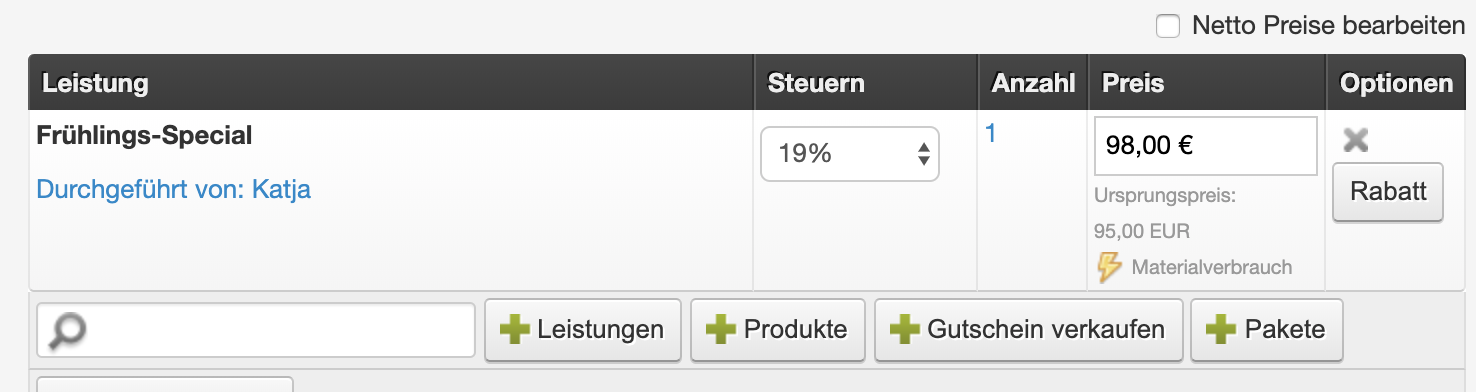
The selected reason is then displayed in the checkout process:
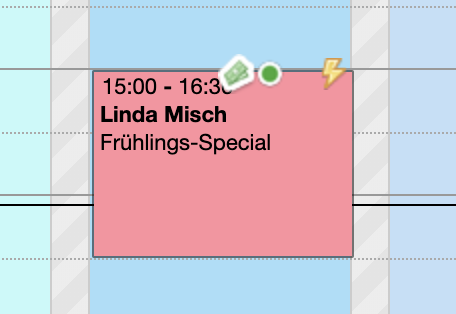
Price changes in the calendar

If you want to see in the calendar which appointments had price changes, you can specify in Settings > Cash Register System > Basic Settings that a lightning bolt icon appears on the appointment.
Categories: Services & Prices
This manual is a service by belbo. Legal notice