
belbo
  • Overview
    • Getting to know Belbo
    • Location Settings
    • Switch to Belbo
    • Calendar View & Navigation
    • Recurring Appointments & Courses
    • Appointment Entry & Management
    • Logins & Permissions
    • Multiple Locations & Head Office
    • Manage Employees
    • Absences & Holidays
    • General
    • Working Hours
    • Time Tracking
    • Data Protection (GDPR)
    • Customer Communication (Email, SMS)
    • Customer Management & Records
    • Bonus & Loyalty Programs
    • Campaigns (Newsletter & SMS)
    • Marketing Consents (GDPR)
    • Tracking & Analytics
    • Overview
    • Services & Prices
    • Products
    • Service Packages & Subscriptions
    • Vouchers
    • Purchasing & Suppliers
    • Stock & Inventory
    • Scanning & Sales
    • Materials & Costs
    • Design & Texts
    • Setup & Settings
    • Integration (Website, Google, Instagram, Facebook)
    • Online payment
    • Accounting & Exports
    • Cash Register Settings & Hardware
    • Checkout process
    • Daily Closing & Reports
    • TSE & Cash Register Anti-Tampering Ordinance
    • Export Overview
    • Employee Utilization
    • Revenue & Reports
    • Belbo Satellite
    • Printer
    • EC Terminal & Card Payment
    • Troubleshooting Hardware
    • Scanner & POS Devices
    • General Settings
    • API & Integrations
    • Notifications & Emails
    • Contracts & Legal
Skip to content

Login is not assigned to any location

If you see the following message in your calendar after logging in, you are using an email address that is not registered as a login address for this account.
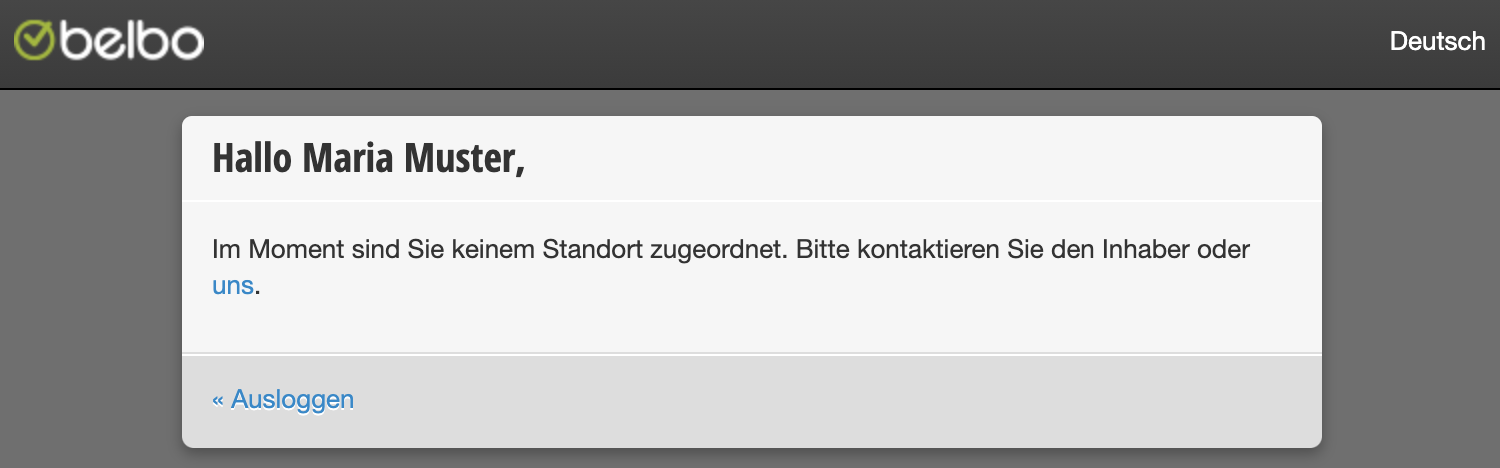
Solution 1) Find the correct address

Basically, you can log in with all logins that are registered under Settings > Employees > Permissions.
Contact the owner of the company and ask them for the correct email address that you can use for login.

Solution 2) Add email address

If you wish to have a new address registered for login, you can inform a person who has the necessary permissions to do so. Under Settings > Employees > Permissions, additional email addresses can be added, which can then also be assigned the desired permissions. Learn more about creating employee logins here.

Solution 3) Check login permissions

If the address you are using is already registered and you still cannot log in with it, it may be that no permissions have been assigned to the login. Ask a person who has the necessary permissions to check under Settings > Employees > Permissions and add permissions if necessary.

Categories: Troubleshooting Hardware
This manual is a service by belbo. Legal notice