
The Belbo Headoffice enables business owners with multiple locations to have an overview of all locations.
Requirements
Most of the data you see in the Headoffice can also be viewed at individual locations. However, the Headoffice gives you the option to see certain data at a glance and compare your locations. To use the Headoffice, the following conditions must be met in your calendar:
- You have at least two locations in a single Belbo account.
- The "Locations and branches" feature is activated in your calendar.
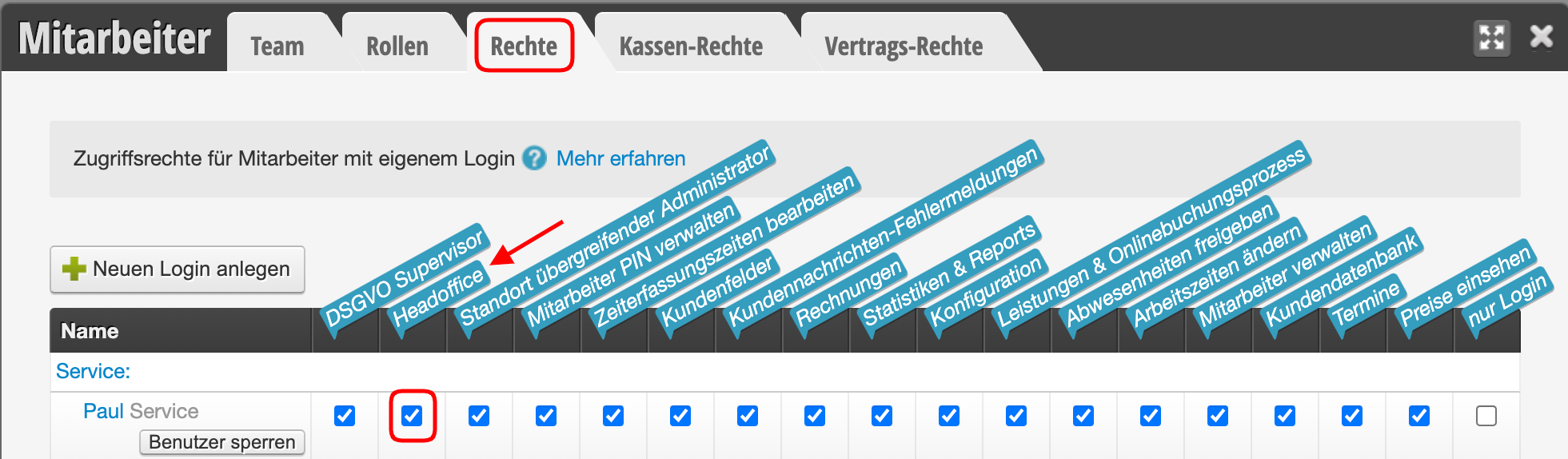
- Your login has the Headoffice right.
- For many of the Headoffice features, it also makes sense to use the Belbo Point of Sale System.
Using the Headoffice
Once your login has the Headoffice right, you can access it from your Belbo Calendar. You will find the Headoffice in the navigation at the top left when you click on the location name.
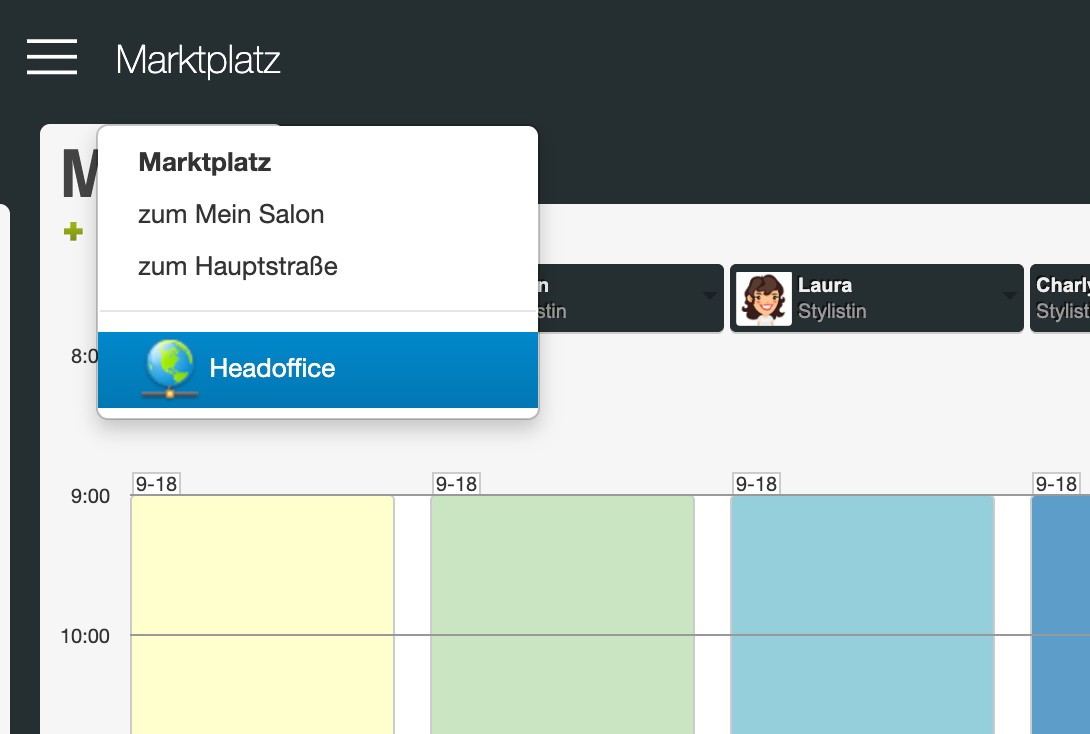
Headoffice Right
In the Headoffice, you get an overview of financial and customer data from all locations where you have set the "Headoffice" right. You can also grant selected employees this right. Your employees will then only see data from locations where you have granted them this right in the Headoffice. This is useful for giving managers or salon managers an overview of branches in their area of responsibility; other branches cannot be viewed by these employees.
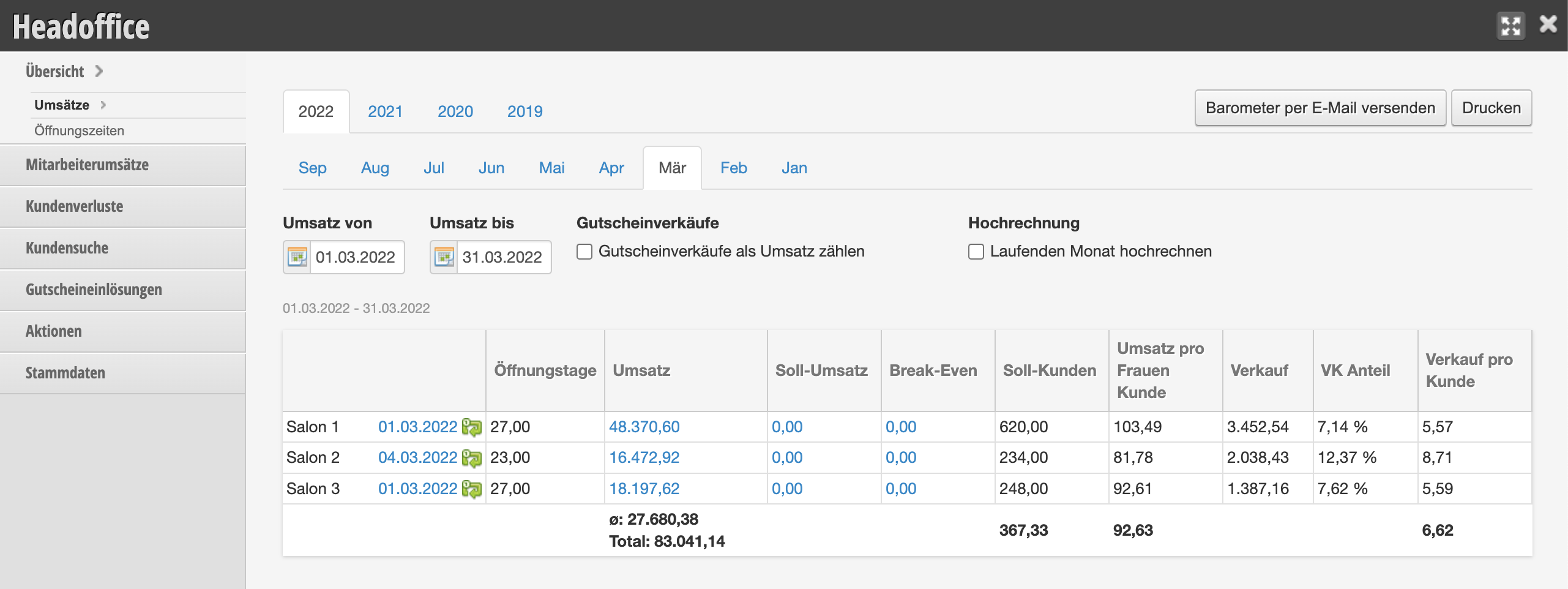
Headoffice Features
The Headoffice is divided into different areas.
Overview
In the overview you can see the sales of all locations, broken down by calendar months and years. The data shown here is taken from your daily closing reports. By clicking on the sales figures, a DATEV export for your accounting can be downloaded.
Employee Sales
Here you will find an overview of your employees' sales at all locations, broken down by service and product sales. This view is also divided by calendar months and years.
Customer Loss
You can download a customer loss analysis for each location. You can also find these in the Statistics and Reports of each location.
Customer Search
Here you can enter customer names to track which location a customer is registered in. This is useful if you have a central hotline or email address for all branches. This way you can search across locations for a specific customer name and see which location or locations the customer has had appointments at and which location their inquiry relates to.
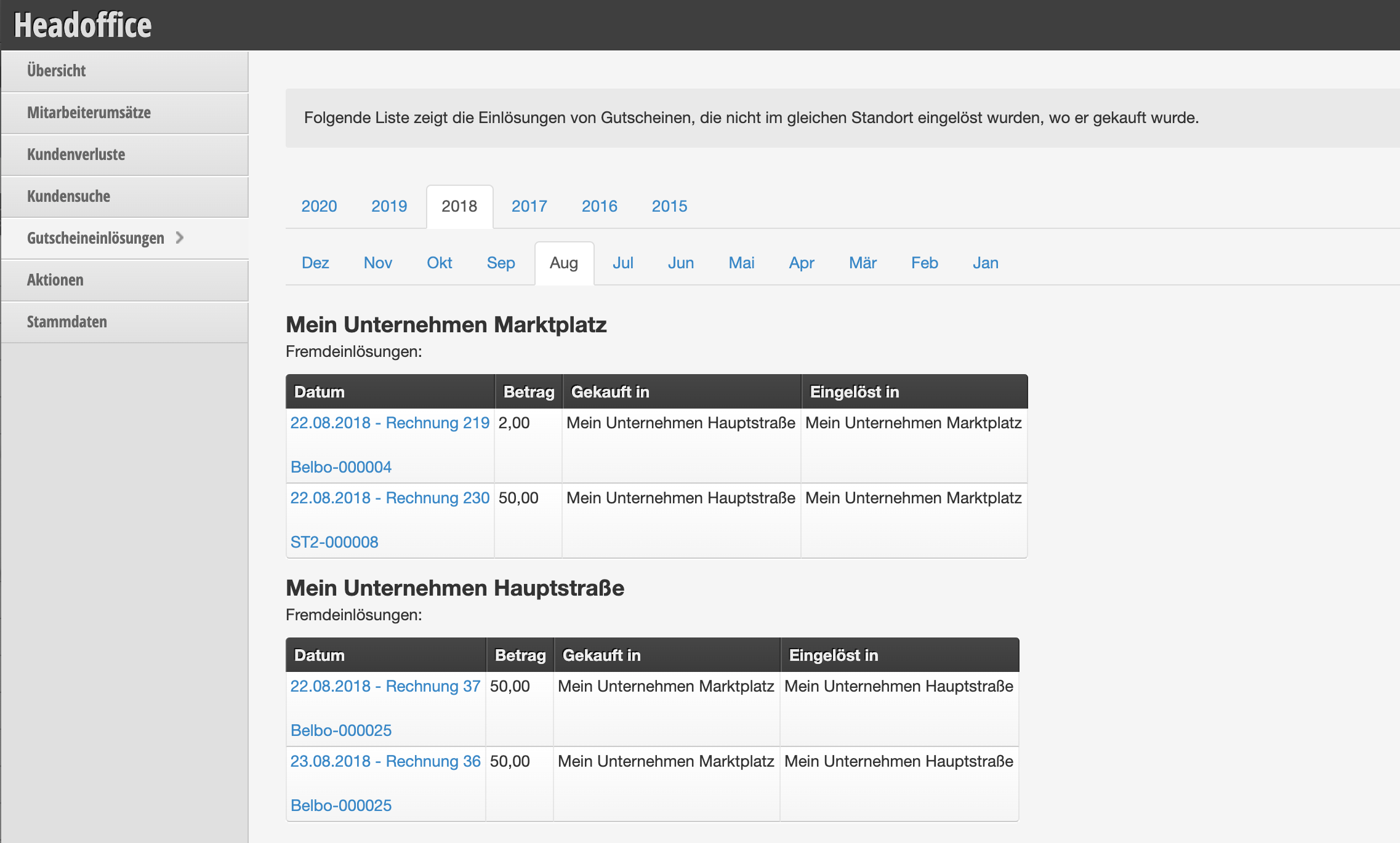
Voucher Redemptions
If you allow cross-location redemption of vouchers, you can track here which vouchers were purchased by your customers at one branch but redeemed at another. This allows you to instruct your accounting to transfer sales from one branch to another if necessary.
Promotions
In your promotions overview you will find an overview of your vouchers and discounts. In the selection, all vouchers and promotions that were sold are listed. After you have selected an element, you will see the redemptions in a table format broken down by location. This allows you to assess the success of seasonal marketing activities.
Master Data
Here you can see an overview of all locations and their addresses.