
With automatic emails, you can send birthday greetings to your customers or win back customers who haven't visited you in a while. All without having to remember to do it yourself every time.
Important prerequisite for sending campaigns
Message option activated in customer file
Only customers who have the option "This customer receives email or SMS campaigns." activated in their customer files will receive marketing emails and SMS campaigns. Reminder and confirmation emails are unaffected.
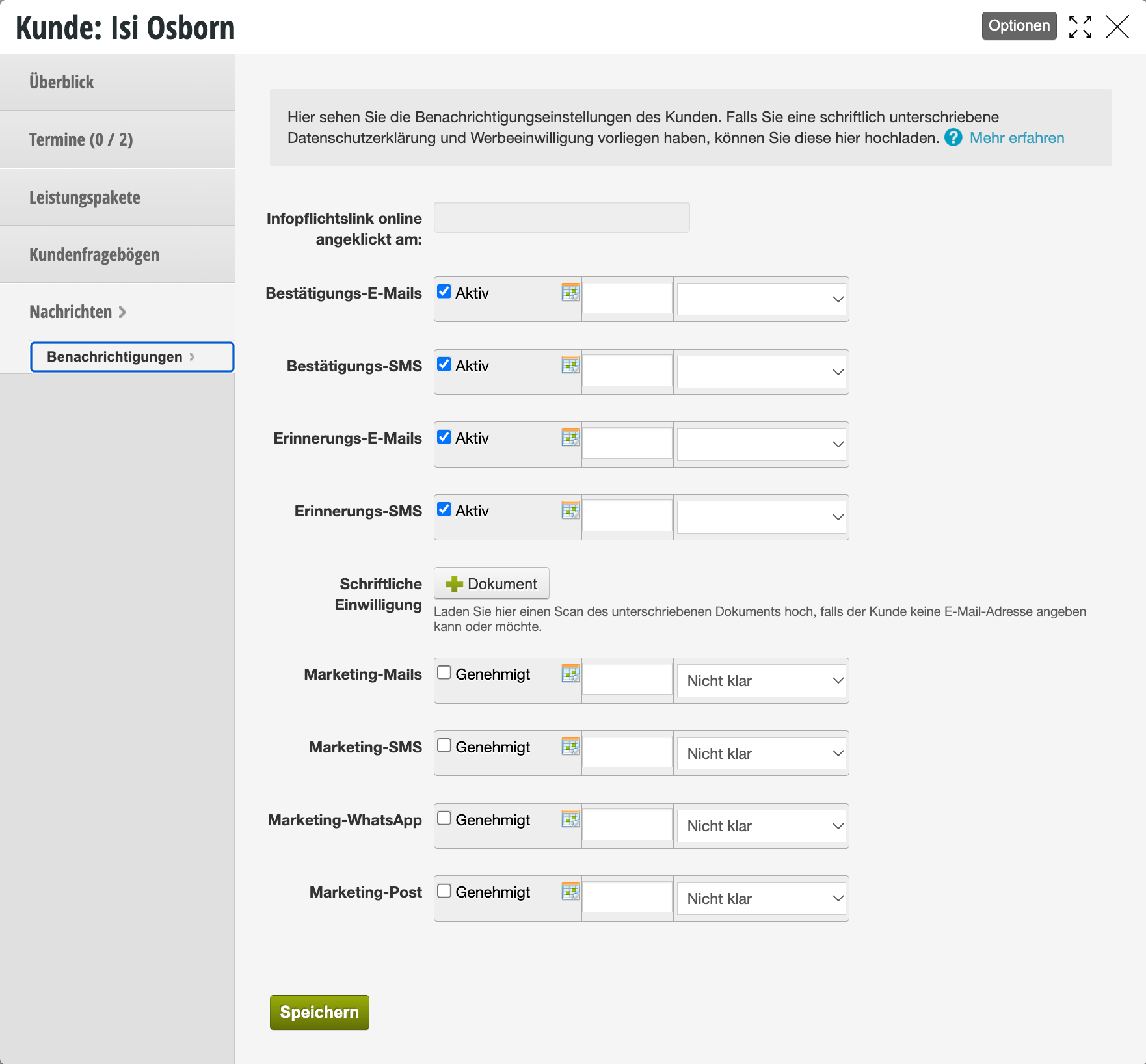
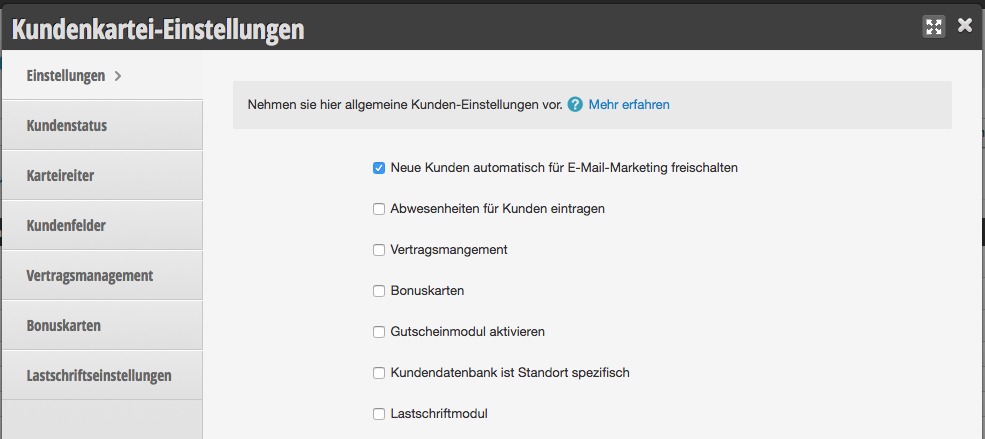
Message option activated in customer settings
To automatically activate new customers for marketing functions, you can activate the corresponding function in the customer settings.
Automatic emails at a specific time after the last appointment
If you want to send an automatic message to customers at a specific time after an appointment, you can create it here.
Examples of an automatic email
- You want to ask all your customers to rate your company on your Facebook page two days after their visit.
- You want to automatically remind customers who haven't visited you in 3 months about your company and ask them to book an appointment online. (This can also be combined well with a discount via online vouchers.)
Create automatic email
Select + Create new template under Automatic emails and fill in the fields. After saving, the message will not be sent yet.
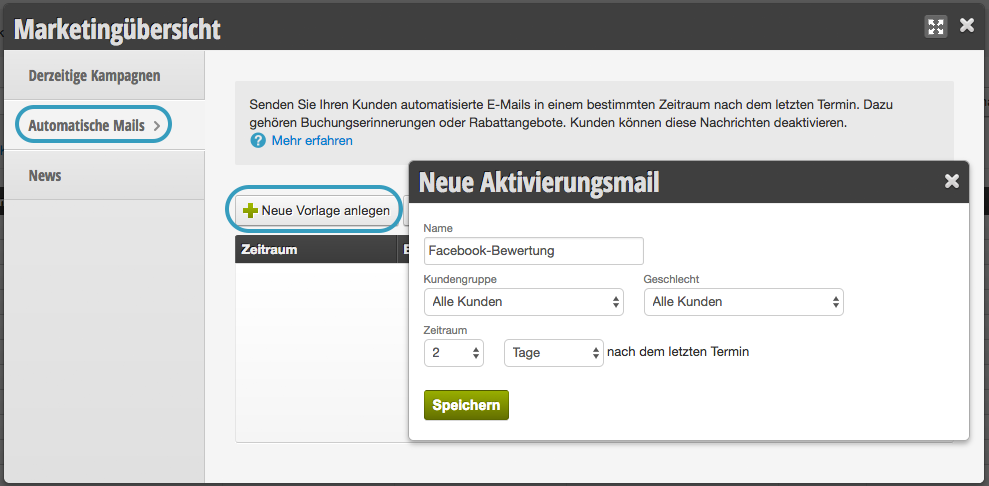
- Name: choose a name by which you can recognize the campaign. Customers cannot see this.
- Customer group: If needed, select a customer status. The email will only be sent to customers in this customer group.
- Gender: If needed, select a gender. The email will only be sent to customers in this customer group.
- Time period: Then select the time when this email should be sent after the customer's last appointment.
Design and send
You can now first edit the content and design.
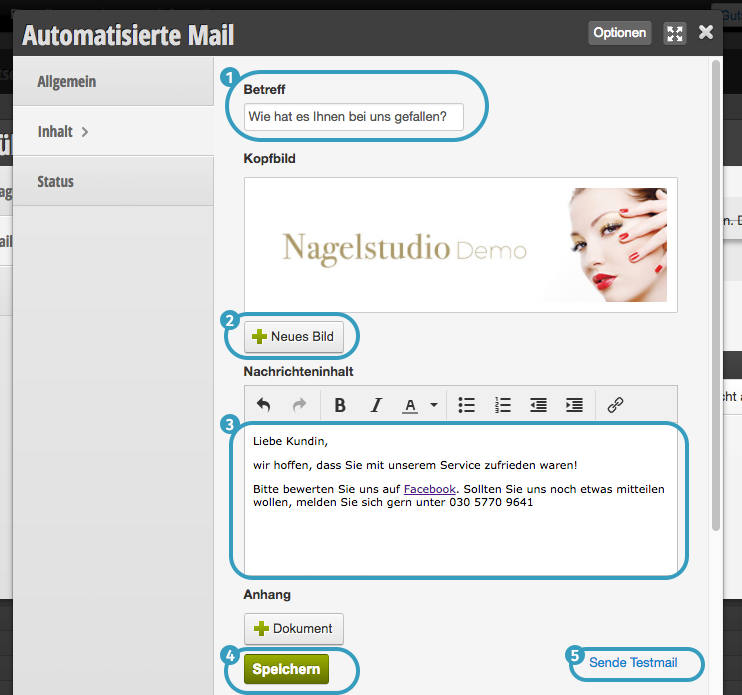 Once you are satisfied with the appearance of your test email, you can now start sending it under "General".
Once you are satisfied with the appearance of your test email, you can now start sending it under "General".
Birthday email
To automatically send customers birthday emails with your congratulations, you can compose a birthday email. Creating and sending the birthday email works exactly as described above.
For more information about birthday emails, please see here.