
If you want to send birthday greetings to your customers, you can create a birthday email for this purpose. This will be automatically sent to each customer on their birthday.
An important prerequisite is that you have created the customer field "Birthday" and regularly populate it with your customers' data. Only this way does your calendar "know" when each customer has a birthday and can send an automatic message on that day.
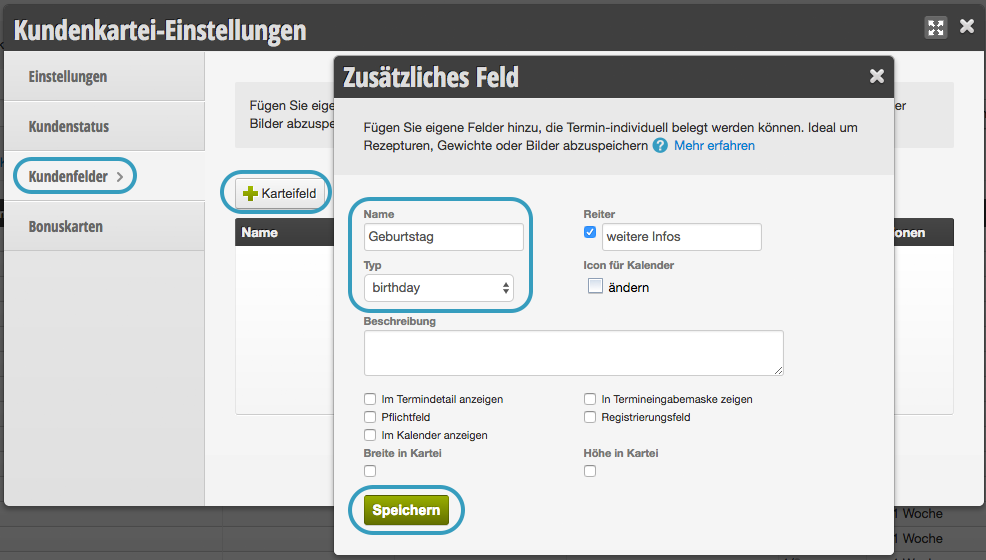 Once you have created a customer field with the type "Birthday", you can find your customers in the birthday list.
Create birthday field for customers
Once you have created a customer field with the type "Birthday", you can find your customers in the birthday list.
Start New Birthday Email
AI Tip
Let your AI assistant write the text for your birthday mailing. Copy the prompt below and answer the short follow-up questions. The placeholders for salutation and name are already built in, so you can insert the text directly into Belbo.
Check the text in the email preview after saving. This way you can immediately see if the salutation is displayed correctly.
Write me a text for the birthday email to my customers. I use the salon software Belbo, which automatically inserts salutation and name.
Ask me briefly before writing:
1. the name of my salon or studio,
2. whether I use informal (du) or formal (Sie) address with my customers,
3. whether I write as an individual (I) or on behalf of a team (we),
4. whether there is a birthday gift, e.g. a discount or complimentary service, and how long it is valid.
Use exclusively these Belbo placeholders for salutation and name, written exactly as shown, with percent signs and in capital letters:
%LIEBEANREDEOHNENAME% becomes "Liebe" or "Lieber". This is followed by %VORNAME%. This is the appropriate salutation for the informal du-form: %LIEBEANREDEOHNENAME% %VORNAME%,
%SEHRGEEHRTEANREDE% becomes "Sehr geehrte Frau Nachname" or "Sehr geehrter Herr Nachname". This is the appropriate salutation for the formal Sie-form: %SEHRGEEHRTEANREDE%,
%LIEBEANREDE% becomes "Liebe Frau Vorname Nachname" or "Lieber Herr Vorname Nachname", a more personal salutation for the formal Sie-form.
%ANREDE% becomes "Frau" or "Herr".
%VORNAME% becomes the first name, %NACHNAME% becomes the last name.
%GEBURTSTAG% becomes the birthday without year, e.g. "01.01.".
Rules:
- Never write out words like "Liebe", "Lieber" or "Sehr geehrte" yourself, always use the appropriate placeholder. Belbo inserts the correct form depending on the customer.
- After %SEHRGEEHRTEANREDE% and %LIEBEANREDE%, no additional name follows, it is already included there.
- Do not invent any additional placeholders or offers that I have not mentioned.
- Do not use placeholders in the subject line.
Provide subject and text as plain text without formatting so I can insert it directly into Belbo. Write me two variants: one short and one somewhat more detailed.
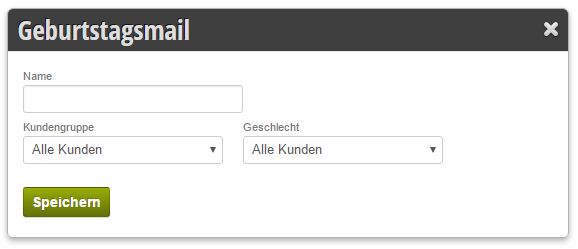
Create birthday email
Select + Birthday Email in the automatic emails.
You can also differentiate between customers of certain customer groups:
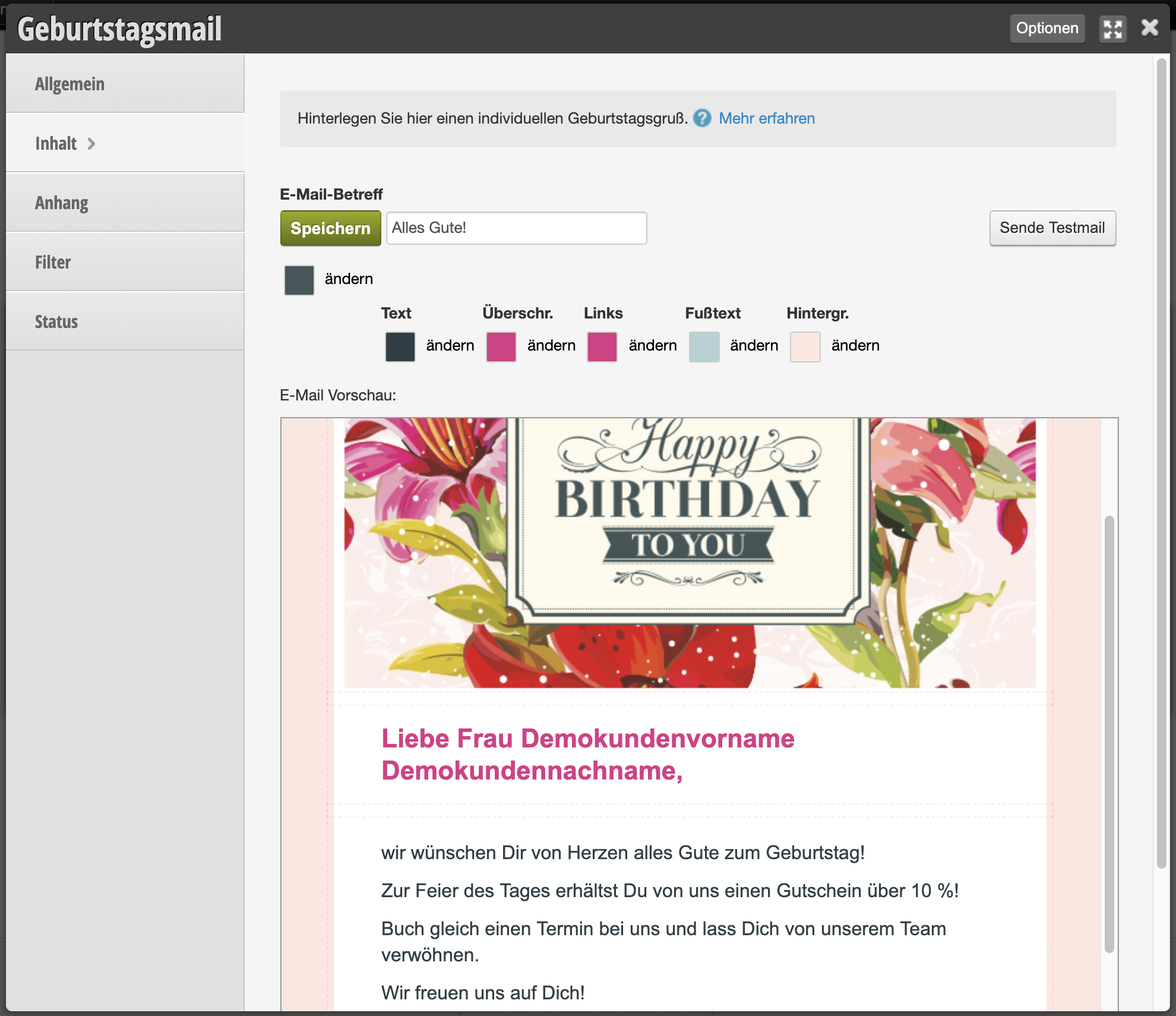
Design
Now you can design the birthday email:
Start dispatch
After you have saved your design and sent yourself a test email, you can start the dispatch under "General". From now on, this email will be automatically sent to all birthday children.
Tip: This function also works well in combination with a small discount gift via online vouchers.