You can set up voucher codes yourself, which your customers can then use to redeem in the online booking. For example, you can launch seasonal promotions and advertise them with marketing measures.
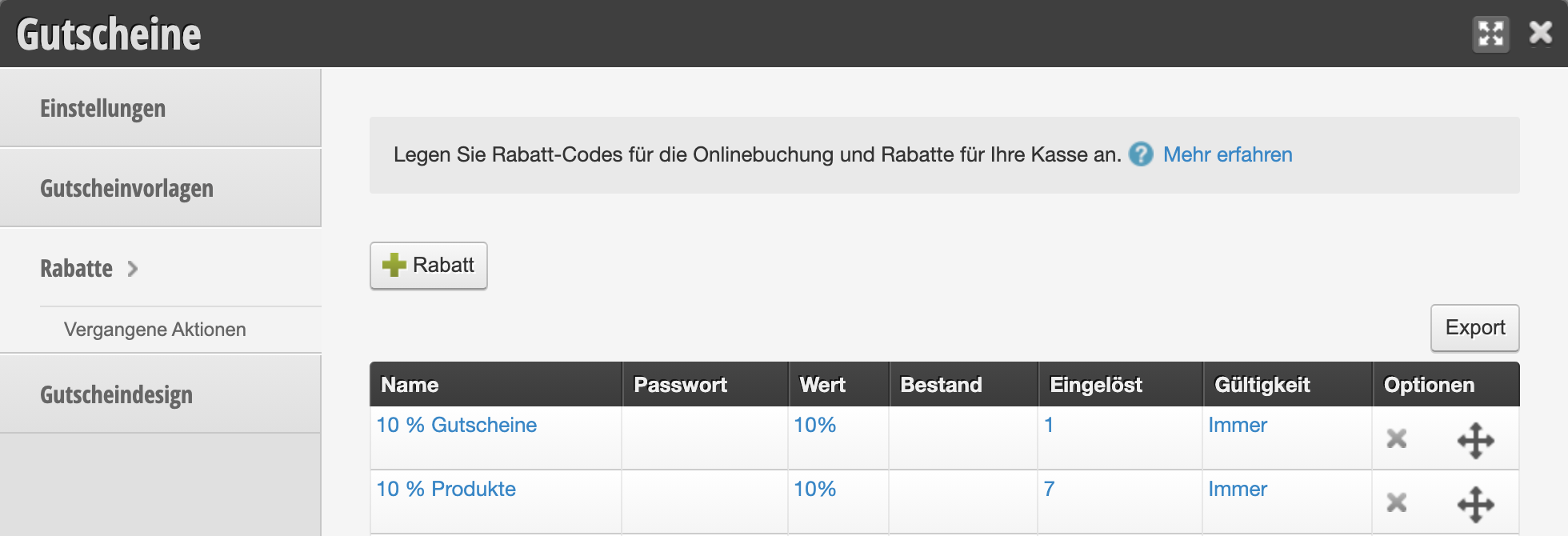
First, create a discount under Settings > Vouchers > Discounts:
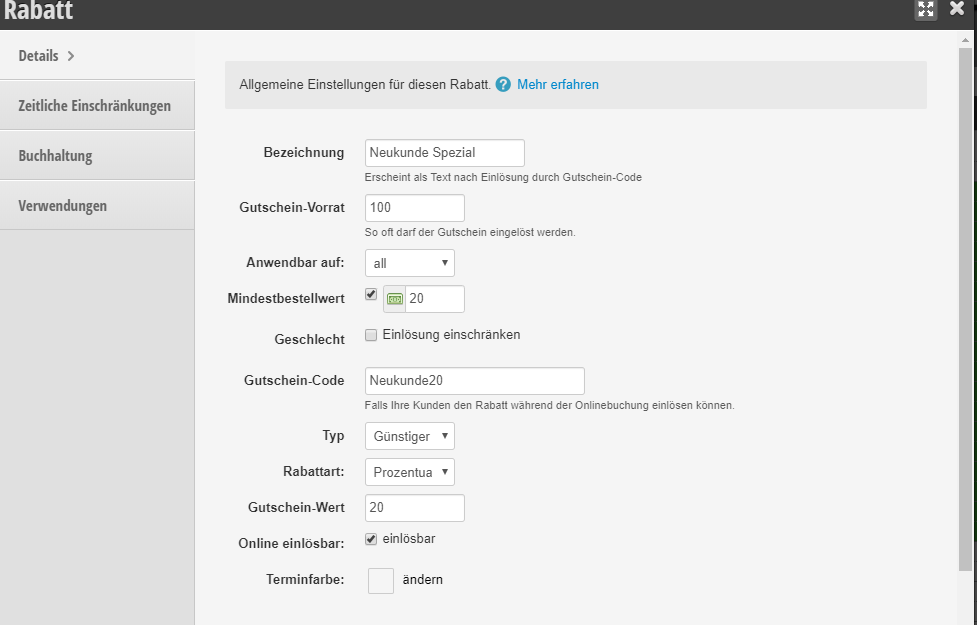
After you have entered the name and value of the online code, you can further edit your online voucher. Please make your settings and finally save the changes.
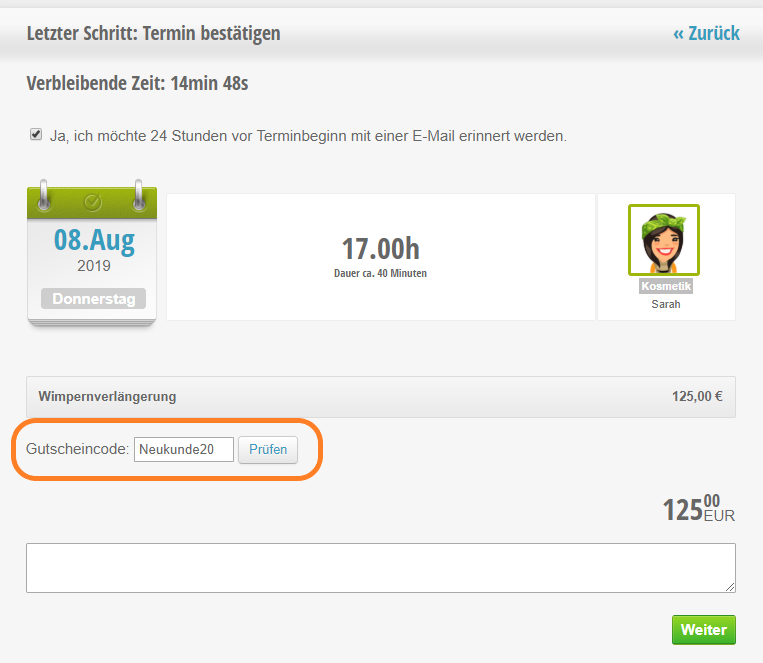
Redeeming the voucher code in online booking
Customers who have received the code from you can use it in the online booking.
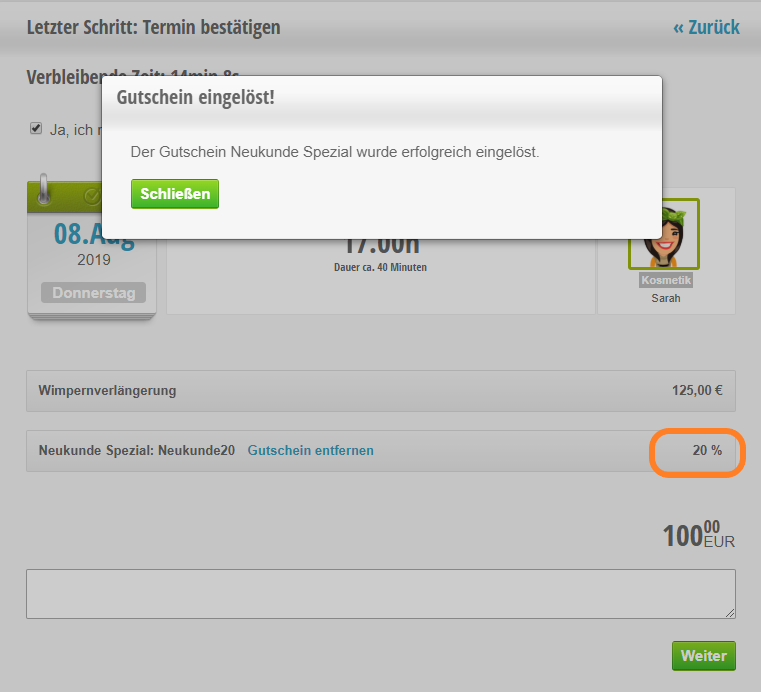
Discounts used online in the checkout process
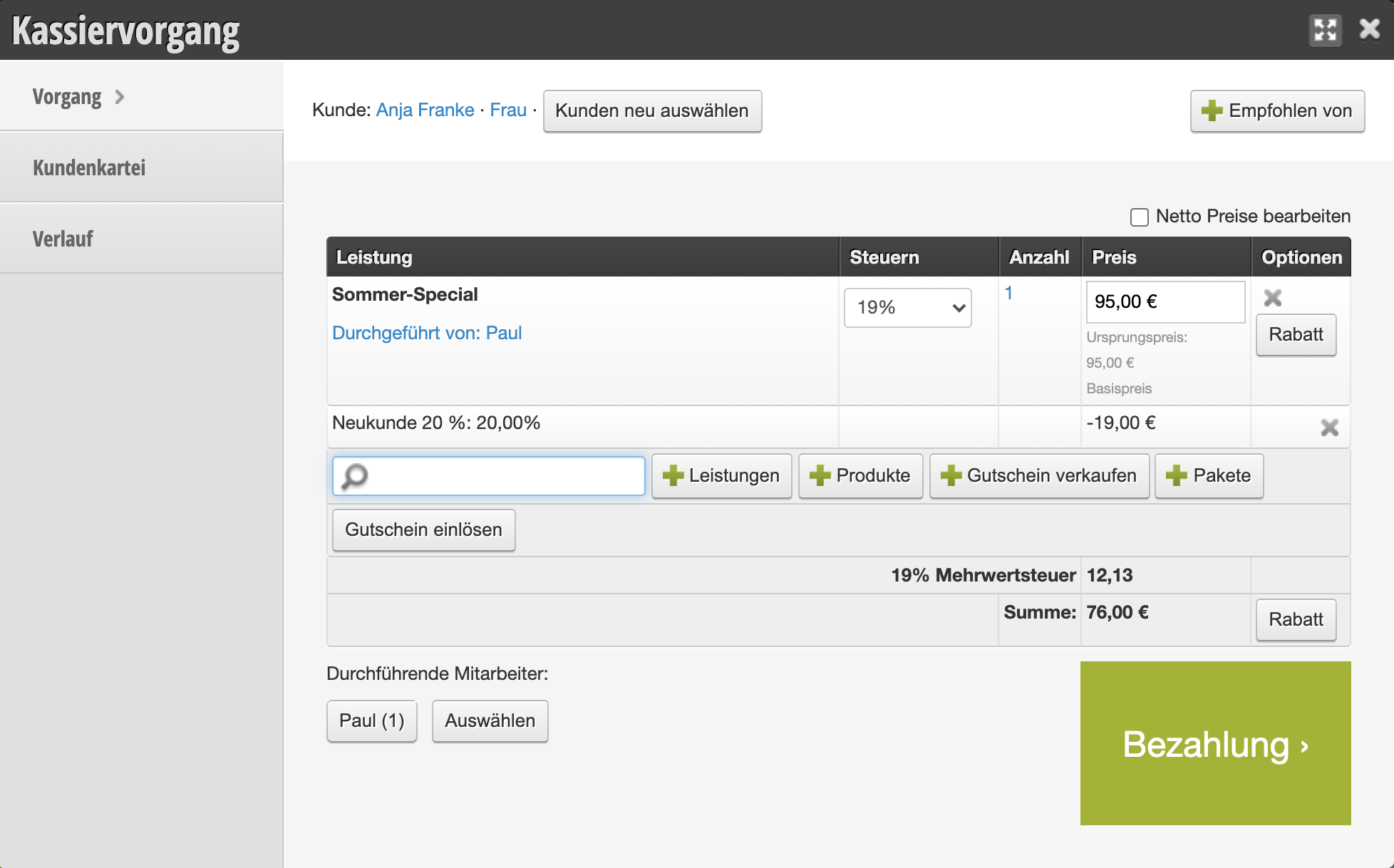
If you use the Belbo cash register system, you can already see the discount redeemed by the customer in the checkout process.