Rooms and equipment can be linked to your services. This way they are blocked and double bookings are prevented.
You can access this area via Settings > Rooms and Equipment (Resources)
If this function is not enabled, it can be activated via "Settings > Add Function".
Application example:
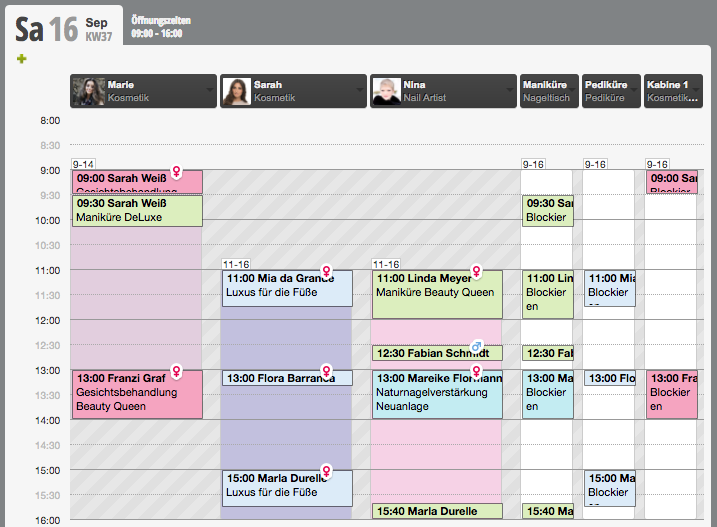
The service "facial treatment" can only be performed in the only cosmetics room, the service "manicure" only at the manicure table. These rooms and equipment are displayed in the calendar in addition to the staff members and their occupancy is visible, so that double bookings are avoided.
To be able to block rooms and equipment, you must:
- Create categories for rooms and equipment
- Create and manage rooms and equipment
- Automatic working hours for rooms and equipment
- Manually plan availability for your rooms and equipment
- Block rooms and equipment during a service
Example of a calendar with booked rooms:
In the calendar itself, when the staff member enters an appointment and there is a double booking, an error message appears if the
strict product mode is active.
