
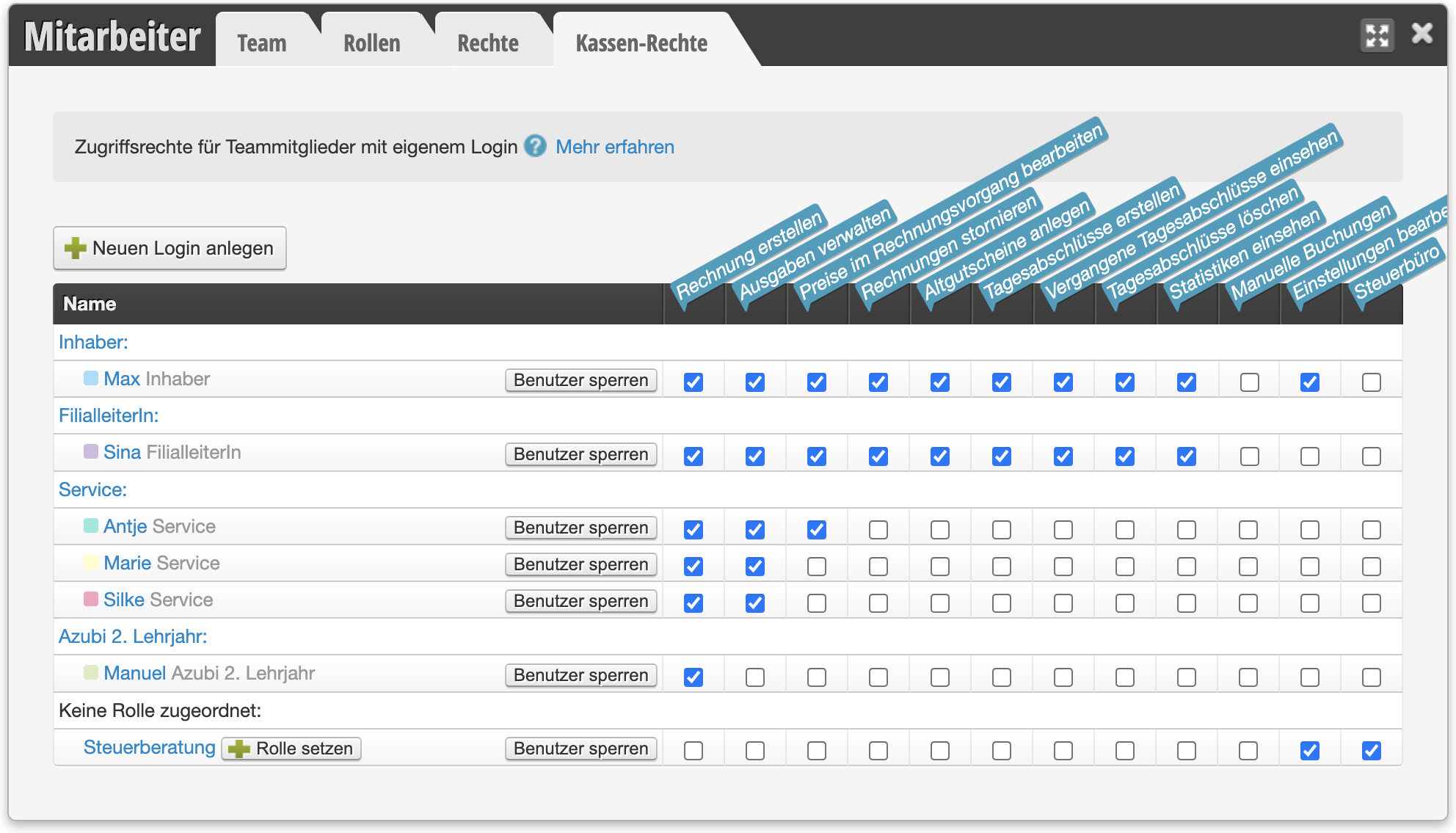
You can determine which of your employees can access the cash register with their login and which functions should be blocked.
Create Invoice
Team member can process appointments and regular customers at the cash register.
Manage Expenses
Team members with this right can enter expenses in the cash register, which are taken into account in the daily closing.
Edit Prices During Checkout
Team members with this right can change prices during the checkout process. If a person does not have this right, for example in case of a surcharge, a corresponding service must be added or the "Cash Register Services" function must be used.
Cancel Invoices
Team members with this right can cancel existing invoices.
Create Old Vouchers
Only if this right is assigned can the person create old vouchers.
Create Daily Closings
Team members with this right can create daily closings.
View Past Daily Closings
Team members with this right can view past closings. If this right is not assigned, the person can only view the current closing, provided they have the "Create Daily Closings" right.
Delete Daily Closings
With this right, existing daily closings can be deleted. A deletion always results in a correction of the closing when it is created again afterwards.
View Statistics
Only with this right can financial statistics be viewed.
Manual Entries
This right should generally not be assigned. It is needed once at the start with Belbo to enter the initial cash register balance. Please discuss with the Belbo team if and for what purposes this right could be needed in exceptional cases.
Edit Settings
Editing cash register settings should only be granted to owners or senior employees.
Tax Office
This right is automatically assigned when you grant your tax office access to your closings via the Tax Office Module. Please do not assign it to any employee who works in daily operations.