
There are various reasons why you may want to cancel an invoice. For example, you may have confused the payment method or forgotten an invoice item – many things can happen in everyday work.
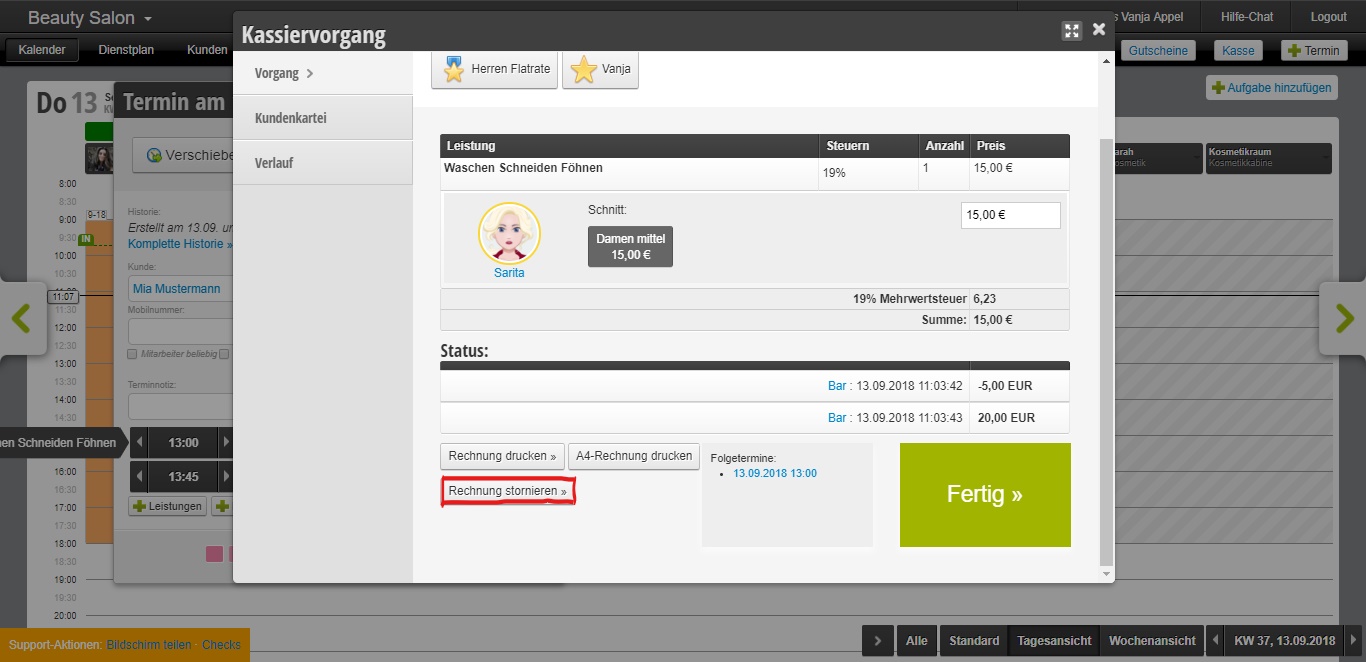
When you click on Cancel Invoice, you will be asked to select a reason. If your reason is not on the list, you can describe your reason for cancelling in the text field.
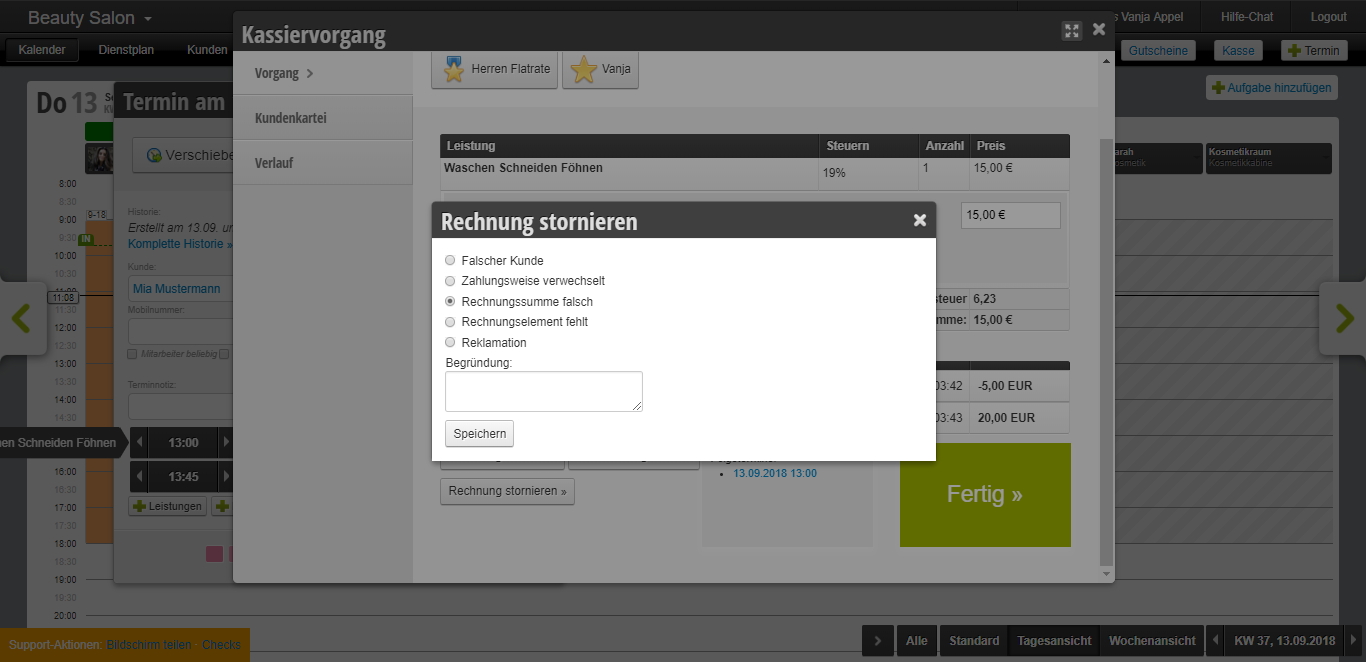
After you have selected your reason and clicked Save, you can correct the error in the next step. You can change the price or the payment method, add new services and products, or change the customer.
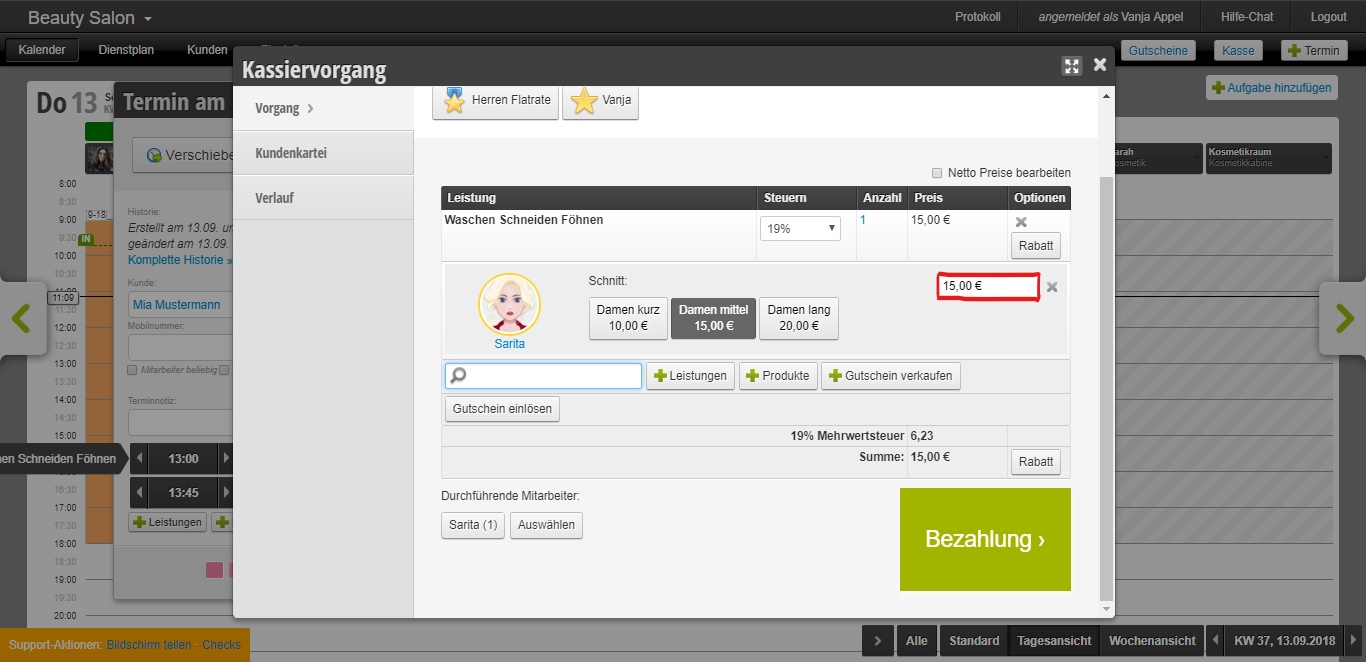
Once you have corrected the error you made, complete the checkout process as usual.
Note: If a daily closing already exists for the day on which the correction was made, it must be recreated – as must the daily closings for all subsequent days until the present, if the cash balance was affected by the change.