
It can happen that customers contact you if they cannot find certain emails in their mailbox. These include, for example:
- Reminder and confirmation emails
- Password forgotten emails
- Newsletters
However, it can also be Belbo system emails that you, as the owner of a Belbo calendar, expect to find but cannot. These include, for example:
If you are sure that the corresponding email was sent, for example, if it can be found in the "Messages" tab of the customer record, it is probably the customer's mailbox that is preventing it from being found there.
Automatic mailbox rules (e.g. Google Mail)
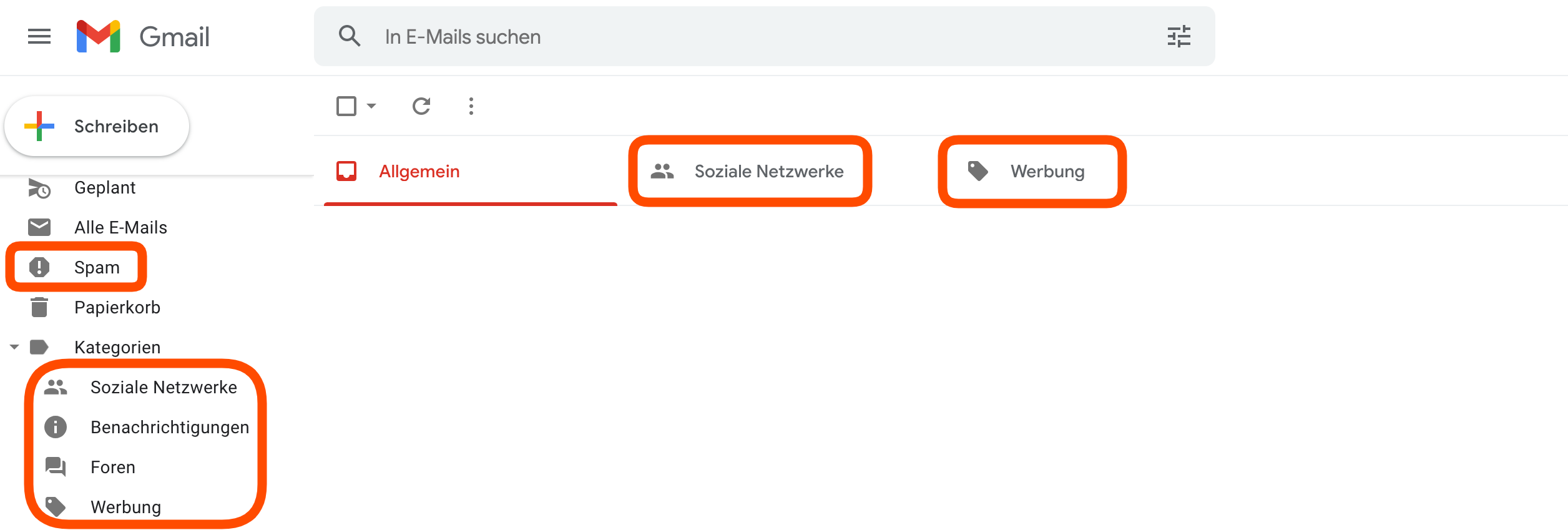
Some email services, especially Google Mail, offer users the option to pre-sort emails so that not all messages land in the normal email mailbox. Messages that Google classifies as desired advertising or notifications can be accessed somewhat hidden. Ask the customer to check these mailboxes and, if necessary, change the automatically created rule:
Custom mailbox rules
Custom rules for specific senders can be created in all email services. If it was previously determined that messages from your company should always be marked as "read" and archived, other messages may also be affected.
Rejected messages and spam
Your customers have the option to mark your newsletters or reminder messages as spam if they no longer wish to receive them. In this case, future messages will also be sorted into the spam folder.
Some email service providers can also make this decision independently. There are international guidelines that email service providers use to determine which senders are classified as spam senders. The service we use to send emails has an excellent reputation and is very rarely marked as spam. Nevertheless, it can occasionally happen.
We ask for your understanding that we have no influence here. Your customer can mark the sender as safe to receive future messages again.