
You can set the basic settings for sending reminder and confirmation emails yourself.
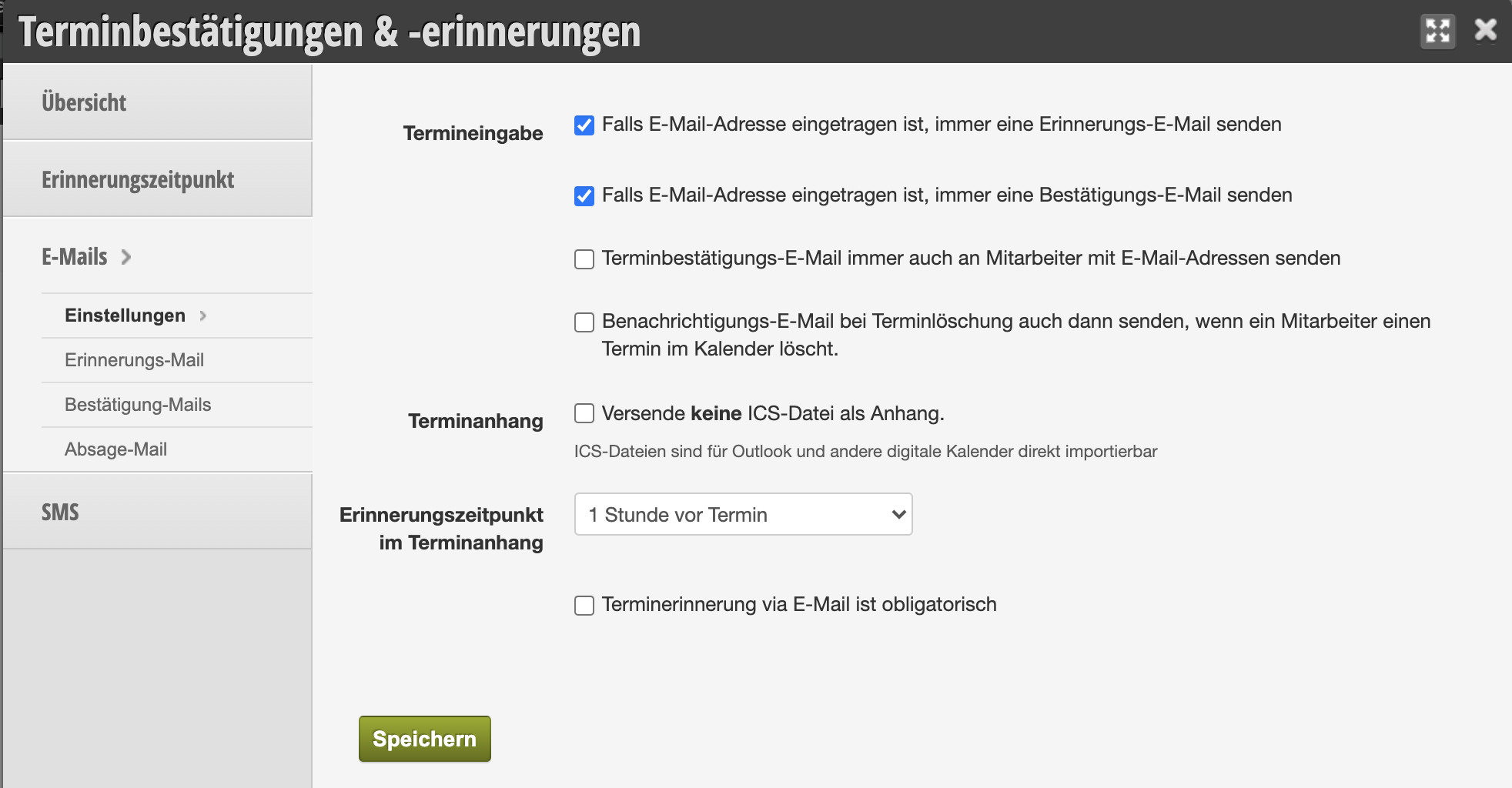
Appointment entry
Set the default settings for your Belbo calendar. When you create a new appointment in the calendar, you can specify whether confirmation and reminder should be sent by email in any case. If you disable these options, you can monitor this yourself when creating an appointment, however this can lead to errors.
If you want the respective employee to be notified when an appointment is created or deleted in the calendar, you can also set this. The corresponding employee will then receive an email. The prerequisite for this is a separate employee login.
Appointment attachment
The appointment attachment allows your customers to save calendar entries directly to the calendar of the computer or smartphone with which they open your emails.
Please only activate this field if your company is located at a time zone boundary or if you do not want to send .ics files for a specific reason.
Reminder time in appointment attachment
The .ics file, with which your customers can enter their appointments directly into their own calendar, also contains a reminder. This can appear, for example, on your customer's smartphone. Here you can specify what the default time for this reminder is. Please note that your customers can change or disable this themselves, so this type of reminder may not be seen in every case.
Appointment reminder via email is mandatory
If you enable this function, customers in the online booking will no longer have the option to choose whether they want to receive a reminder. In this case, an email will always be sent.