
With Belbo Online Booking, you can give your customers the opportunity to book appointments themselves at any time. You have very precise control options for how and when your customers can book these appointments. This allows you to customize online booking to your preferences. Everything is possible, from "Any customer can book all services at any time without login" to "Only selected regular customers I choose may book specific services on specific days".
Your personal Belbo Online Booking
Every Belbo calendar always comes with an online booking page. You can find it at the web address where your calendar is also located. However, the address of the online booking page ends after the .com. If your calendar has the address
mycalendar.belbo.com/office
you can find your online booking at
mycalendar.belbo.com.
Example of an online booking page:
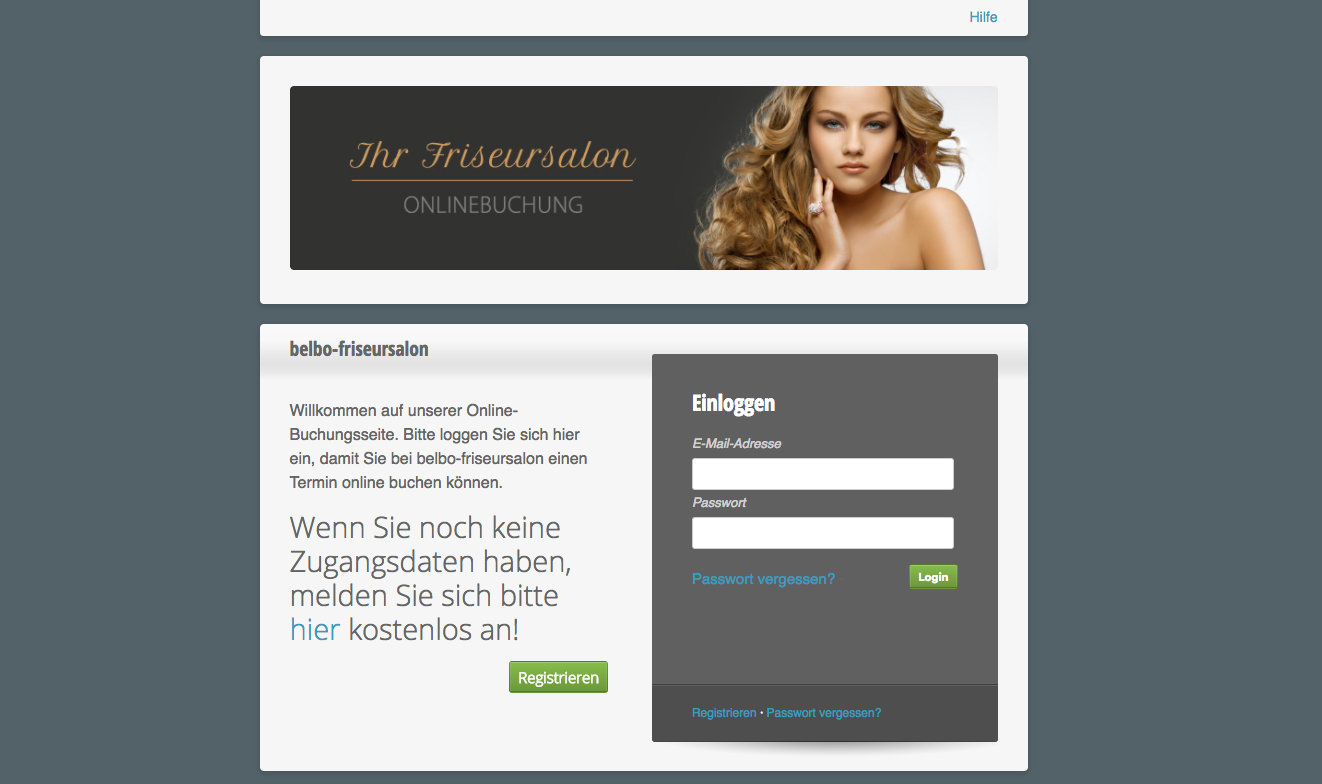
Your customers can only book those services that you have explicitly enabled for online booking. Customers also never have direct access to your calendar; they only receive time suggestions for available appointments. Simply log in with your existing login details and book an appointment to see how online booking works for your customers.
Link online booking on your website
We recommend that you display your online booking prominently on your website. We have created a collection of various buttons that you can download and integrate into your website. Of course, you can also use your own designs.
If you need help, please contact your webmaster or the person who manages and edits your personal website. We offer the integration of booking links for a one-time fee of €29.90. Feel free to contact us: 030 5770 9641 or design@belbo.com.
Online payment and your own voucher shop
If you wish, your customers can pay for booked services immediately online. You can choose from various payment options:
If you offer your own voucher shop, your customers can purchase vouchers from you directly online and pay using the payment options mentioned above. This gives your customers the opportunity to buy beautiful gifts spontaneously and expands your customer base.