
You can offer online customers the option to pay by PayPal when booking appointments with you online.
1) Set up a PayPal merchant account
If you don't already have a PayPal merchant account, you need to set one up first. This process takes just a few minutes. Please note that a private PayPal account is not sufficient to receive payments.
Click on the PayPal Business Account page and first click on "Open a business account" and enter your details in the following steps. Then confirm the setup by clicking on the link that PayPal sends you to the email address you provided.
2.) Set up PayPal payment in the Belbo calendar
To set up online payment with PayPal, you need the API credentials of your merchant account. The API is a programming interface that allows the Belbo calendar to communicate with your merchant account and verify payments.
View API data
-
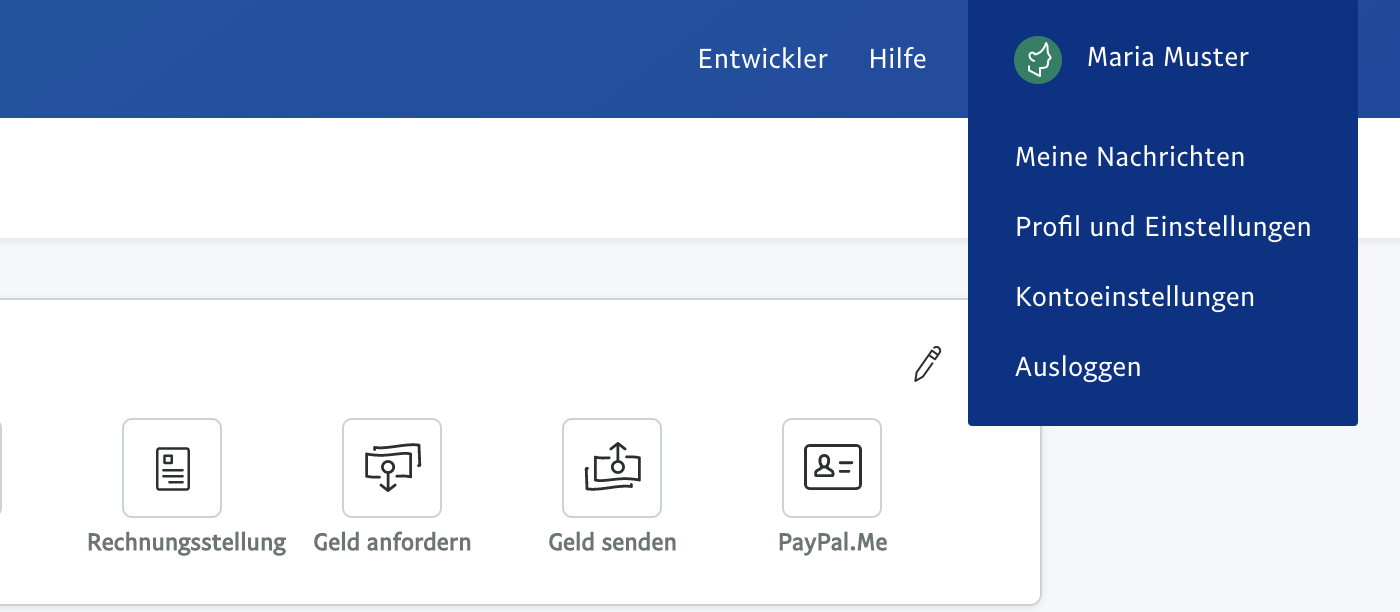
- Log in to your PayPal merchant account and click on "Your Name" > "Account Settings" in the top right.
-
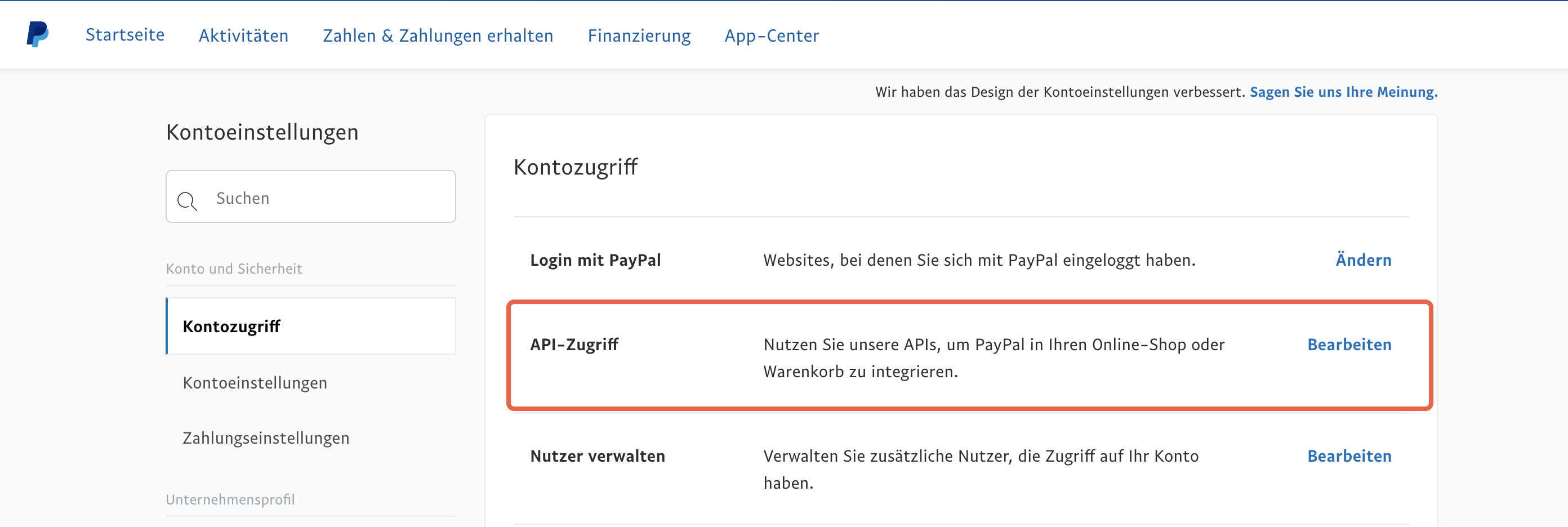
- Then click on "Edit" in the "API Access" section.
-
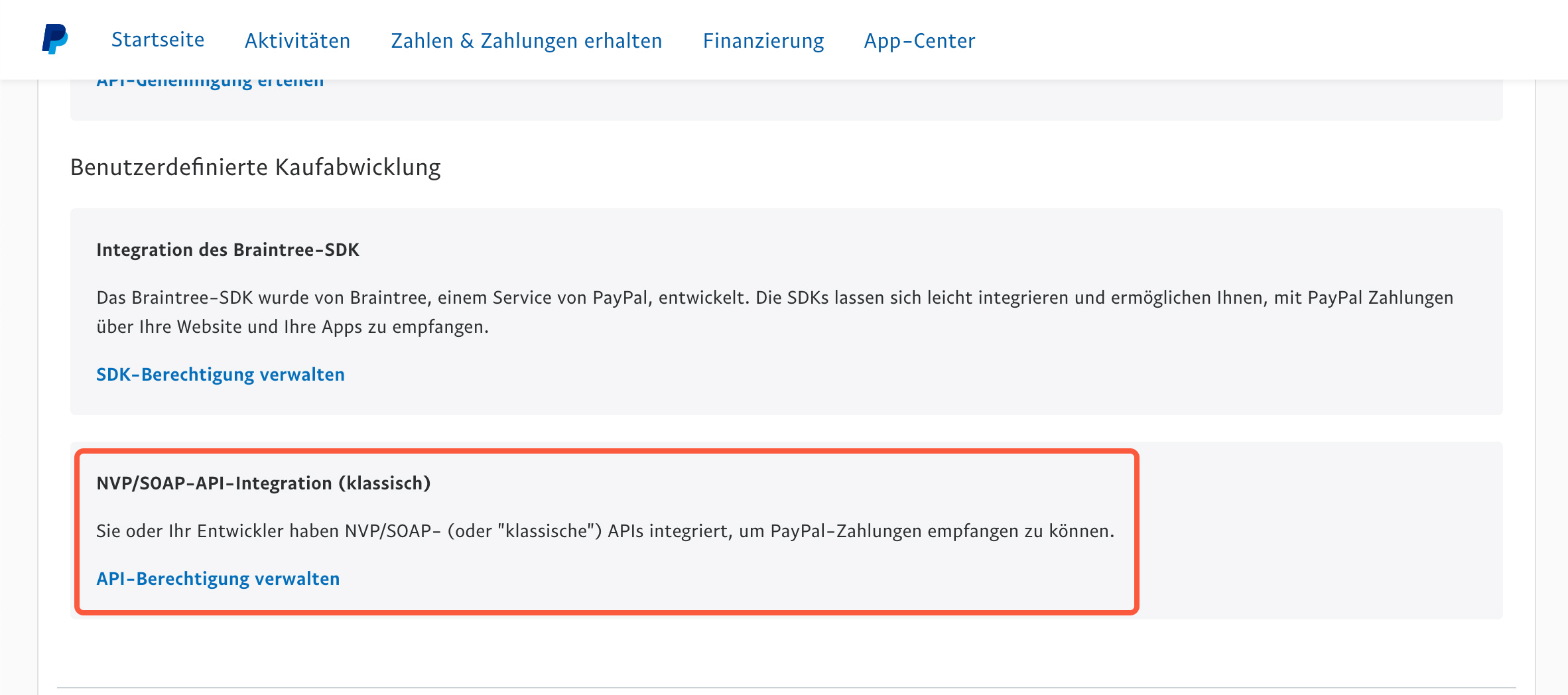
- On the following page, under "NVP/SOAP API Integration" click on "Manage API Permissions".
-
- Depending on the security settings you have configured, a code may be sent to your mobile phone, which you must first enter on the PayPal website.
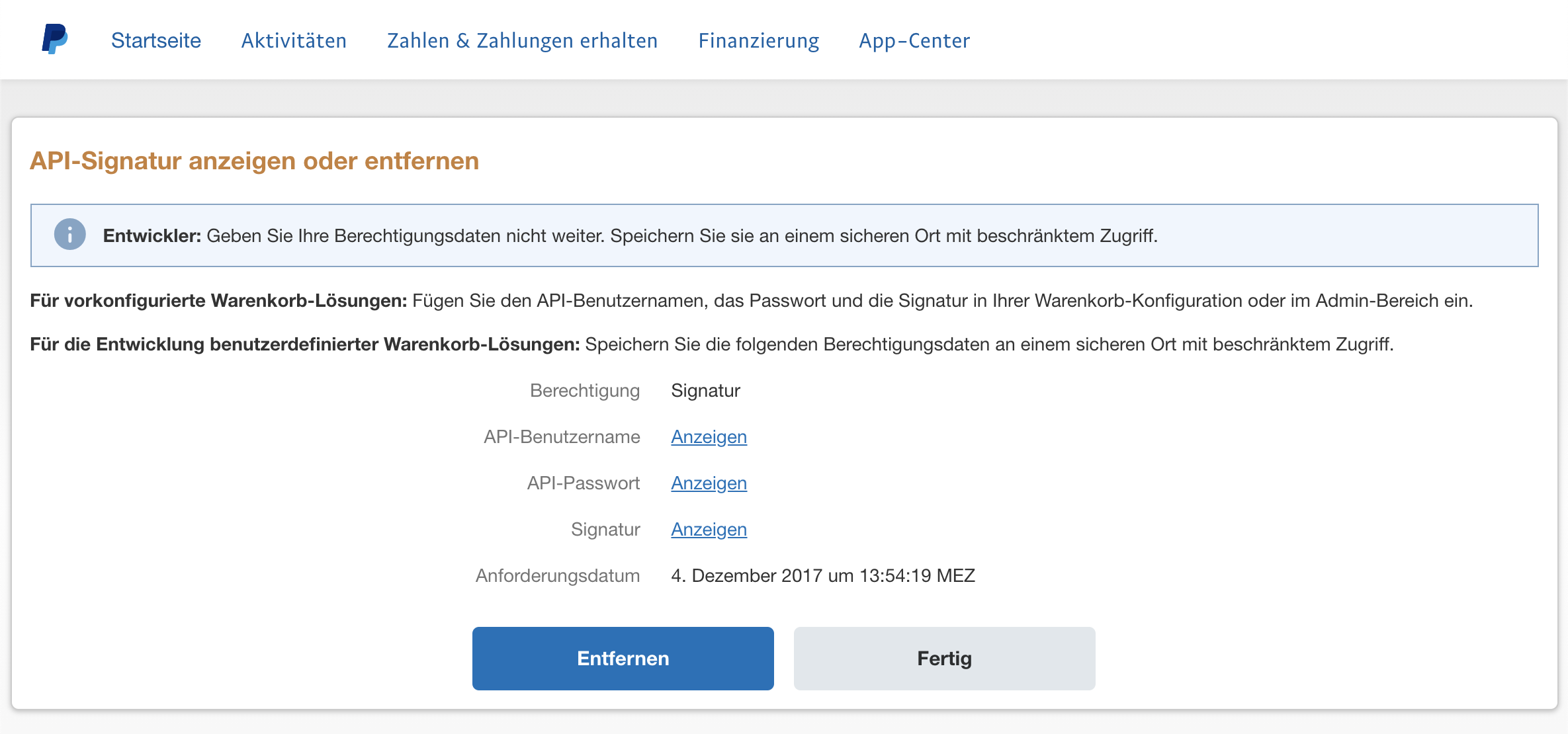
- On the following page, you can read the required fields after clicking "Show" next to Username, Password and Signature. If a signature has not yet been created, you can request one with a click. You will then see the following fields:
Insert API data into the Belbo calendar
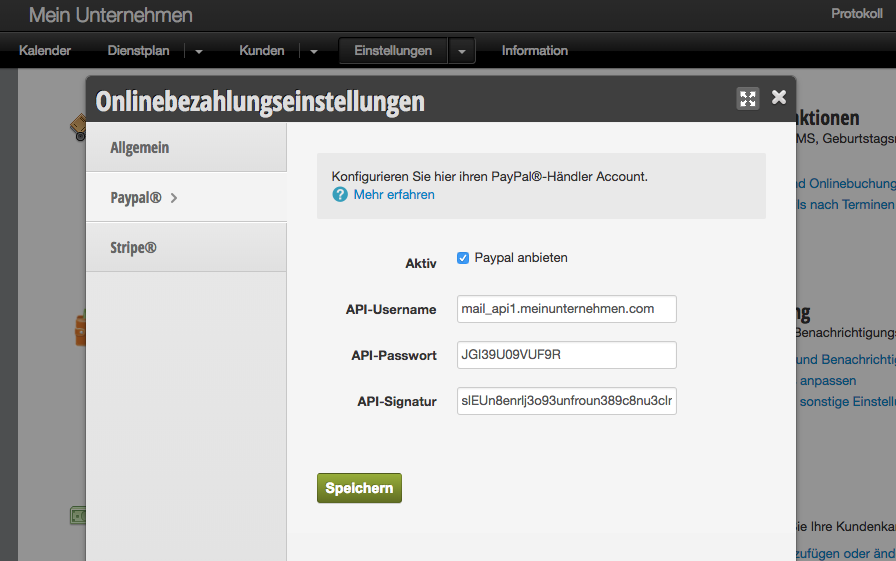
- Open your Belbo calendar in a new browser tab and click on "Settings" then "Online Payment > PayPal"
- Check the box next to "Offer PayPal" and enter the API credentials displayed in the previous step for API Username, API Password and API Signature.
When inserting, please note not to enter any spaces after the signature. This can easily happen accidentally when copying and pasting. - Click on "Save"
Activate online payment
Your PayPal merchant account is now linked to the Belbo calendar and can be offered as a payment method for appointments and vouchers.
To activate online payment, please continue on this page.