
You can set whether your customers must register when booking online or whether they can also book with you without a prior login. Here we explain both options with their advantages and disadvantages.
Booking without registration
You can set in online booking to allow booking without login:
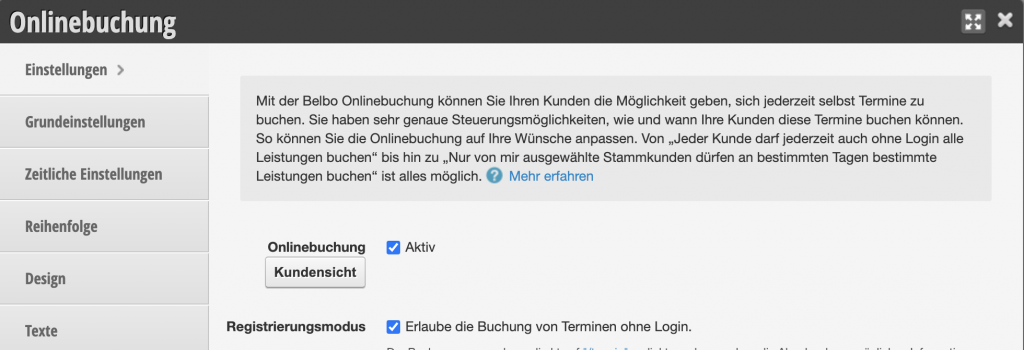
This means that customers do not need to log in or register when booking and must enter all their data again with each booking. Customers may create a new customer file with the status "New Customer" with each booking if they provide different spellings or email addresses for repeat bookings. Duplicates can be merged.
Booking without login is only recommended if you have few returning regular customers. This includes, for example, hotel spas or escape games.
Booking with registration (recommended)
We always recommend booking with login. Belbo offers several advantages that are only possible if customers register when booking and clearly identify themselves.
- Setting up your own booking processes and bookable services for specific customer groups (example: "New customers may only book consultation services" etc.)
- Blocking individual employees from booking by new customers (learn more)
- Setting different prices for customers with a specific status (learn more)
- The ability to store time exceptions for your customers (learn more)
- The ability to allow certain customer groups to only book through a prior payment
If you deactivate the option "Allow booking of appointments without login" in the online booking settings, customers must register or log in before they can complete their booking and then do not have to enter all data (first name, last name, email address, phone number and other required fields) again with each booking.
Customers who register after the option is deactivated will create a duplicate that can be merged with the original file. After that, the customer will always be recognized when booking, since they must log in.
However, existing customers who have an email address stored in their file can also be invited to register via the link in the file:
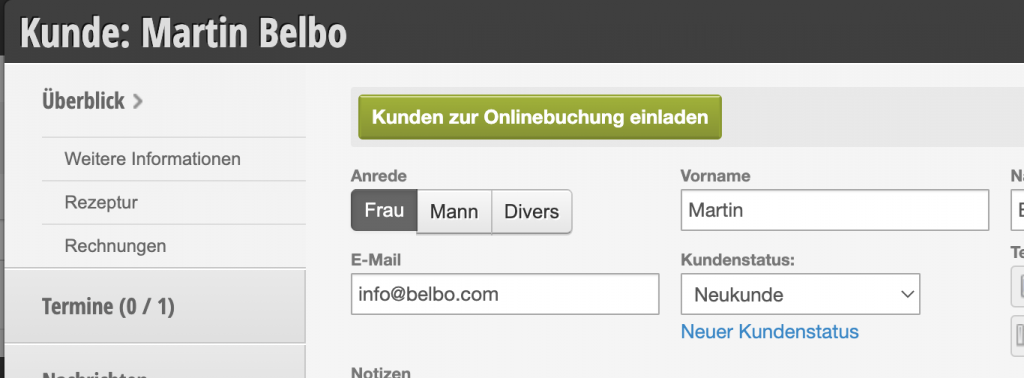
This prevents future duplicates when the customer only needs to set a password after clicking on the email and the login is linked to the existing customer file.