
Customize your calendar according to your wishes.
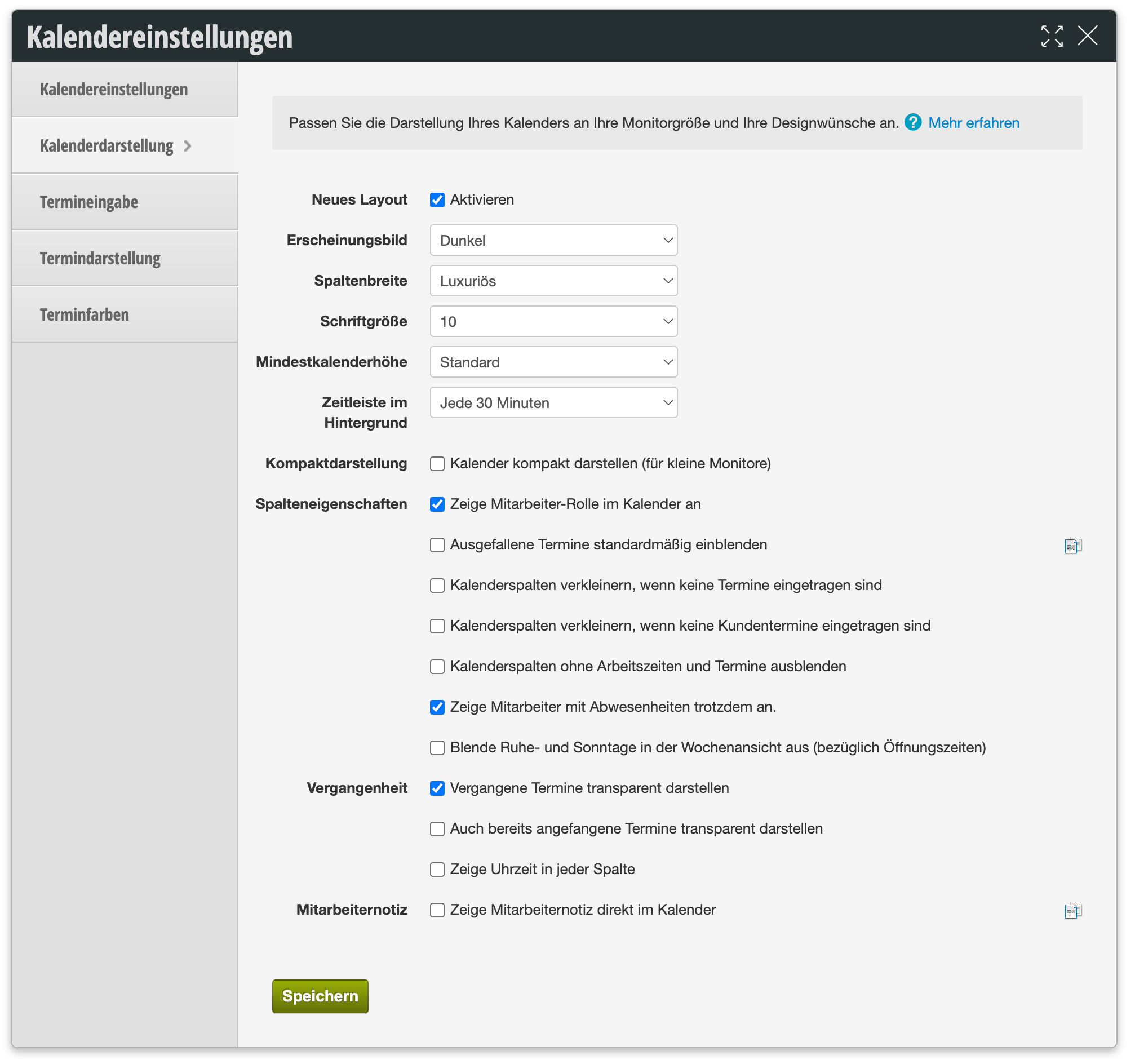
The following table provides an overview of all available setting options:
| Setting | Description |
|---|---|
| New Layout | Enables the revised calendar layout with the current display options from this page (e.g. appearance, timeline in the background). If this option is disabled, your calendar will continue to use the classic layout. |
| Appearance | Determines whether your calendar is displayed in a light or dark color scheme. |
| Column Width | Sets the column width for your employees in the calendar. Depending on your team size and monitor size, different widths may be suitable for your calendar. |
| Font Size | You can also adjust the font size of the most important elements to suit your preferences. |
| Minimum Calendar Height | If you offer services with short durations, it makes sense to set the calendar height accordingly. The columns will be correspondingly taller and you can scroll to see the entire day. Short appointments are now easy to read. |
| Timeline in Background | Determines the time interval (e.g. every 30 minutes) at which subtle lines are displayed in the background of the calendar for time orientation. |
| Compact Display |
"Display calendar in compact mode (for small monitors)"
For smaller monitors, compact display is recommended. This compresses everything a bit. |
| Column Properties |
"Show employee role in calendar"
If you do not wish to, you can also hide the employee role in the calendar. |
| Column Properties |
"Display cancelled appointments by default"
Shows appointments marked as cancelled directly in the calendar by default instead of hiding them. |
| Column Properties |
"Shrink calendar columns when no appointments are entered"
Columns of employees or resources without entered appointments are displayed narrower to create more space for the remaining columns. |
| Column Properties |
"Shrink calendar columns when no customer appointments are entered"
A tighter version of the previous option: columns are only shrunk if no customer appointments are entered, e.g. if only internal appointments or blockers are present. |
| Column Properties |
"Hide calendar columns without working hours and appointments"
If you want employees without working hours on a day to be completely hidden, you can check this option here. |
| Column Properties |
"Show employees with absences anyway"
If this option is enabled, absent employees remain visible as a separate column in the calendar, so colleagues can see at a glance who is missing on that day. |
| Column Properties |
"Hide rest and Sundays in week view (regarding opening hours)"
If you use week view, you can save space by completely hiding days without opening hours. |
| Past |
"Display past appointments transparently"
Appointments in the past can be colored transparently so that current and future appointments appear more prominently in the calendar. |
| Past |
"Also display already started appointments transparently"
Additionally displays appointments that have already started but not yet completed transparently, not just completely past ones. |
| Past |
"Show time in every column"
Displays the time not only at the left calendar margin but also in each individual employee column. |
| Employee Note |
"Display employee note directly in calendar"
Displays a note stored in the employee file directly in the calendar, e.g. to make important information about the employee visible at a glance. |