
If you use the Belbo cash register system, you can record expenses and sell vouchers. These always have sequential numbers.
Your Belbo cash register system ensures that the sequential numbers of vouchers or expenses never occur twice. However, it can happen that numbers appear to be missing. This is for technical security reasons.
Voucher Numbers
If a voucher is entered in the checkout process but then deleted, the number of this voucher is not reassigned. Vouchers that are added to a checkout but are subsequently not cashed also receive their own numbers, which then do not appear in the voucher list. This ensures that even when using the Belbo cash register from multiple devices or by customers in the voucher shop, numbers are never assigned twice and each number can be uniquely assigned to a voucher.
Receipt Numbers
Since January 1, 2021, a new receipt number is blocked for each cancellation. This is necessary to meet the legal requirements that come into force on April 1, 2021 and with the use of the TSE.
If an already cashed booking is cancelled, both the cancellation receipt and the new receipt receive a new receipt number. This can always be determined in the checkout process under "History":
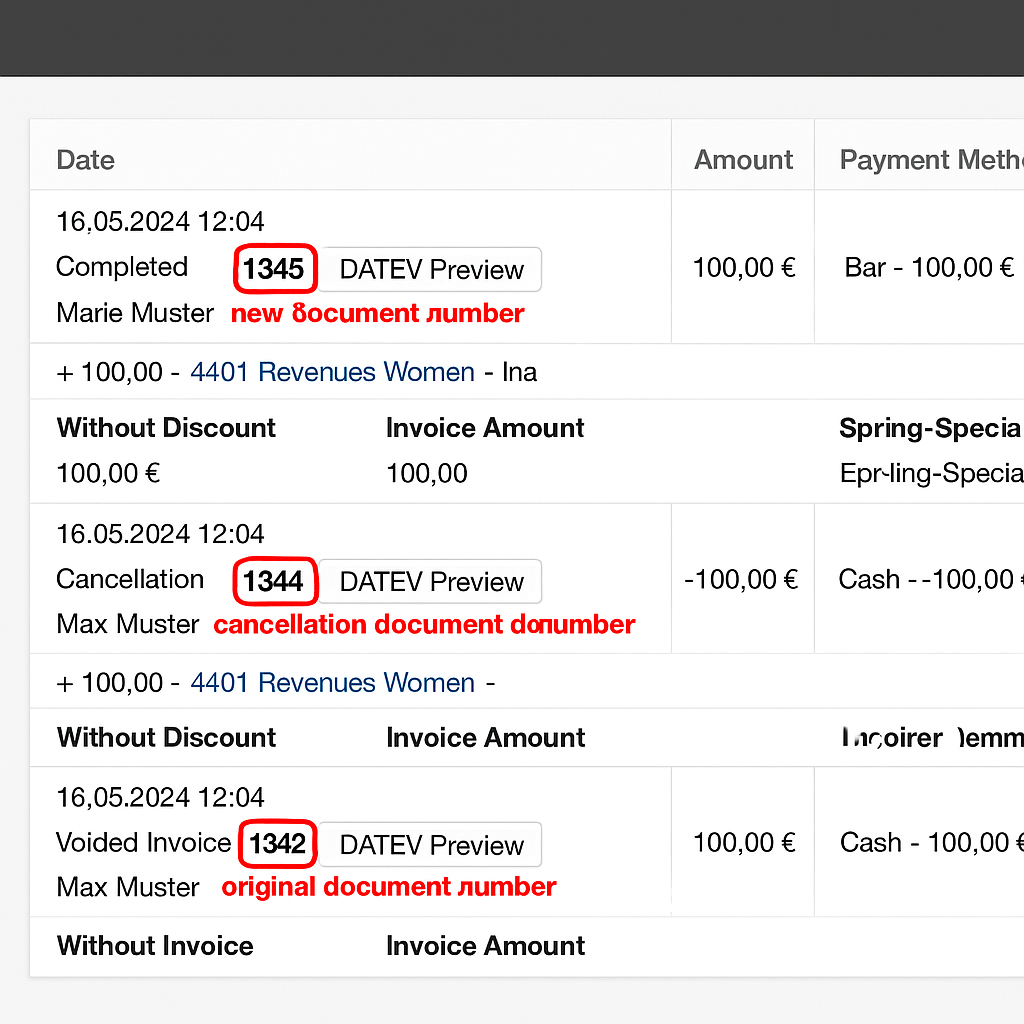
Finding Receipt Numbers
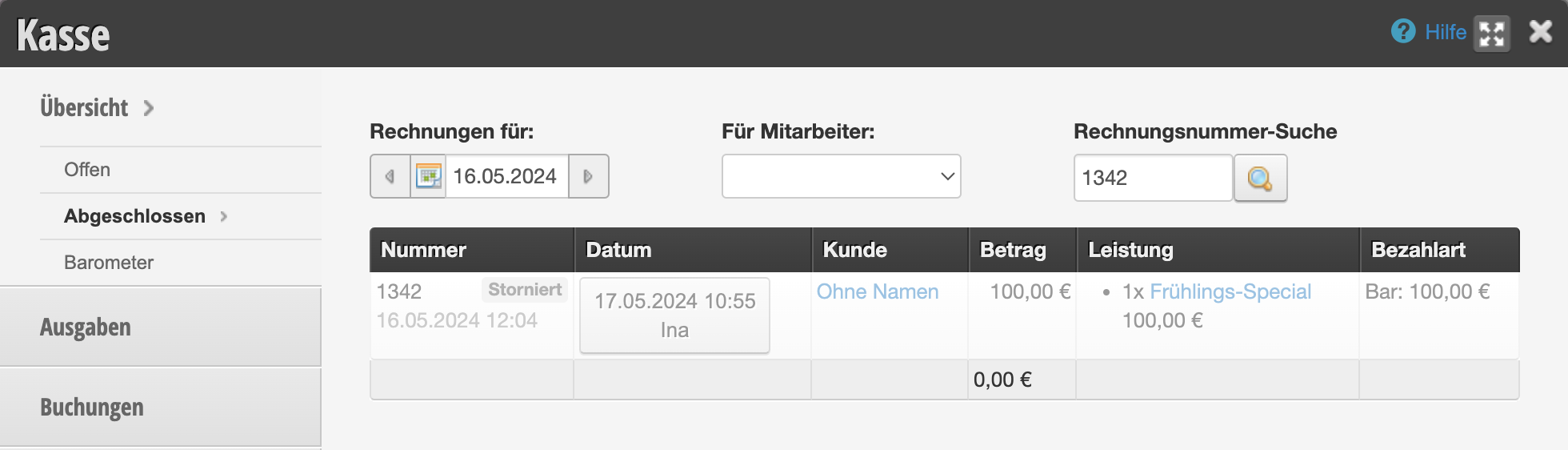
You can also find cancelled receipt numbers via the cash register search function:
Expense Numbers
Cancellation or Reversal of an Expense
If an expense is entered in the cash register system but then deleted, the number of this expense is not reassigned. Even if an expense is started but the process is not completed, the system assigns a number which is then not reassigned. This ensures that even when using the Belbo cash register from multiple devices, numbers are never assigned twice and each number can be uniquely assigned to an expense receipt.
Automatic Cash Withdrawal
If you have enabled the "Automatic Cash Withdrawal" function, a change withdrawal may be automatically posted at the end of the day. These postings also use expense numbers, which are then no longer available. These expense numbers are listed in the DATEV export and can thus be traced by the tax office.