
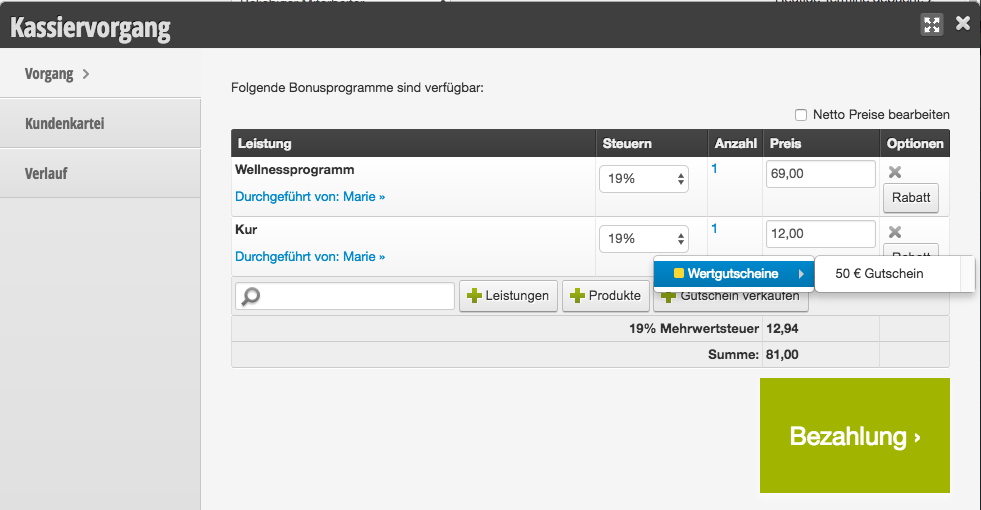
If you use the Belbo cash register system, you must sell vouchers as follows. To sell vouchers, click "Sell voucher" in the checkout process. You can then select the corresponding pre-configured voucher.
Voucher sales
- Start the checkout process for walk-in customer or appointment customer.
- Select "Sell voucher" or enter the name of the voucher in the search field. Set the value of the voucher.
- To speed up the checkout process, you can already see the voucher number here, which can be noted on the pre-printed forms if necessary. Please sign the voucher and voucher number, add a stamp and date with time to guarantee authenticity.
- If a print template has been created, the voucher can now be printed. However, it is only valid after the checkout process is completed.
- Normal checkout process.
Example of a voucher sale during the checkout process:
How to redeem a voucher via the cash register system can be found here.