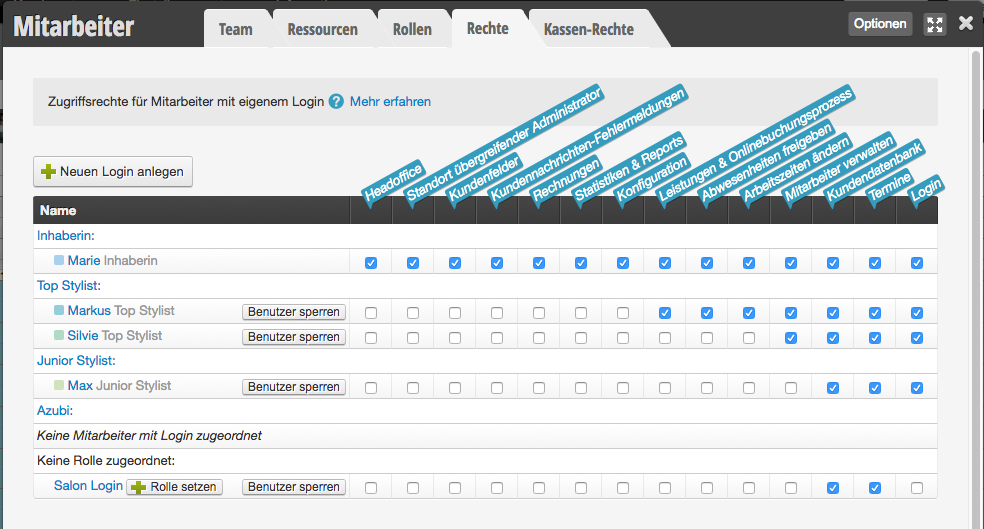
To explain the distribution of rights, we show you the possibilities using the following examples.
Simple rights distribution
It is possible to work with only a single user login, which means that all employees can only log in via this single account.
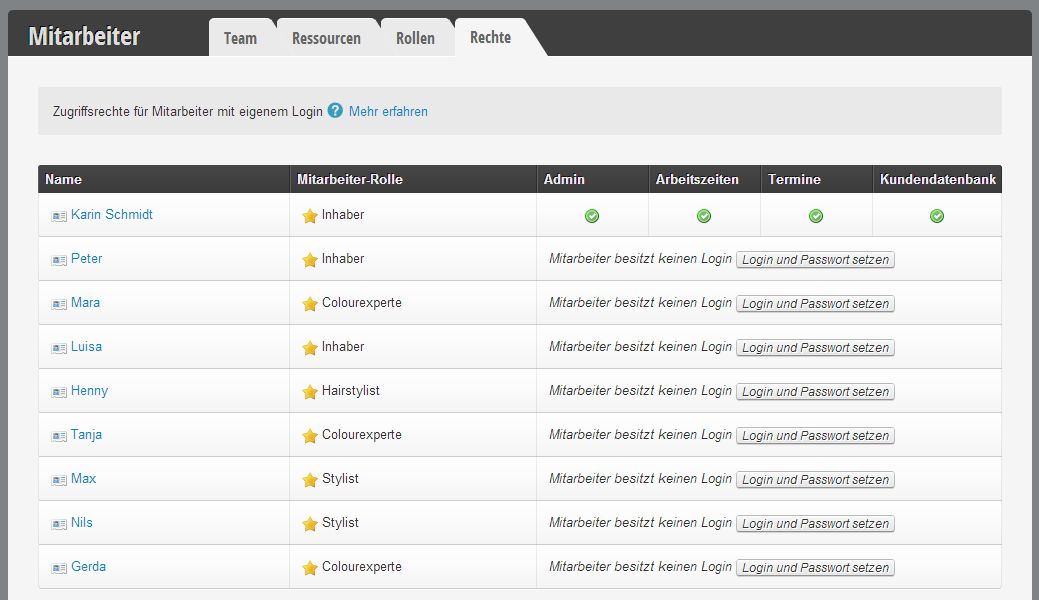
The image shows that only the owner has a login. Consequently, employees can only log in via this and at the same time have the same rights: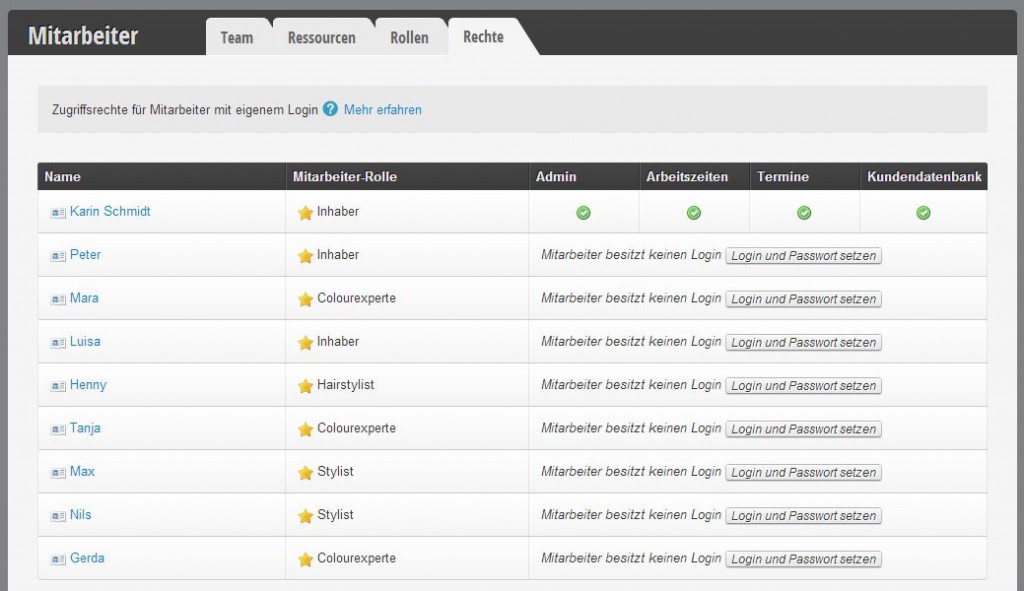 [table] [tr][th]Pro[/th] [th]Contra[/th][/tr] [tr][td][custom_list icon="plus-circle"]
The image shows that only the owner has a login. Consequently, employees can only log in via this and at the same time have the same rights:
 [table] [tr][th]Pro[/th] [th]Contra[/th][/tr] [tr][td][custom_list icon="plus-circle"]
- with the one user login, the overview is optimal and administration is very simple.
[/custom_list]
[/td][td] [custom_list icon="minus-circle"]
- Settings can be accidentally changed by employees.
- As soon as an employee leaves, the password must be changed so that they no longer have access.
- When the password is changed, it must first be communicated to each employee again.[/custom_list]
[/td][/tr]
[/table]
Complex rights distribution
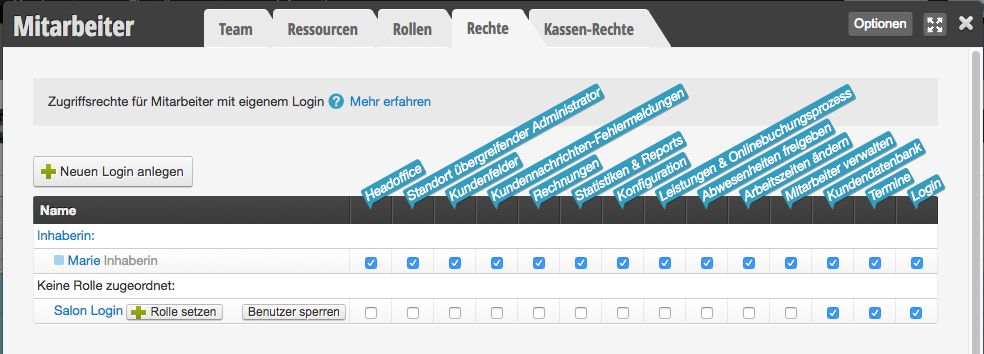
It is possible to create an account only for the owner with administrator rights (in addition, they can of course also have further rights). All other employees would receive a so-called "team login" that contains all the rights important to them. Learn more about Team Login here.
[table] [tr][th]Pro[/th] [th]Contra[/th][/tr] [tr][td] [custom_list icon="plus-circle"]
- Employees cannot change global settings.
[/custom_list]
[/td][td] [custom_list icon="minus-circle"]
- As soon as an employee leaves, the password must be changed so that they no longer have access.
- When the password is changed, it must first be communicated to each employee again.[/custom_list]
[/td][/tr] [/table]
Individual rights distribution
It is possible to give each employee their own user login, which allows rights to be set individually. In this example, the intern does not have a personal user login: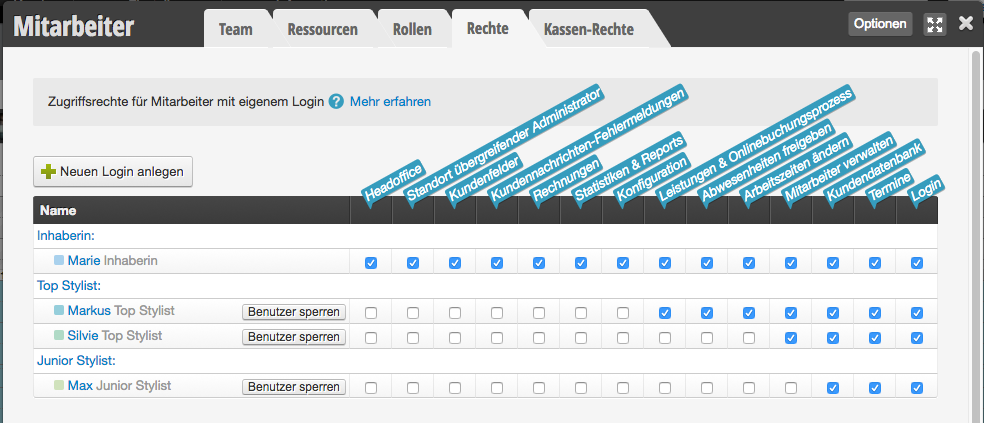 [table] [tr][th]Pro[/th] [th]Contra[/th][/tr] [tr][td][custom_list icon="plus-circle"]
[table] [tr][th]Pro[/th] [th]Contra[/th][/tr] [tr][td][custom_list icon="plus-circle"]
- Employees can only make changes in their personal user login to the extent that their rights allow.
- Traceability of changes made.
- Targeted blocking of individual employees possible.[/custom_list]
[/td][td] [custom_list icon="minus-circle"]
- Without employee PIN, constant logging in/out occurs with only one available computer.[/custom_list]
[/td][/tr] [/table]
Our recommendation
We recommend:
- Only one or two employees (e.g. the owner and the salon manager) enjoy administrator rights. This ensures that not all employees can make global changes.
- All employees use the Team Login in everyday work.
- Employees who use the Belbo Calendar App on their personal mobile phone or want to access the calendar from home receive their own login with the desired rights.