
In the address section of location management, you can create addresses and contact details.
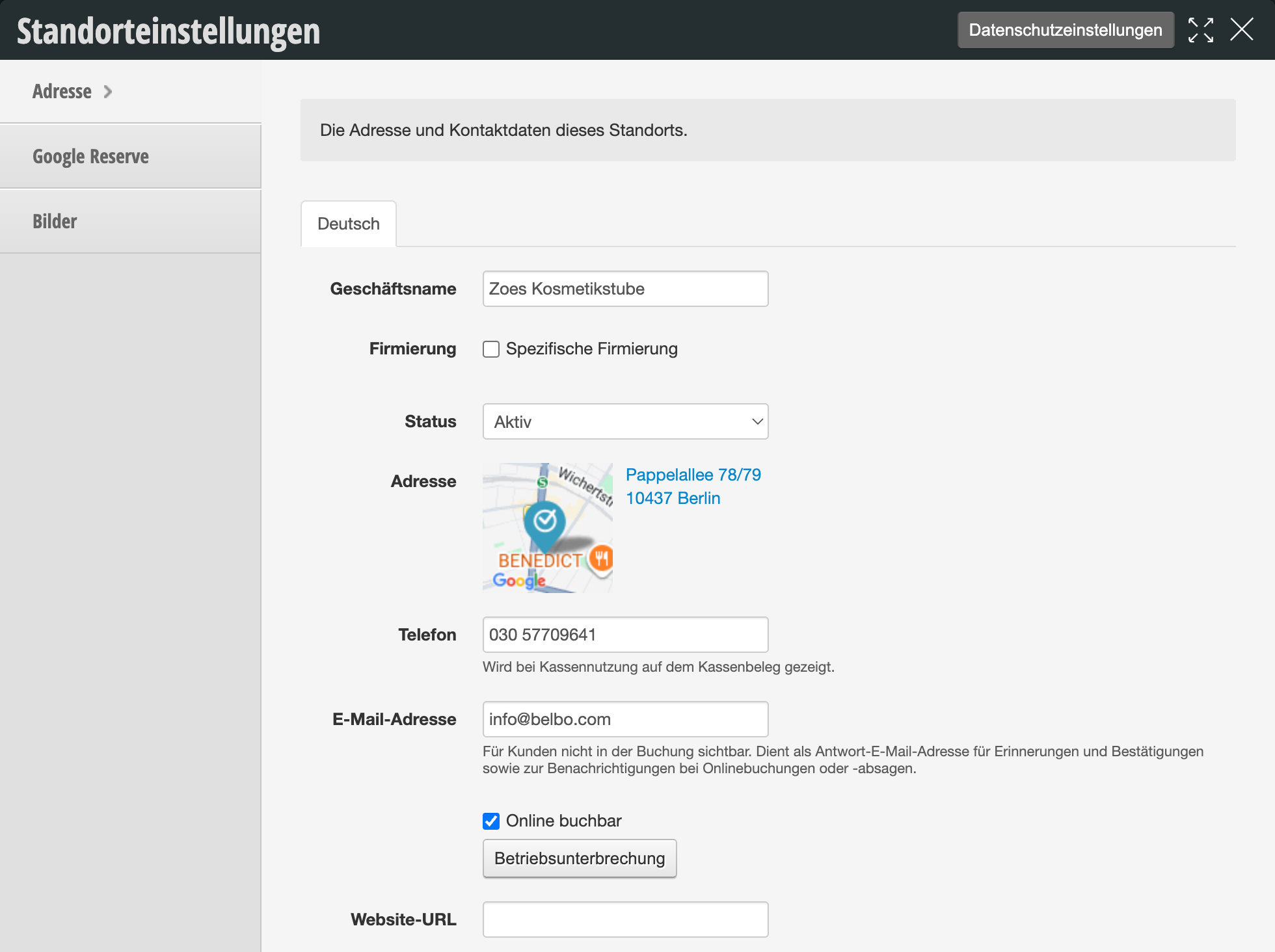
The following table shows an overview of all available settings:
| Setting | Description |
|---|---|
| Business Name | Set the name of the location. This is displayed at the top left of the calendar and can be used as an email placeholder for your reminder and confirmation texts. |
| Company Registration |
"Specific Company Registration"
Enable this option if this location should have a different legal company registration than your main account, for example if multiple locations are operated under different legal entities. The registered company name will then appear on documents and invoices for this location. |
| Status |
Selection field, default: "Active"
Determines whether the location is active. The status is informational and helps with overview when you manage multiple locations. |
| Address | Enter your address here. It will automatically be displayed on a map so you can confirm the location. Users of online booking and the booking app will see the address. |
| Phone | Enter your phone number. This can be used as an email placeholder for your reminder and confirmation texts. If you use the cash register, the phone number will also be displayed on the receipt. |
| Email Address | The email address stored here serves as the reply address for your reminder and confirmation texts as well as for notifications about online bookings or cancellations. It is not visible to customers in the booking process. In online booking settings, you can additionally specify whether a message should be sent to this address for each online booking. |
| Online Bookable | Determines whether customers can book appointments for this location online. If this option is disabled, the location will not be available for selection in online booking. |
| Operational Break | Opens the wizard to set up an operational break. This allows you to disable online booking for a specific period and inform affected customers by email. |
| Website URL | Store your website address here, for example to use it as a link in email templates or on the location page of online booking. |