
To start working time tracking, you no longer need to reset your working hour accounts to prevent missing logins from previous weeks from entering your balances as minus hours. If you additionally want to deliberately set an existing balance to zero or take over an actually existing balance from a previous record, this is still possible via a compensating entry – year-spanning balances are currently not automatically transferred for this.
Set the start date for working time tracking
Under Settings > Working Time Tracking, you will find the field "Starts from:". There you set the day from which the working time tracking counts for the balance calculation. There is nothing against the team using the check-in in the weeks before to practice – the days before the entered start date do not affect the balance:
- If a team member has no target working time stored, all days before the start date count with zero effective hours – they do not flow into the balance at all.
- If target working time is stored, the days before the start date are automatically treated as if exactly the planned working time had been performed – here too, there is no over- or minus hours balance for the time before.
Reset the working time tracking
In Belbo, you can always properly start working time tracking on the 1st of a month. There is nothing against the team using the check-in in the weeks before to practice. The reset of tracking can only be done from the desired day of actual tracking onwards.
Option 1: Set times to zero
With this option, a team member starts at the cut-off date with zero over- or minus hours. (By the way: Tracking always starts at the beginning of the year at zero. So if you want to start on 01.01., you don't need to do anything else.)
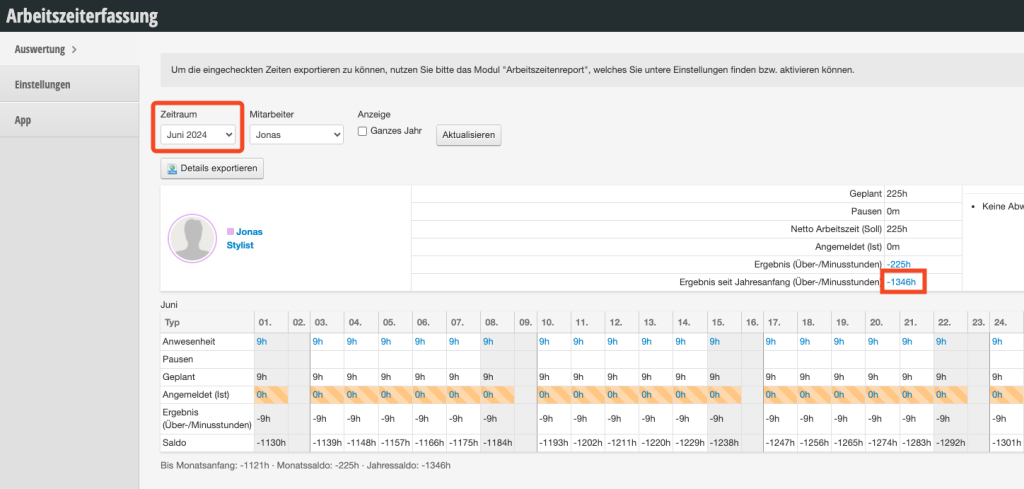
- Go under Settings > Working Time Tracking to the previous month before the start of tracking
- Click on the number in the row "Result since start of year (Over-/minus hours)"
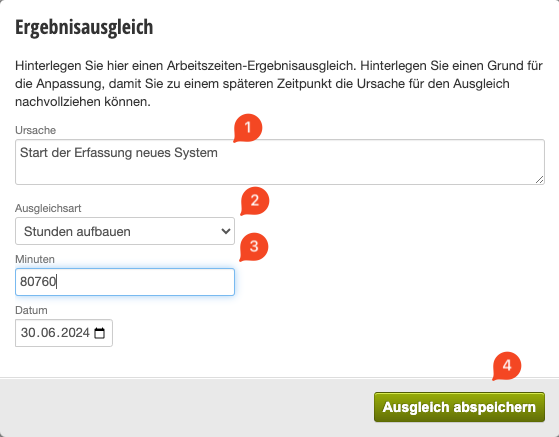
- Enter the reason for the compensating entry (1) and copy the suggested number
- Change the mode to "Build up hours" (2)
- Insert the number into the minutes field (3)
- Save the compensating entry
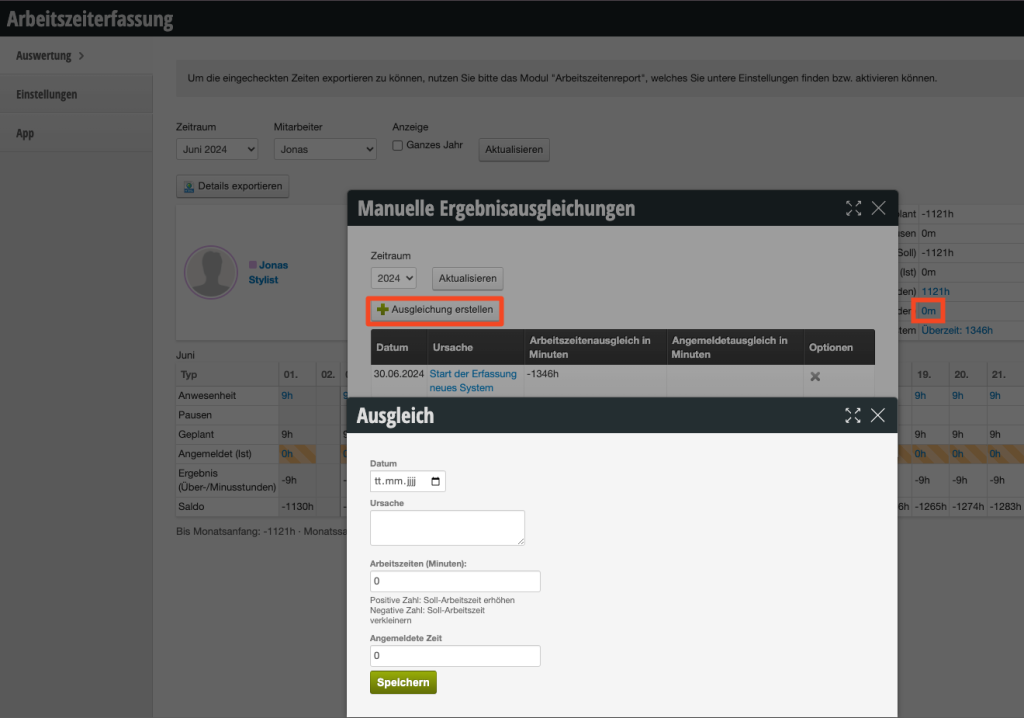
The following month now starts at zero over- or minus hours.
Video
We have recorded this additionally as a video:
Option 2: Transfer times from previous records
To transfer overtime or minus hours from previous records, you can proceed as described above. Then click on the zero in the tracking and create another compensating entry with the minute value of the actual over- or minus hours.
Video
We have also recorded a video for this: