
Ideally, a carefully verified daily closing is created each day, which requires no subsequent correction. Should a correction be necessary, you can recreate daily closings already created in Belbo. This article describes how to do this technically. Please note the applicable laws in your country. You may violate legal regulations with retroactive corrections.
Mark daily closing as deleted
If you have already saved the closing for a day, although it is not yet correct, it can be recreated.
- Open the closing by clicking on the date of the desired closing under Cash Register » Closings.
- Under "Options" select "Mark daily closing as deleted"
- The daily closing is now removed and can be recreated after making the desired corrections.
- Use the comment field in the closing dialog to transparently document why a correction was made.

Correction number and closing number
A new closing number is assigned after each correction and it is clear that this is a correction. With multiple corrections of the same day, the correction number increases.

The originally made closing retains its assigned closing number. This number is now "missing" in the overview list. The original closing can be found at any time in the current closing under "History".

Corrections of closings in the past
Daily closings build on each other. This especially applies to the morning cash balance, which is always reconciled with the evening balance of the previous closing. If a daily closing from the past is deleted, a warning is displayed in all closings created afterwards, as the cash balance typically changes after a closing is deleted.
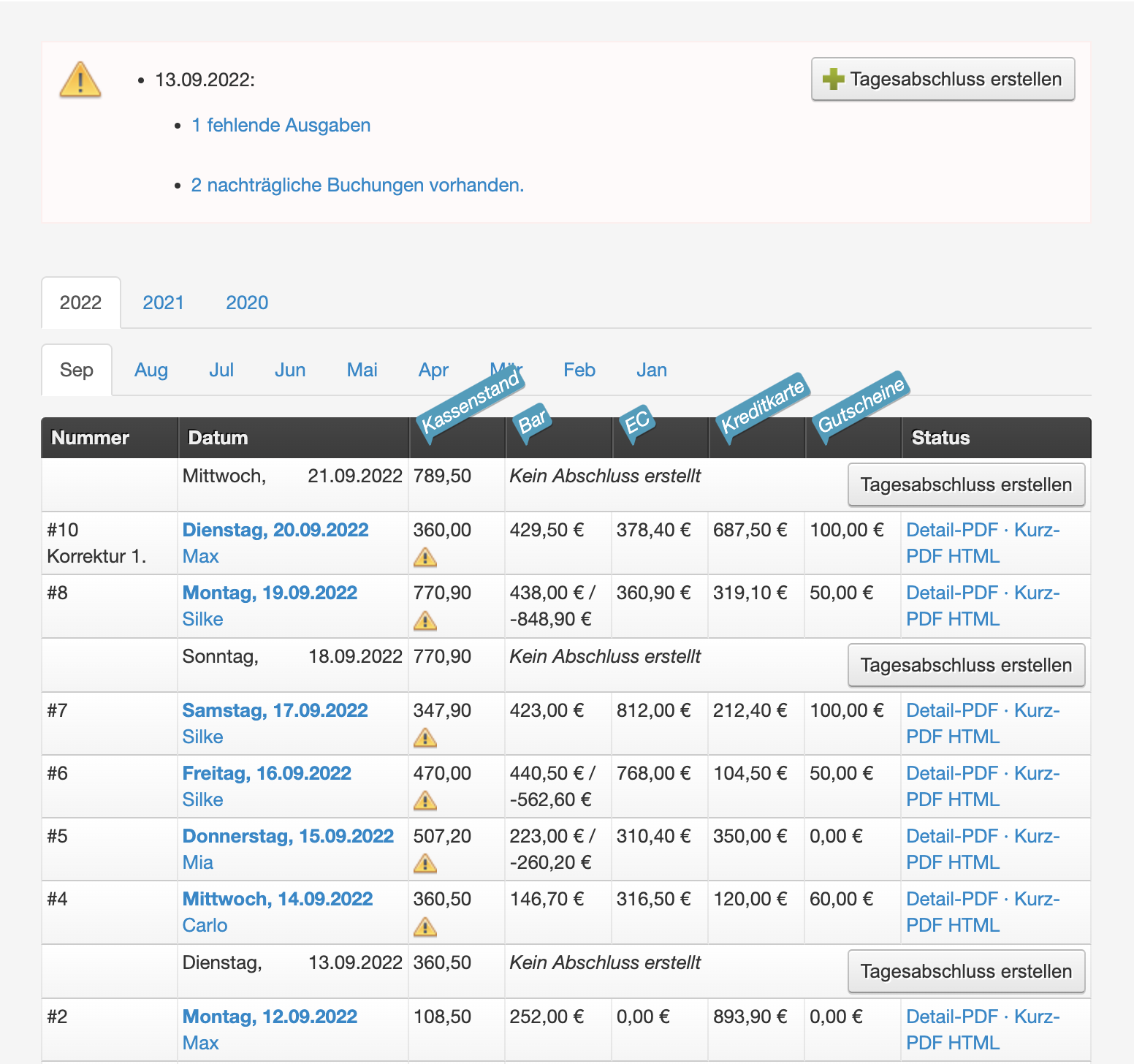
Correction without change in cash balance
If you have deleted a past closing because you wanted to correct a booking without cash reference, the closing can be saved again. The warnings for the following days are automatically removed if the cash balance does not change.
The closing numbers are no longer sequential, as a new closing number has been assigned.

The more corrections you make, the less well-maintained the overall appearance of your cash register becomes, which can raise questions in the event of an audit. This can be avoided through conscientious daily review of all bookings.
Correction with change in cash balance
We recommend using the count protocol to document the cash balance daily.
If the cash balance of a day in the past is changed, this affects all following days as well. This means that the incorrect amount was not detected on any of the following days, which suggests negligence in counting the cash amount.
It is technically possible to recreate the following closings, starting from the past to the present, so that they subsequently build on the newly entered cash balance. However, it is unlikely that the cash balance currently actually in the register will be correctly reached.
Please discuss with your tax office how any deviation from the actual balance can be documented and corrected.