belbo
  • Overview
    • Getting to know Belbo
    • Location Settings
    • Switch to Belbo
    • Calendar View & Navigation
    • Recurring Appointments & Courses
    • Appointment Entry & Management
    • Logins & Permissions
    • Multiple Locations & Head Office
    • Manage Employees
    • Absences & Holidays
    • General
    • Working Hours
    • Time Tracking
    • Data Protection (GDPR)
    • Customer Communication (Email, SMS)
    • Customer Management & Records
    • Bonus & Loyalty Programs
    • Campaigns (Newsletter & SMS)
    • Marketing Consents (GDPR)
    • Tracking & Analytics
    • Overview
    • Services & Prices
    • Products
    • Service Packages & Subscriptions
    • Vouchers
    • Purchasing & Suppliers
    • Stock & Inventory
    • Scanning & Sales
    • Cost of goods & expenses
    • Design & Texts
    • Setup & Settings
    • Integration (Website, Google, Instagram, Facebook)
    • Online payment
    • Accounting & Exports
    • Cash Register Settings & Hardware
    • Checkout process
    • Daily Closing & Reports
    • TSE & Cash Register Anti-Tampering Ordinance
    • Export Overview
    • Employee Utilization
    • Revenue & Reports
    • Belbo Satellite
    • Printer
    • EC Terminal & Card Payment
    • Troubleshooting Hardware
    • Scanner & POS Devices
    • General Settings
    • API & Integrations
    • Notifications & Emails
    • Contracts & Legal
Skip to content

Count Log

To make counting cash easier and to record the exact number of coins and bills, use the count protocol.

It represents the expected cash register balance and provides visual feedback on whether the actual cash register balance matches the expected value. If this is not the case, the discrepancy must be found and corrected.

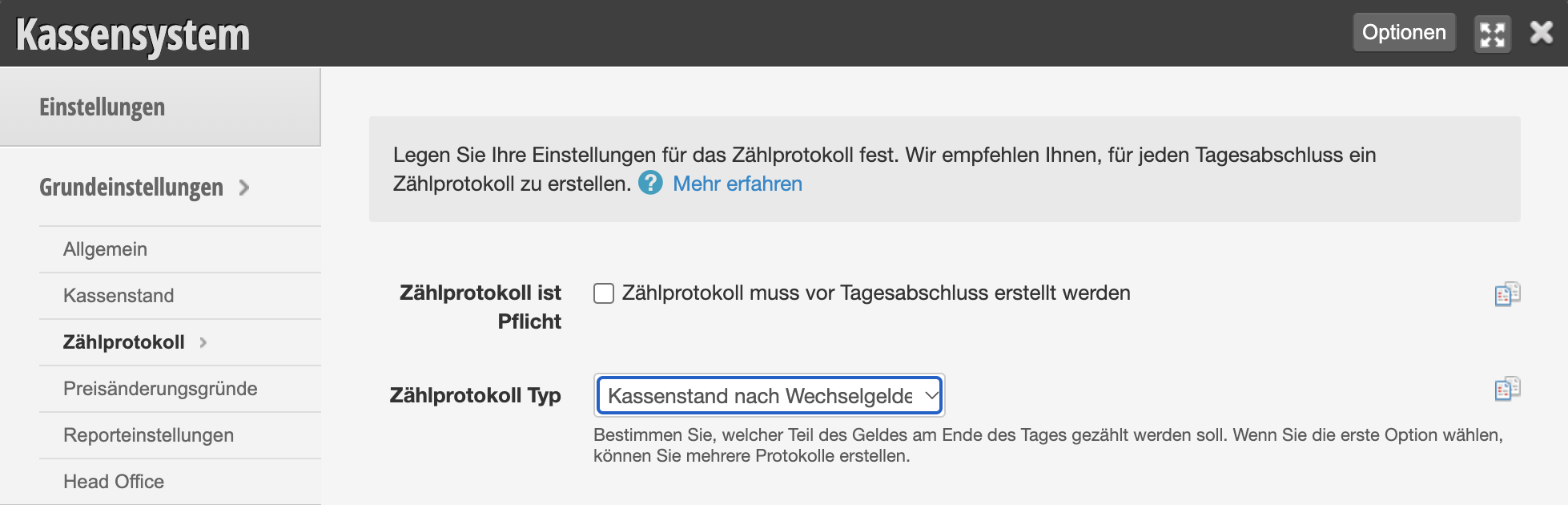
Setting up the count protocol

  1. Open the "Count Protocol" tab under Settings > Cash Register System > Basic Settings.
  2. Select the desired protocol type here (recommended: "Cash register balance after change withdrawal").
  3. Save your entry.

Using the count protocol

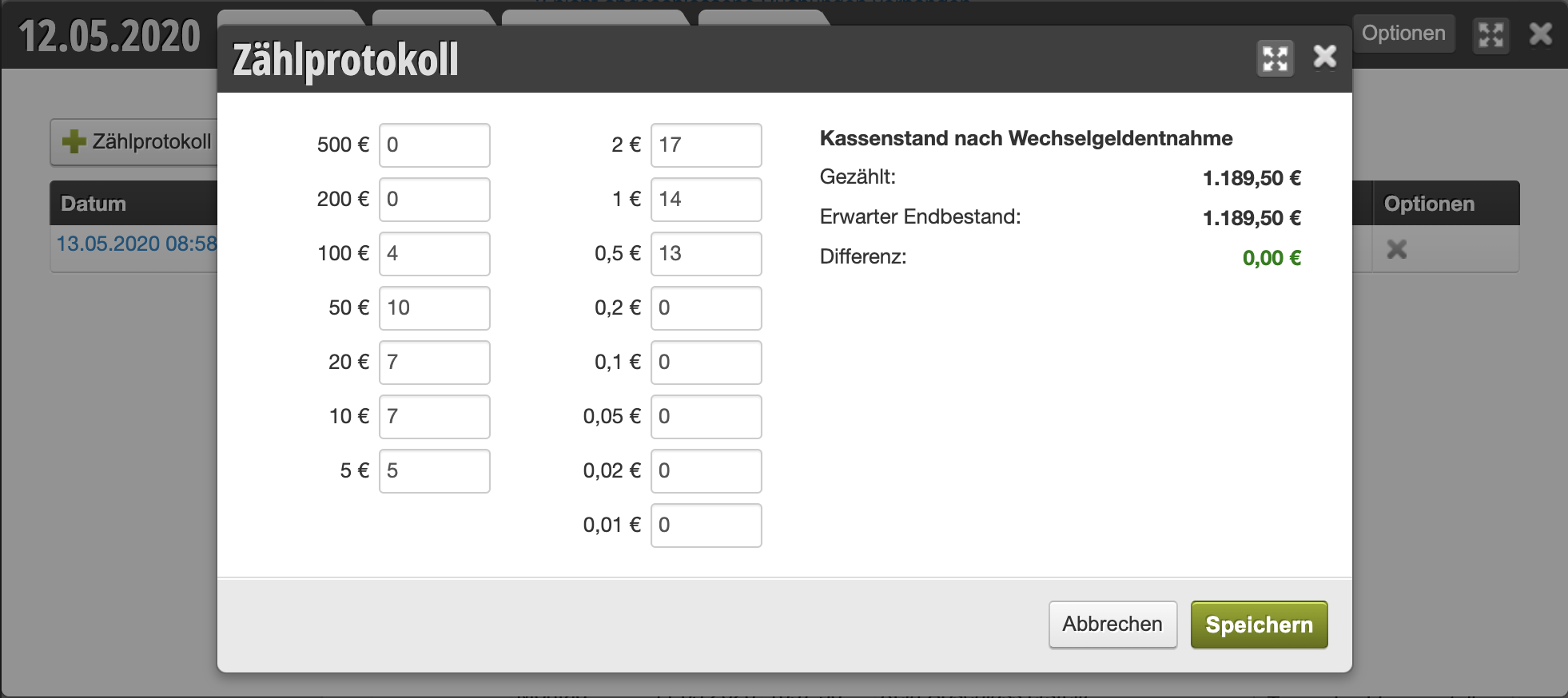
When creating a daily closing, you will see the "Count Protocol" tab in the header area of the closing draft. After you have created a new count protocol using the "+ Count Protocol" button, you can specify the number of coins and bills in your cash box.

  1. For each denomination, enter the number of coins and bills present.
  2. Your entries are saved automatically.
  3. The cash register balance you entered is compared with the calculated cash register balance.
Setting count protocol as mandatory

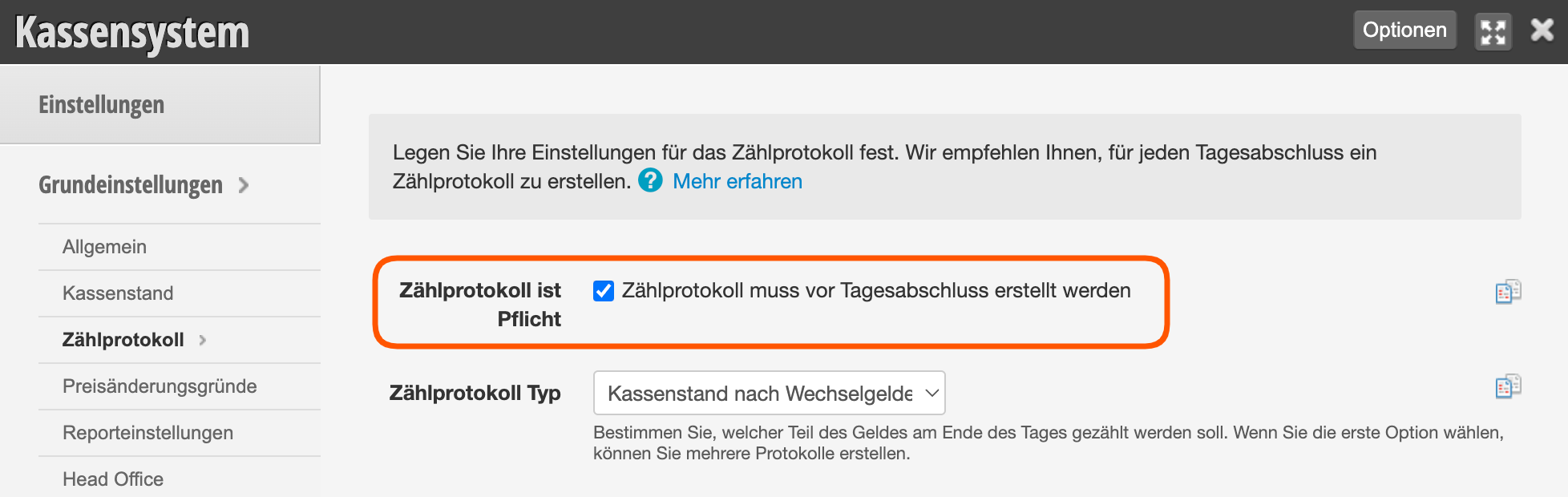
You can set that a daily closing can only be saved if a count protocol is also present.

  1. Open the "Count Protocol" tab under Settings > Cash Register System > Basic Settings.
  2. Enable the "Count Protocol is mandatory" option here.
  3. Save your entry.

Categories: Daily Closing & Reports
Tags: Geld zählen, Kassenbestand
This manual is a service by belbo. Legal notice