If you offer certain additional services for your service, you can define them here. Additional services can be automatically offered during online booking or when entering appointments in your calendar. This way, economically important add-on sales are regularly made without you having to think about it each time.
Application example:
If a customer books a facial treatment, eyebrow and eyelash tinting are automatically offered. This way, you can generate higher revenue for each customer who selects this additional service.
Create additional services
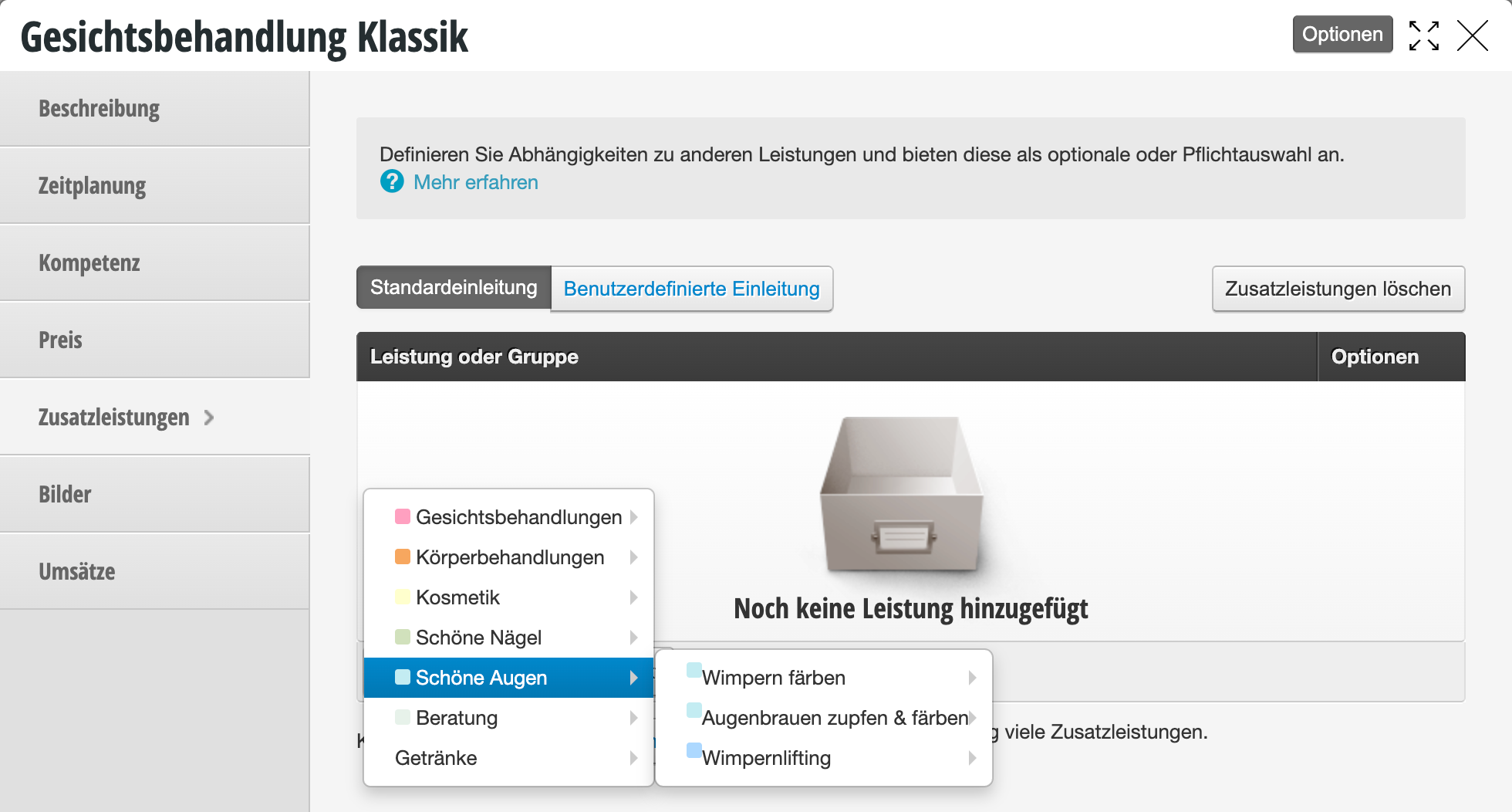
Click on "Define additional services" to activate the additional service selection. Then select "Add service or group".
Clicking on a category name adds the entire category. Clicking on an individual service adds only that service.
Copy additional services to other services
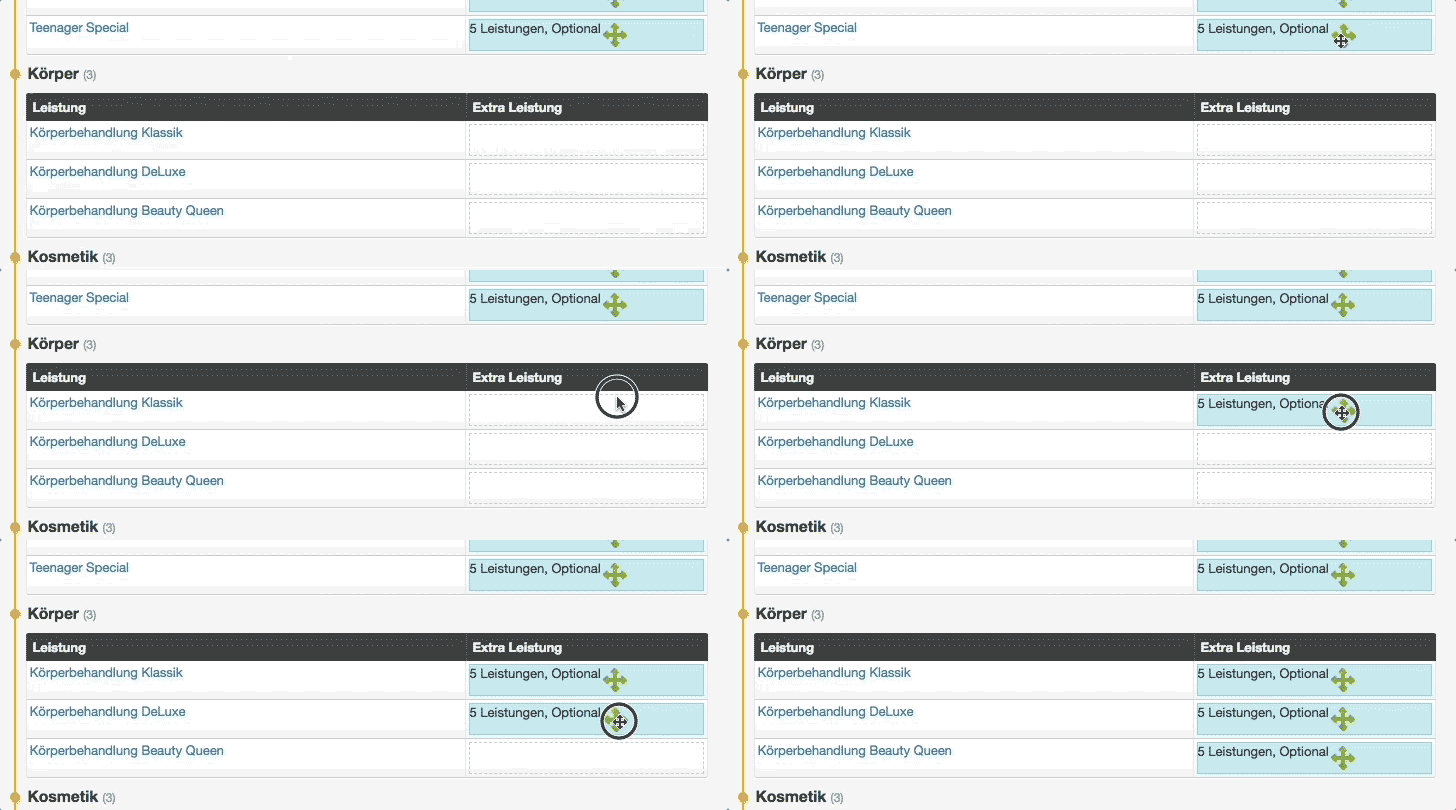
If you want to set up the same additional services for multiple services, you can copy them easily via drag-and-drop. To do this, go to
Settings > Additional Services. If this function is not activated, you can enable it via "Add function".
Here you will find all your already created services in the "Overview" tab. Already existing additional services are displayed and can be easily copied to other services:
Delete additional services
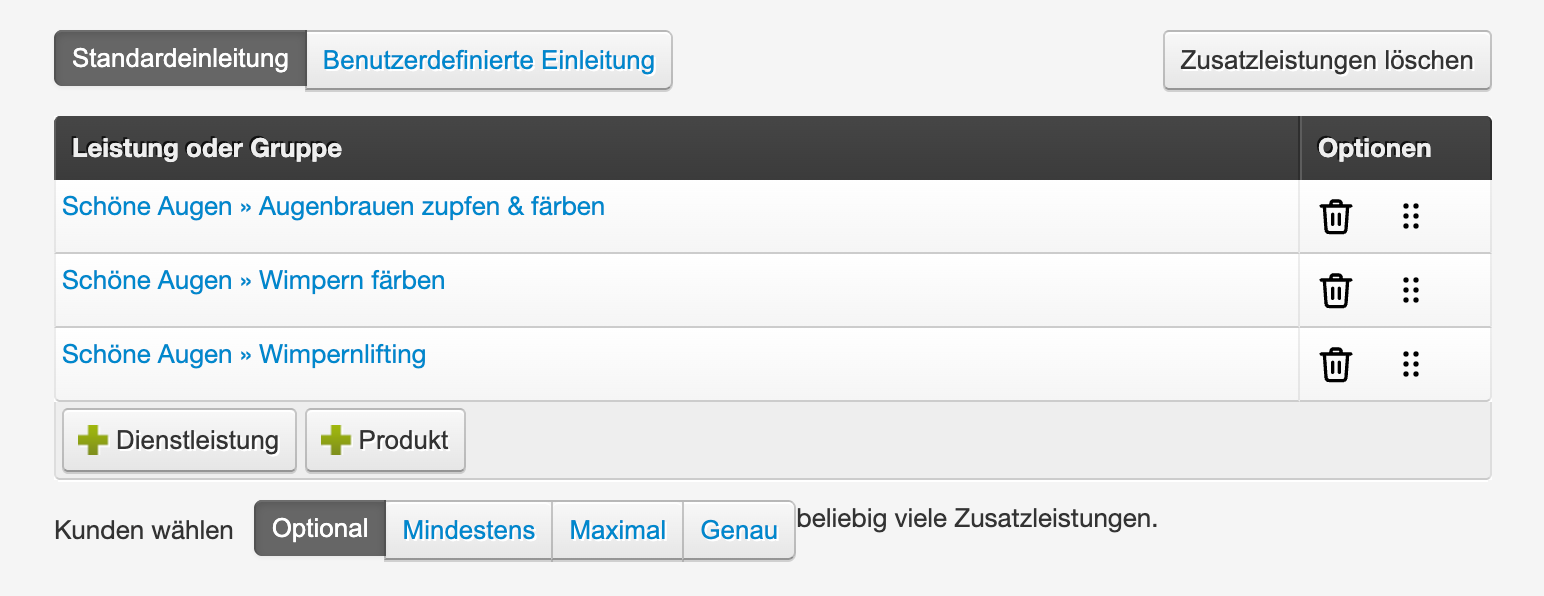
To remove individual categories or services as additional services, click "remove" in the desired row.
To delete all additional services, click the "Delete additional services" button in the top right.
Configure additional services
To determine whether your customers may or must choose this additional service, you can choose from various options:
- Optional: Customers can select an additional service if they wish.
- At least: Customers must select at least the number of additional services you specify in order to be able to book the main service.
- Maximum: Customers may select at most the number of additional services you specify in order to be able to book the main service.
- Exactly: Customers must select exactly the number of additional services you specify in order to book the appointment.
Application example:
You offer a massage that should be booked with one of 5 oils. To prepare the cabin, you want the customer to decide on the desired oil when booking. You add the 5 oil variants as additional services and activate the option "Exactly 1 service".
Additional services in online booking
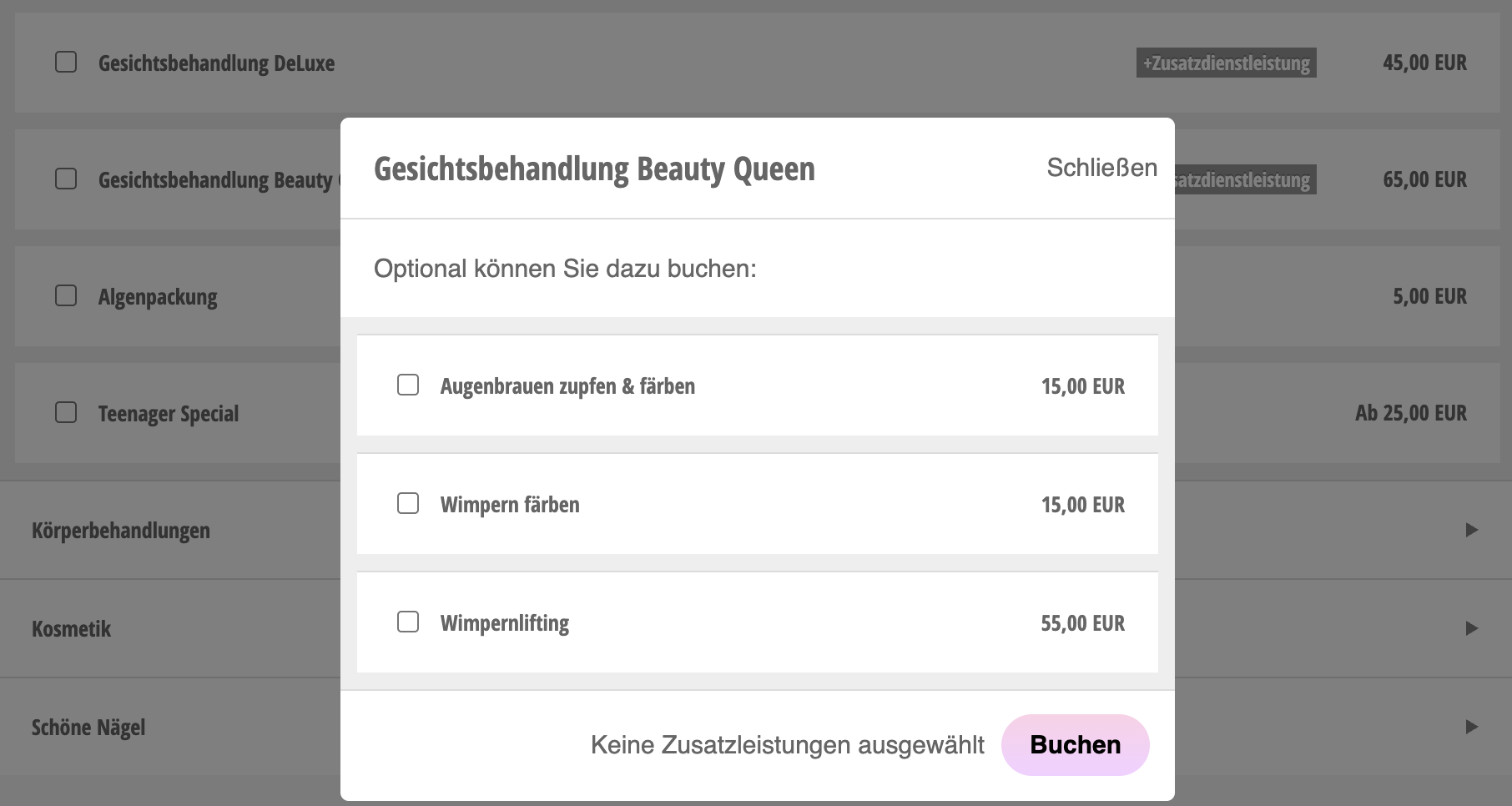
The additional services defined here are automatically offered during online booking:
Additional services in the calendar
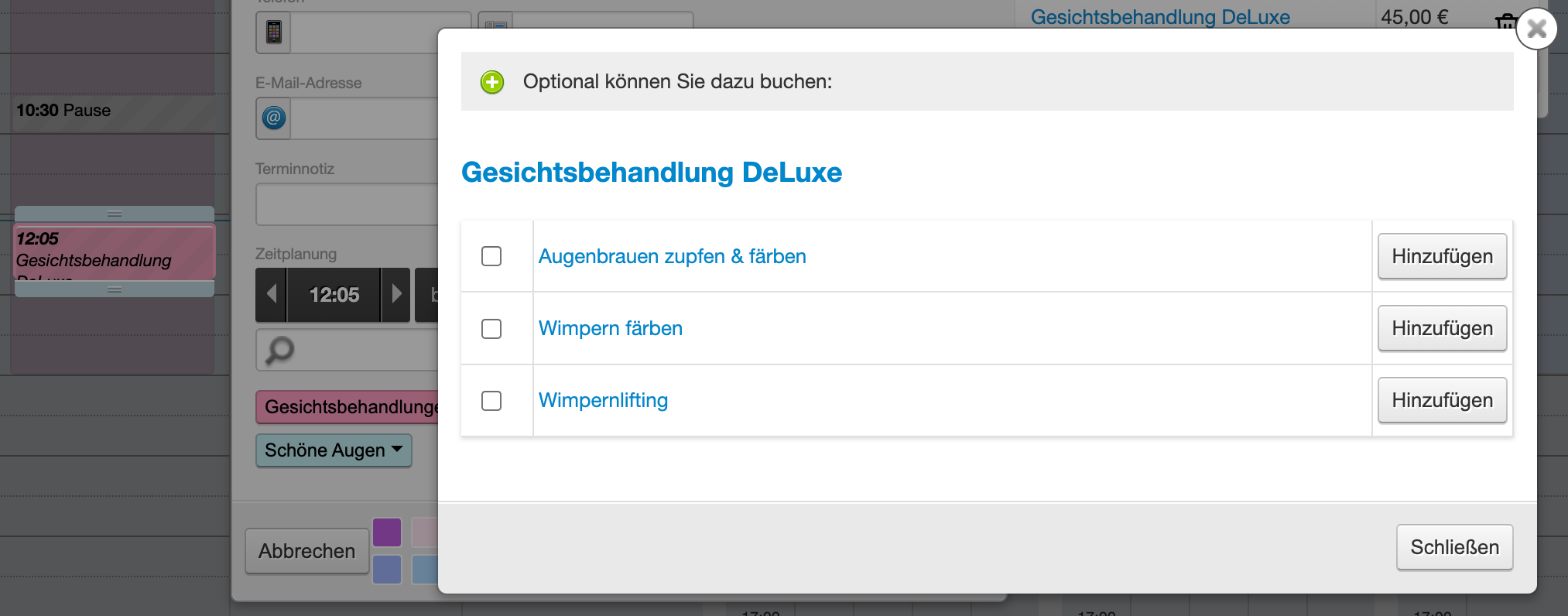
If you activate the option
"When booking services with additional products, these are also offered for booking" in the calendar settings under
Appointment Entry, your calendar will alert you when entering an appointment that certain additional services are stored for this main service.
Additional services and processing times
If you offer additional services that can be performed during processing times, it is also possible to set this up in Belbo. Then the additional service does not extend the appointment length but is planned within the processing time of the main service.
Learn more about this under Processing times additional settings.
