
Your calendar can send SMS. You can use these for automatic reminders and confirmations, as well as for TANs or mass SMS.
After you have activated the "SMS Dispatch" function, you can set various properties.
Settings
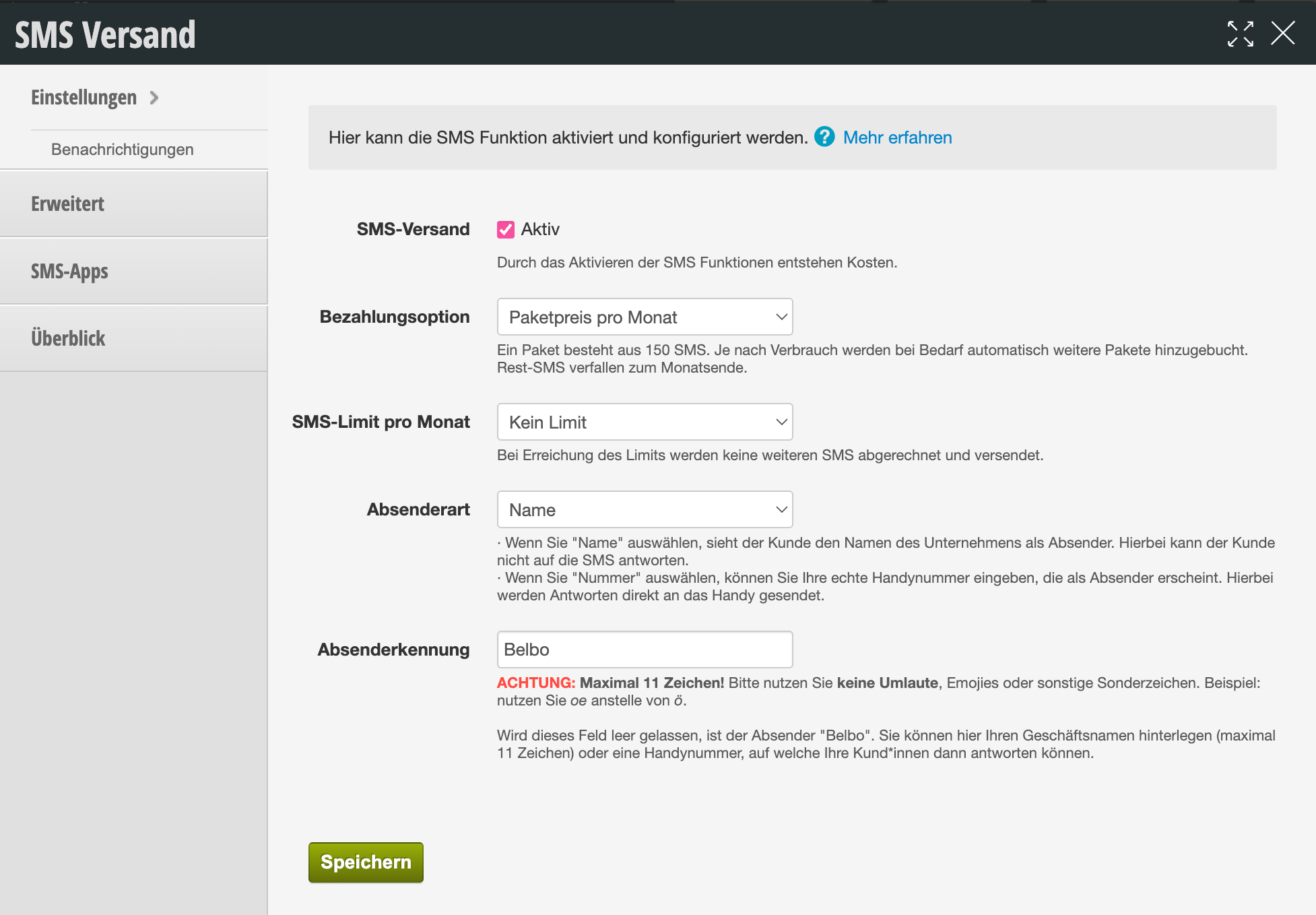
- Payment Option There are two payment methods to choose from:
- Package price per month A package consists of 150 SMS. Depending on usage, additional packages are automatically added as needed. Remaining SMS expire at the end of the month.
- 8 cents/SMS With this payment option, you are not bound to package prices but only pay per SMS sent.
- SMS Limit per Month Please set the SMS limit per month here. When the limit is reached, no further SMS will be charged or sent.
- Sender Type and Sender Identifier Set the sender of the SMS that your customers will receive from you. You have the following options:
- Specify Number If you want your customers to see a number they can also reply to, please provide a mobile phone number. The device associated with it should either be available in your business or be attended to by someone who regularly processes customer messages.
- Specify Name If you do not want to provide a reply mobile number, you can enter your company name. Please note that according to international standards, a maximum of 11 characters is possible. The sender identifier will appear instead of the phone number. This way, the customer immediately knows who sent the SMS.
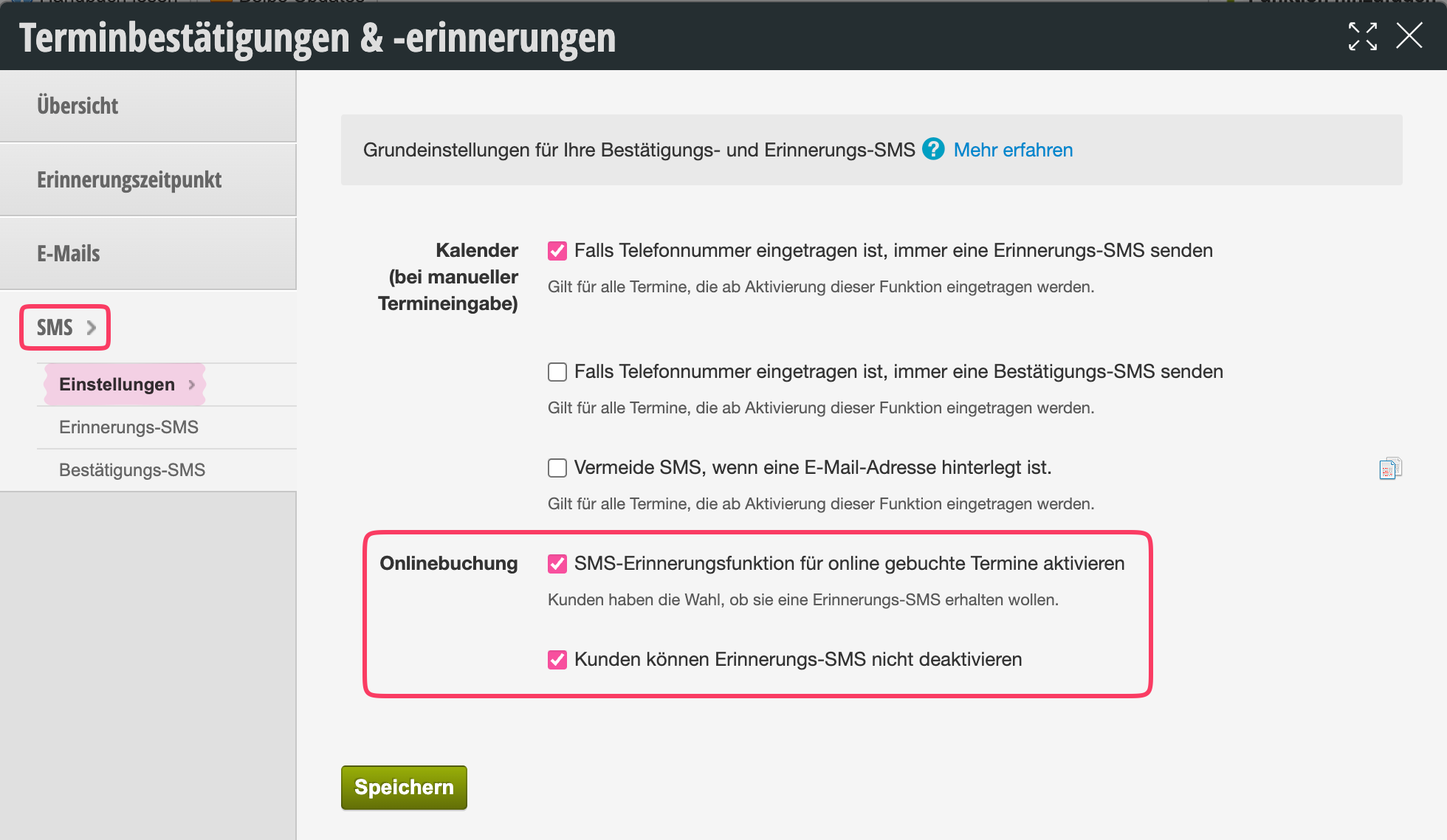
Online Booking
Your customers can decide for themselves whether they want to receive an SMS reminder. You can set whether customers can turn SMS dispatch on and off themselves during online booking. You will find this in appointment confirmations & reminders under SMS > Settings.
The second checkbox makes an SMS reminder mandatory.
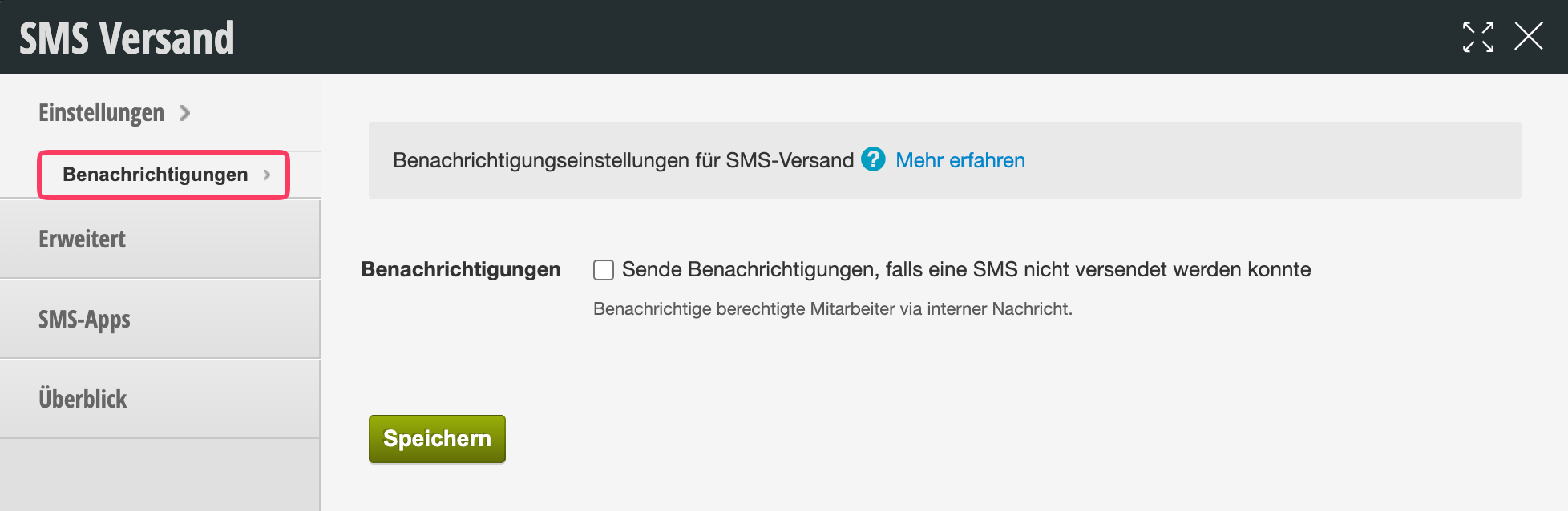
Notification
You and your staff can be notified if an SMS could not be sent. Your Belbo calendar shows in the message area of each customer record whether and when an SMS was received on the user's device. If you wish, you can receive a message directly in the calendar as soon as a dispatch fails.
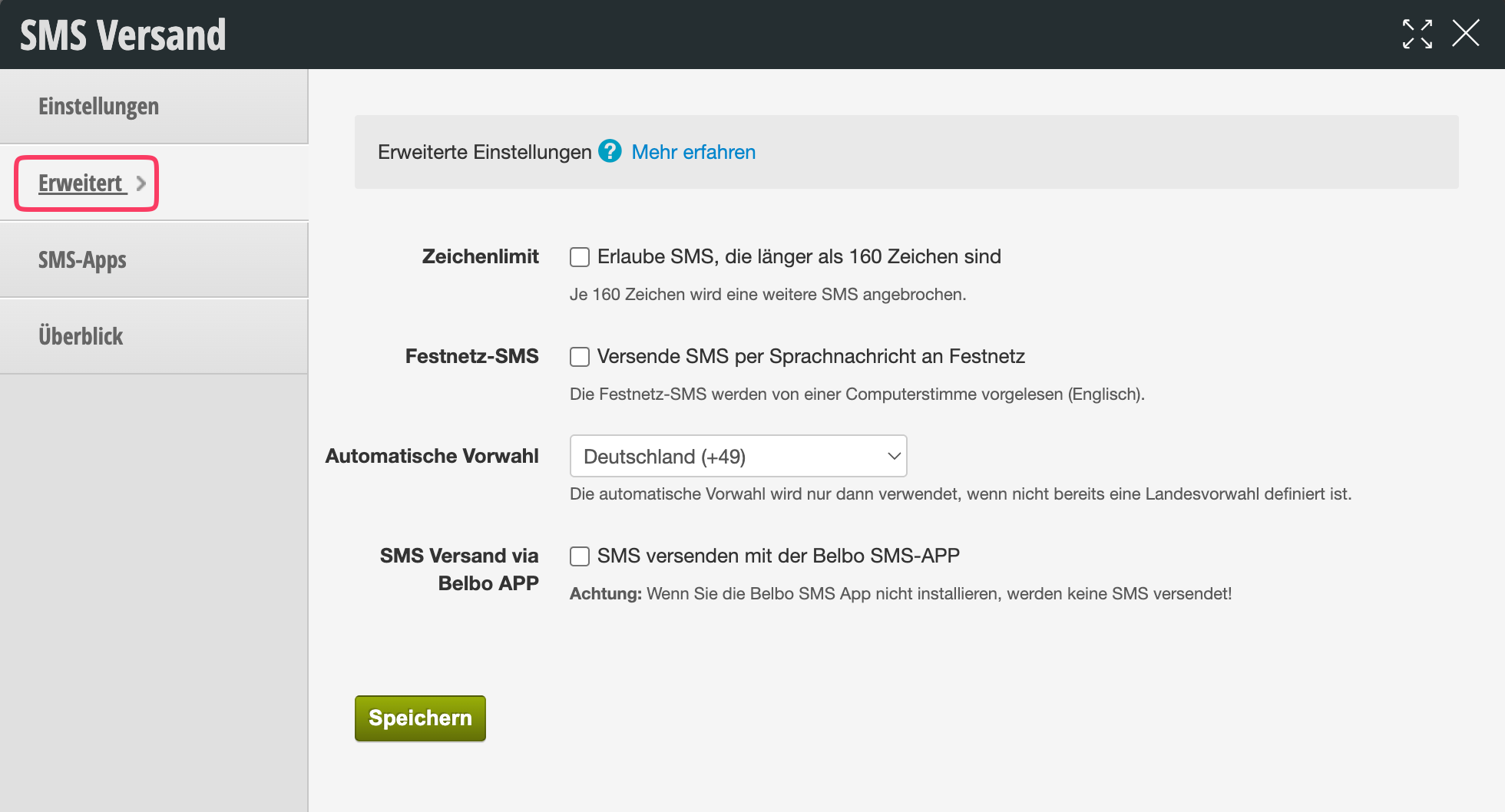
Advanced
- Character Limit If your SMS is longer than 160 characters, at least 2 SMS will be sent, which will incur higher costs. We therefore recommend that you keep your reminder and confirmation texts as brief as possible.
- Landline SMS If you wish, your SMS can also be delivered as a voice message to landline phones.
- Automatic Country Code If you do not enter your customers' mobile numbers with country code, you can specify the country code here, which will be automatically added during dispatch.
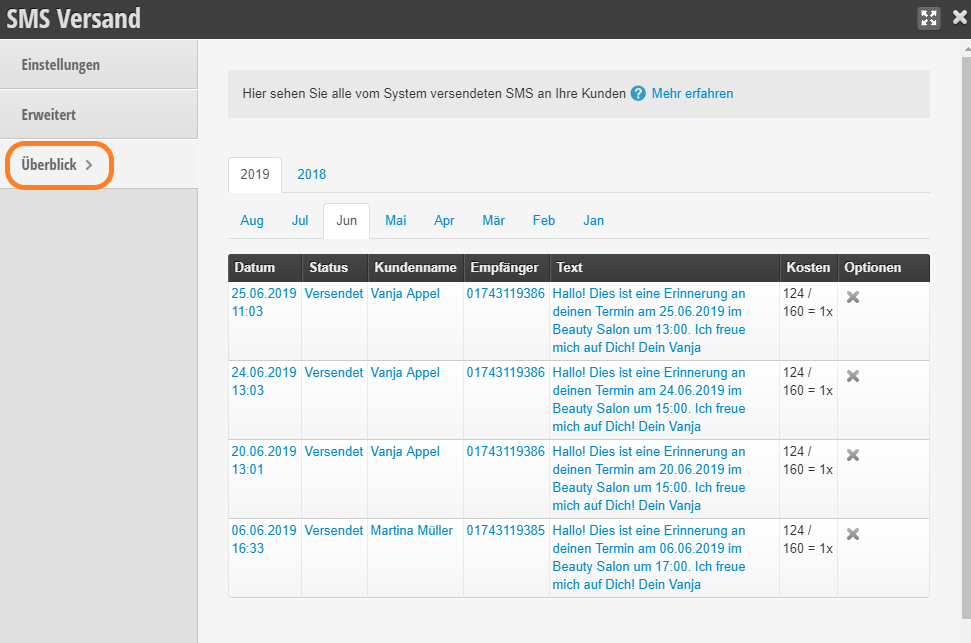
Overview
Under the Overview tab, you have a list of all sent or rejected SMS per month.
Tip: If you want SMS messages to be pre-selected when saving an appointment, set this under Settings > Calendar > Appointment Entry > Required Fields > Default.