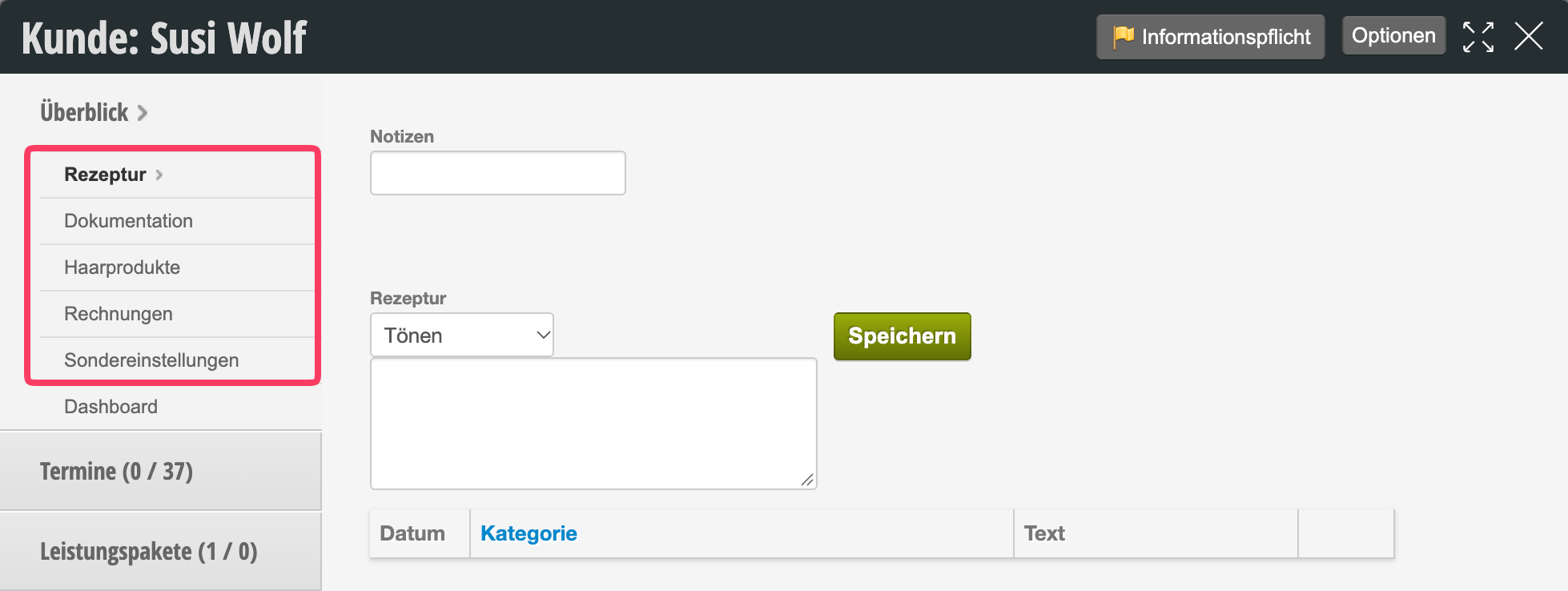
You can add custom customer fields to each customer file. You can group these into card tabs to display all information clearly in each customer file.
Create card tabs
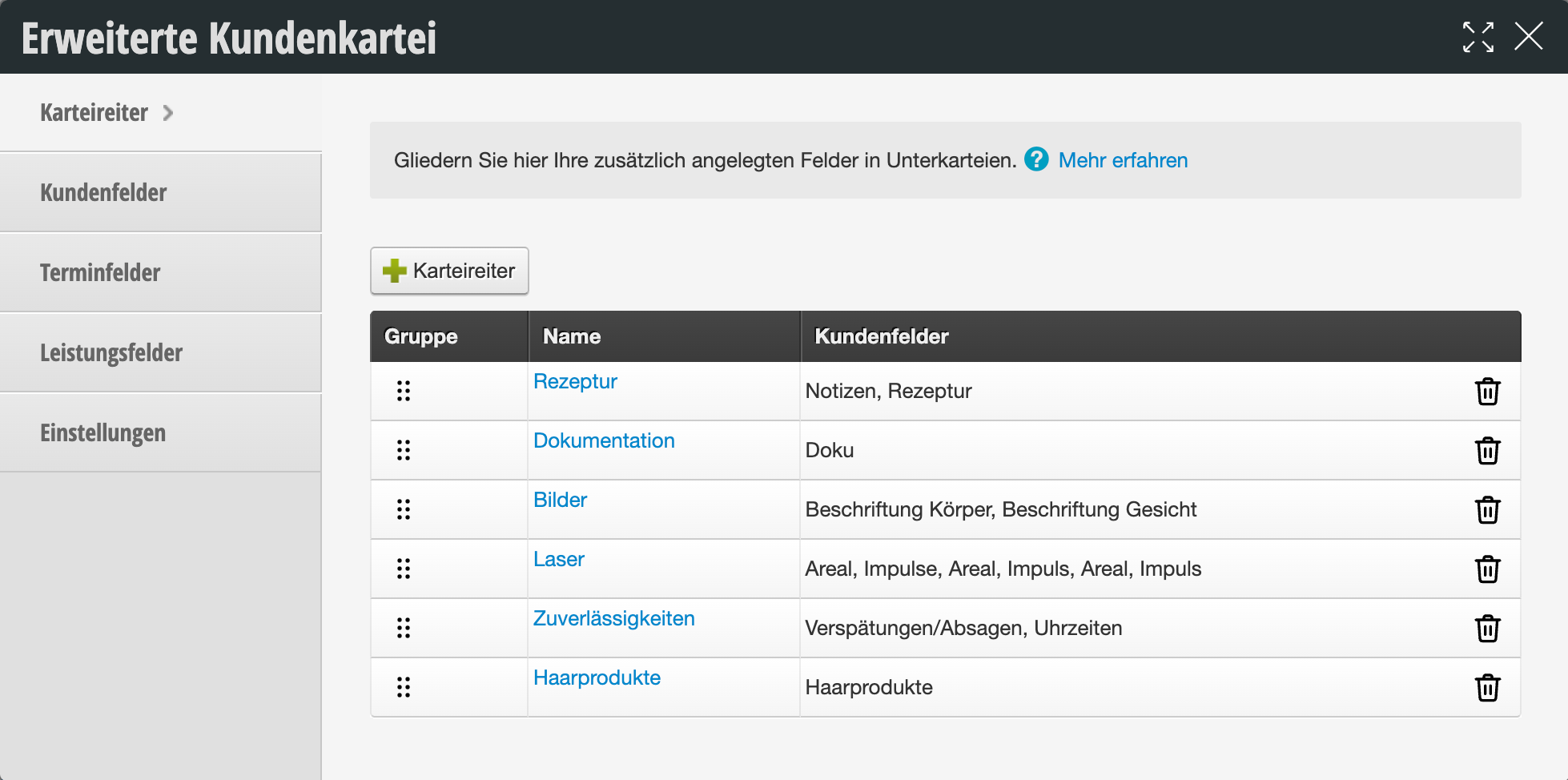
Before you can group individual customer fields into card tabs, you must first create the corresponding tabs. Use the +Tab button to create a new tab. You can then assign the desired tab to each customer field.
Group customer fields into card tabs
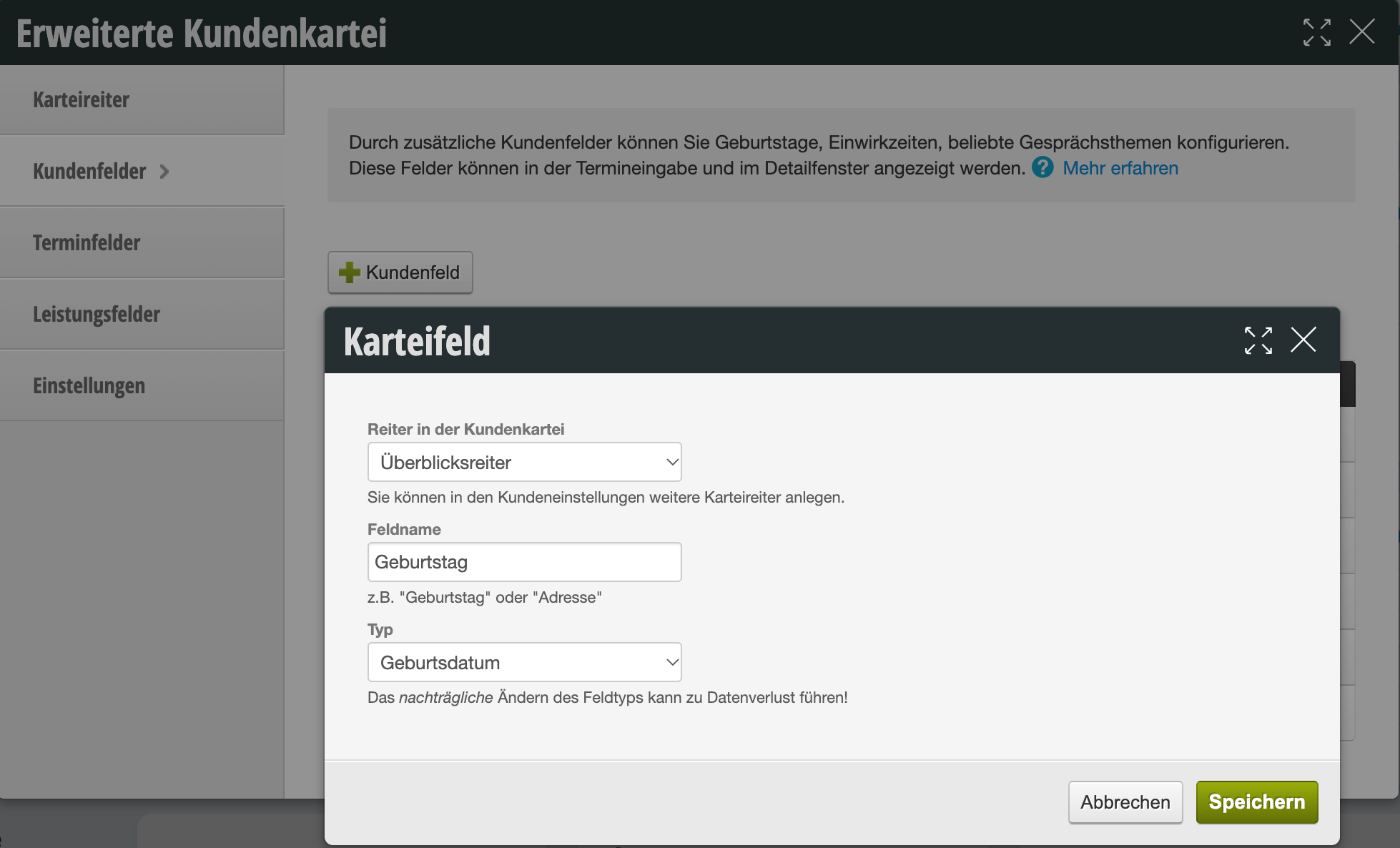
To add a customer field to a card tab, go to the desired customer field in the "Extended Customer File" function or create a new customer field using the + Customer Field button.
Here you can select the tab to which the customer field should be assigned. Customer fields that are not assigned to any tab will appear on the main page of the customer file.