
As of January 1, 2020, the receipt issuance requirement (colloquially also known as "receipt requirement") comes into force in Germany. Learn here how you as a Belbo user can comply with this obligation and what you need to pay attention to.
 This article is particularly relevant for users from Germany.
Print cash receipts
In Belbo you can print cash receipts. After completing the cash transaction, you will see the "Print Invoice" button (or "Print Receipt" when printer integration is active) on the checkout completion screen.
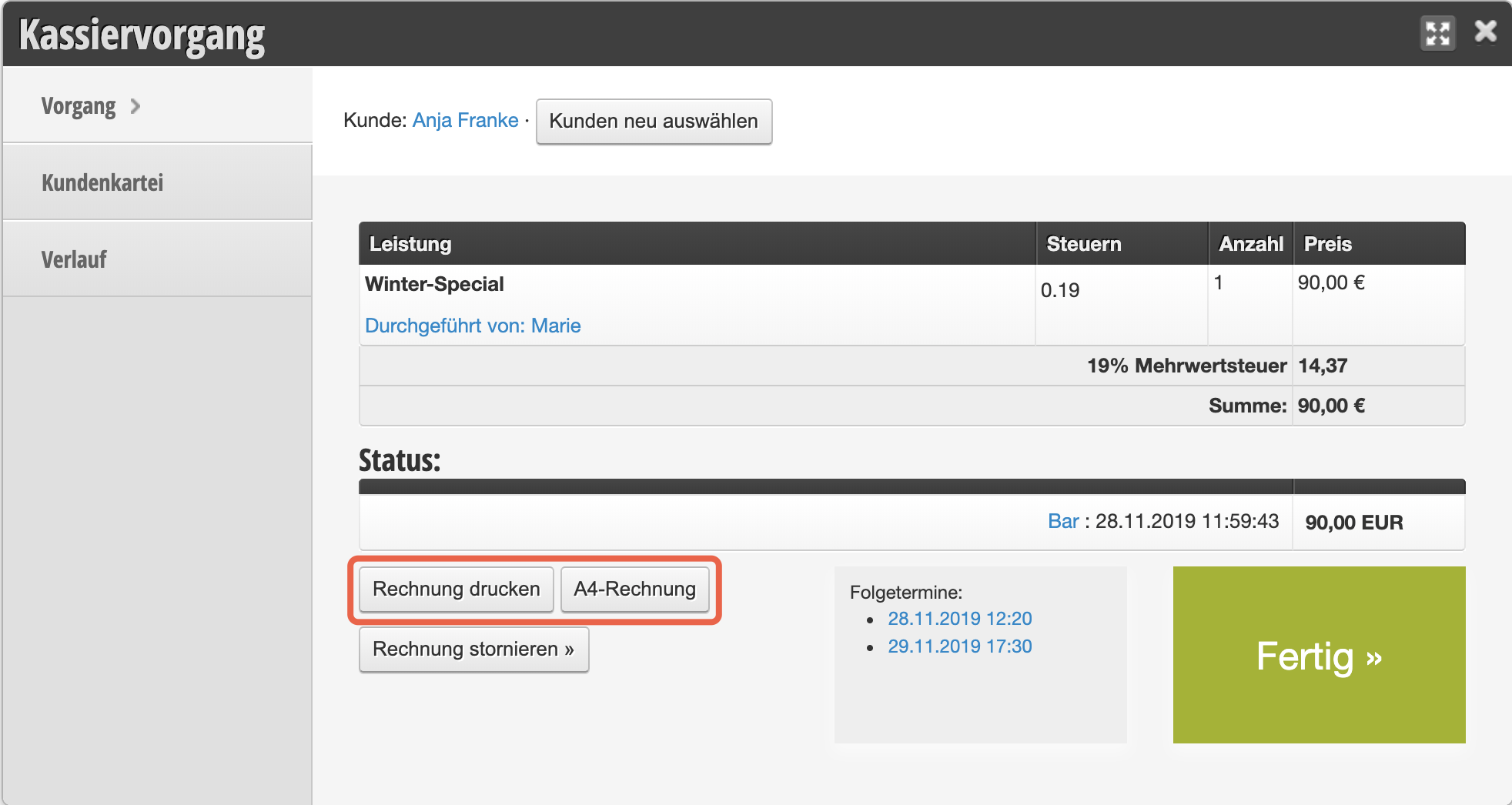
If your receipt printer is correctly connected to the device you are using, the receipt can be printed this way.
Print or email A4 invoices
You can also print A4 invoices or send them to customers by email. Particularly in light of paper waste and the associated generation of garbage and costs, electronic delivery makes sense. The Federal Ministry of Finance explicitly points out that this complies with legal requirements:
The receipt issuance requirement is deliberately designed to be technology-neutral. It is up to the cash register operators to issue receipts, for example, also by email or to mobile phones.
After clicking on "A4 Invoice" you will see the invoice sending dialog. You can download the PDF and print it yourself to give to the customer, or send the invoice with one click to the customer's email address.
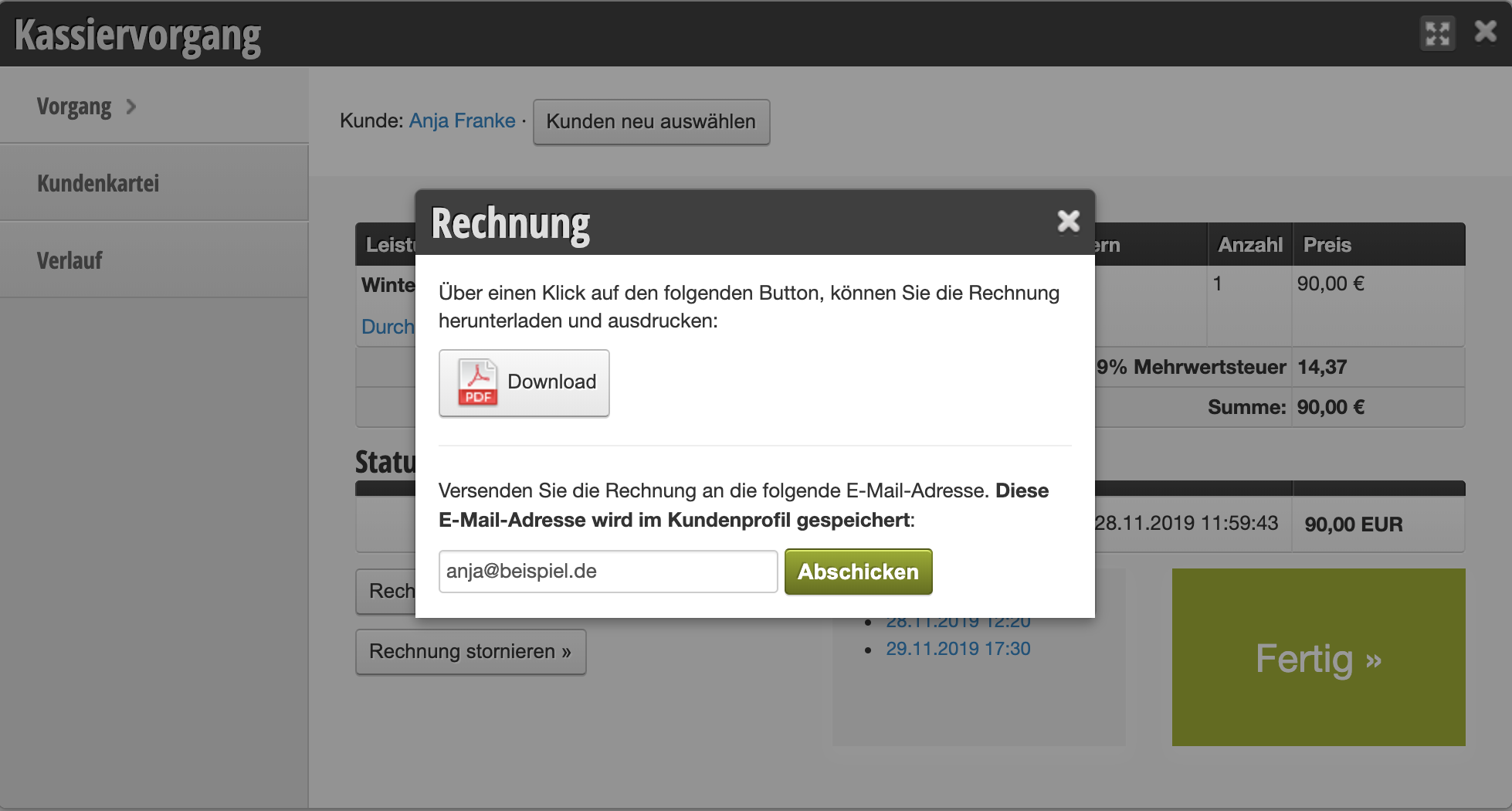
Invoice elements
Receipts generated via the Belbo cash register can be provided with legally required data. This includes:
- Name and address of the business providing the service (your company)
- Date of receipt issuance
- Time of the transaction
- Quantity and type of services provided
- Amount charged
- Tax amount
Please check your receipts and invoices for the corresponding data. Date and time are always displayed; all individual data can be entered or corrected under Settings > Cash Register > Receipt Design.
Automatic receipt printing
If you want to automatically print a receipt after each completed cash transaction, you can set this up in Printer Integration. Please note that Belbo Satellite must be installed for this.