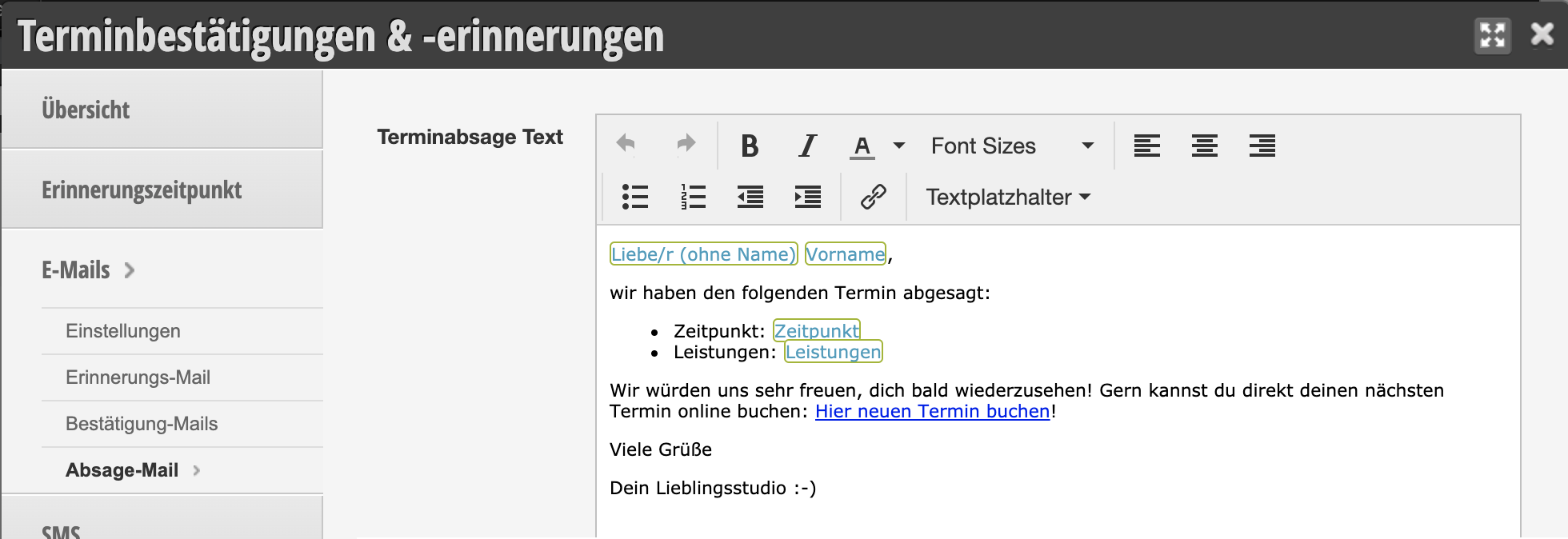
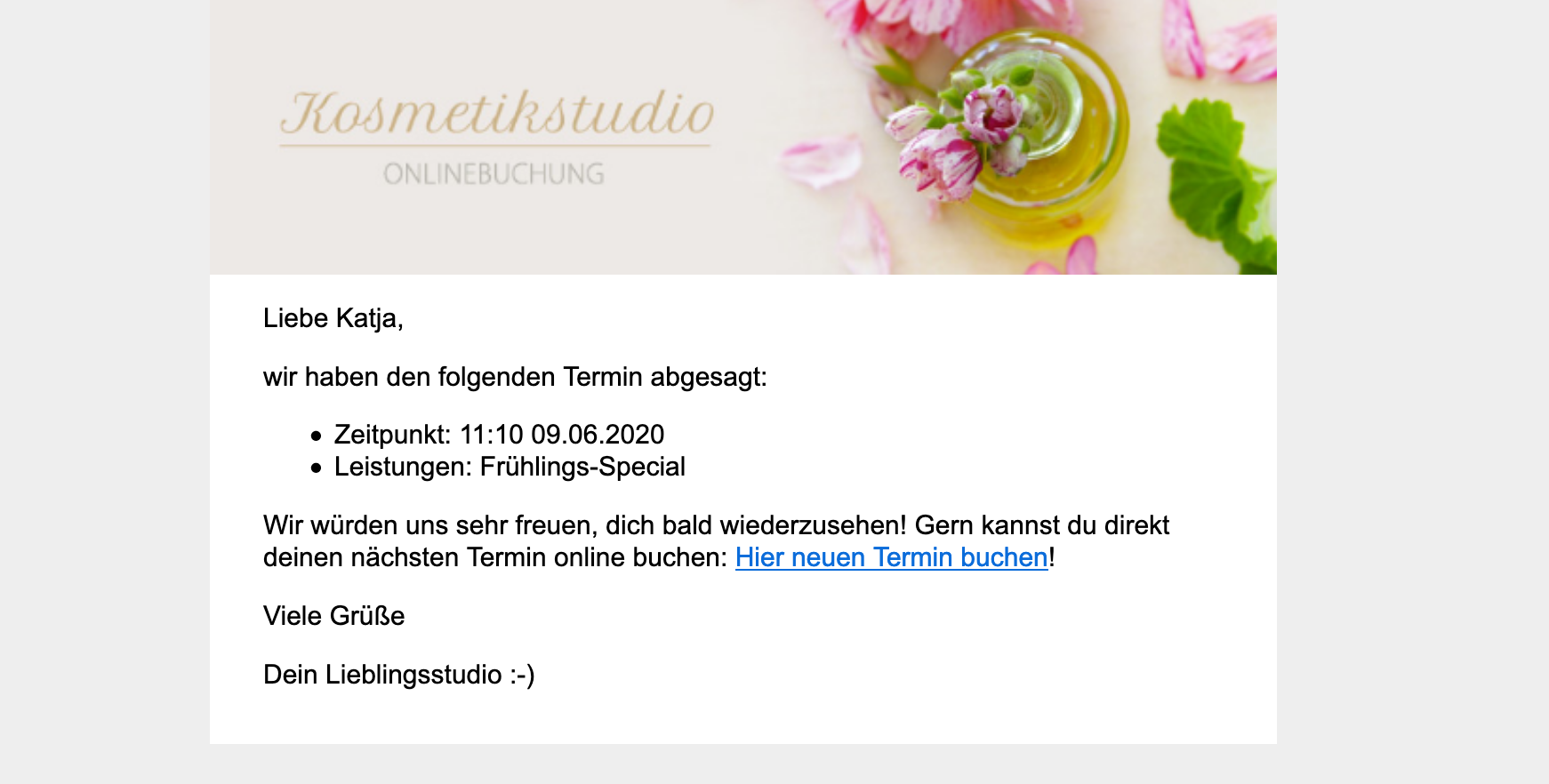
When a customer cancels their own appointment cancels or an employee deletes the appointment in the calendar, the customer receives a confirmation email. If you would like to set your own text for this email, you can do so.
The prerequisite for the customer to receive this message when an appointment is deleted by an employee is that the notification option in the calendar settings has been activated. With online cancellation by the customer, cancellation confirmations are always sent.
You can access this area via Settings > Appointment Confirmations & Reminders > Emails > Cancellation Email
Standard Cancellation Email
Even if the "Appointment Cancellation Text" field is empty, cancellation confirmations are sent to your customers!
If you do not provide your own text, the customer will receive our standard text. This contains the location as well as the date and time of the cancelled appointment. The cancellation email is embedded in your email design and contains the specified header image.
Create Your Own Cancellation Email
If you would like to write your own text, you can do so. Please make sure that you use the necessary placeholders (such as date, time, company name, etc.). A link to rebook an appointment or a reference to current promotions can also serve as motivation for the customer to book a new appointment soon.
AI Tip
Let your AI assistant write the text for your cancellation email. Copy the prompt below and answer the short follow-up questions. The placeholders for salutation, appointment and the link to online booking are already included, so you can insert the text directly into Belbo.
Check the text after saving in the email preview. This way you can see right away whether the salutation and appointment details are displayed correctly.
Write me a text for the email that my customers receive when a booked appointment is cancelled. I use the salon software Belbo, which automatically inserts salutation, salon name and appointment details. Belbo sets the subject line itself, so I only need the text of the email.
Ask me a few quick questions before writing:
1. whether I address my customers with "du" (informal) or "Sie" (formal),
2. whether I write as an individual (I) or on behalf of a team (we),
3. how customers can reach you with questions, e.g. by phone.
Use only these Belbo placeholders for salutation, salon name and appointment details, written exactly as shown, with percent signs and in capital letters:
Salutation:
%LIEBEANREDEOHNENAME% becomes "Liebe" or "Lieber". Followed by %VORNAME%. This is the appropriate salutation for the informal form: %LIEBEANREDEOHNENAME% %VORNAME%,
%SEHRGEEHRTEANREDE% becomes "Sehr geehrte Frau Surname" or "Sehr geehrter Herr Surname". This is the appropriate salutation for the formal form: %SEHRGEEHRTEANREDE%,
%LIEBEANREDE% becomes "Liebe Frau Firstname Surname" or "Lieber Herr Firstname Surname", a more personal salutation for the formal form.
%VORNAME% becomes the first name, %NACHNAME% becomes the surname.
Salon and appointment:
%ACCOUNT% becomes the name of my salon, e.g. "Good Hair Day".
%WOCHENTAG% becomes the day of the week, e.g. "Saturday".
%TAG% becomes the date with year, e.g. "03.10.2026".
%UHRZEIT% becomes the time without "o'clock", e.g. "09:30". Always write "o'clock" after it.
%LEISTUNGEN% becomes the booked services.
%ALLEMITARBEITER% becomes the names of the staff, e.g. "Ramona K.".
%LOCATION_BOOKING_LINK% becomes a link with the text "Book appointment" that leads to my online booking.
Rules:
- Never write words like "Liebe", "Lieber" or "Sehr geehrte" yourself, but always use the appropriate placeholder. Belbo will insert the correct form depending on the customer.
- After %SEHRGEEHRTEANREDE% and %LIEBEANREDE%, no further name follows, as it is already included there.
- Write neutrally so that the text fits regardless of whether the customer or salon cancelled the appointment. For example, write "Your appointment has been cancelled" without saying who cancelled it. Do not apologize and do not blame anyone.
- Summarize the cancelled appointment in one block with labeled lines, like this:
Appointment: %WOCHENTAG%, %TAG% at %UHRZEIT% o'clock
Service: %LEISTUNGEN%
With: %ALLEMITARBEITER%
- Put %LOCATION_BOOKING_LINK% on its own line, directly after a short, friendly sentence that invites you to rebook, e.g. "You can easily book a new appointment here:".
- Do not mention fees and do not invent any additional placeholders, rules or offers that I have not mentioned.
- Sign with %ACCOUNT%, e.g. "Your team at %ACCOUNT%" or just "%ACCOUNT%".
- Do not write a subject line.
Provide only the text of the email as plain text without formatting so I can insert it directly into Belbo. Write me two versions: a short one and a slightly more detailed one.