belbo
  • Overview
    • Getting to know Belbo
    • Location Settings
    • Switch to Belbo
    • Calendar View & Navigation
    • Recurring Appointments & Courses
    • Appointment Entry & Management
    • Logins & Permissions
    • Multiple Locations & Head Office
    • Manage Employees
    • Absences & Holidays
    • General
    • Working Hours
    • Time Tracking
    • Data Protection (GDPR)
    • Customer Communication (Email, SMS)
    • Customer Management & Records
    • Bonus & Loyalty Programs
    • Campaigns (Newsletter & SMS)
    • Marketing Consents (GDPR)
    • Tracking & Analytics
    • Overview
    • Services & Prices
    • Products
    • Service Packages & Subscriptions
    • Vouchers
    • Purchasing & Suppliers
    • Inventory & Stock Audit
    • Scanning & Sales
    • Materials & Costs
    • Design & Texts
    • Setup & Settings
    • Integration (Website, Google, Instagram, Facebook)
    • Online payment
    • Accounting & Exports
    • Cash Register Settings & Hardware
    • Checkout process
    • Daily Closing & Reports
    • TSE & Cash Register Anti-Tampering Ordinance
    • Export Overview
    • Employee Utilization
    • Revenue & Reports
    • Belbo Satellite
    • Printer
    • EC Terminal & Card Payment
    • Troubleshooting Hardware
    • Scanner & POS Devices
    • General Settings
    • API & Integrations
    • Notifications & Emails
    • Contracts & Legal
Skip to content

Advanced Customer File

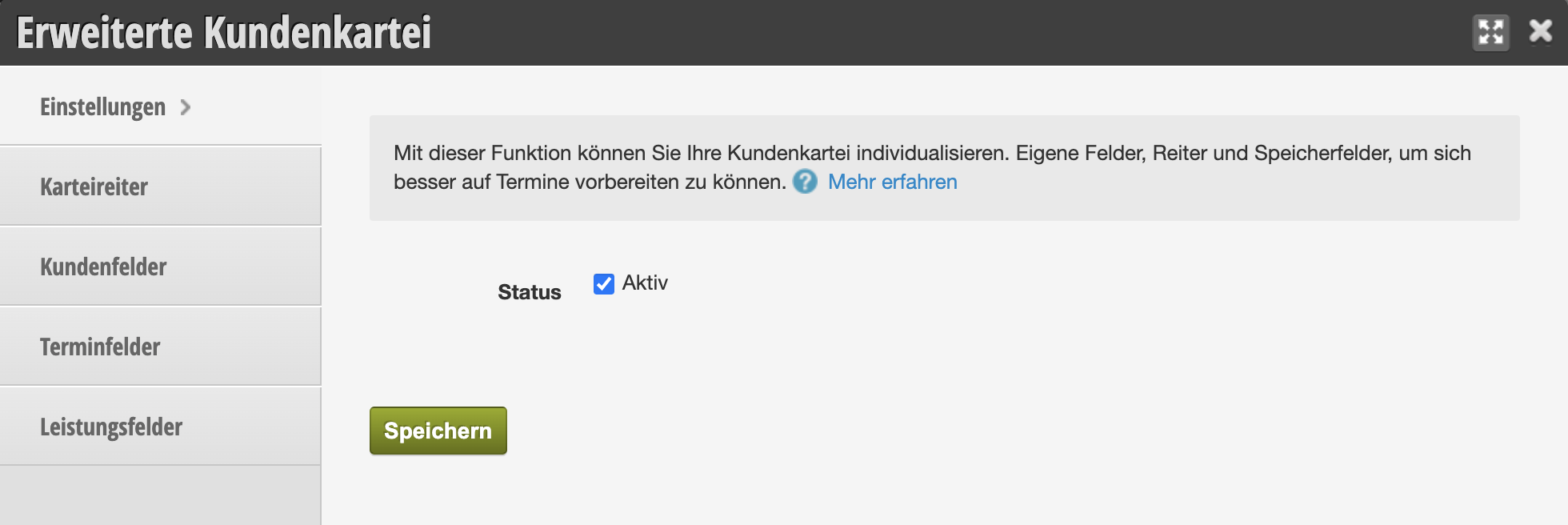
You can customize your client records in Belbo in many ways to suit your needs. You can create additional fields or tabs to store any custom data you want about your clients.

You can access this area via Settings >
If this function is not enabled, it can be activated via "Settings > Add Function".

Example use case:
In a hair salon, it's useful to store your clients' color recipes. In the cosmetics field, skin type or allergies may be important. In sports, training goals or clothing sizes are relevant. Depending on what data you want to store, you can expand your client file as needed.

In the extended client file you will find the following options to create fields and tabs:

  • Tabs
  • Client Fields
  • Appointment Fields
  • Service Fields

Categories: Customer Management & Records
Tags: Datenpflege
This manual is a service by belbo. Legal notice