
It can happen that your cash register shows a negative cash balance and saving the daily closing is not possible. Here we explain the causes and how to fix them.
If the cash register has a negative cash balance, the daily closing cannot be saved:
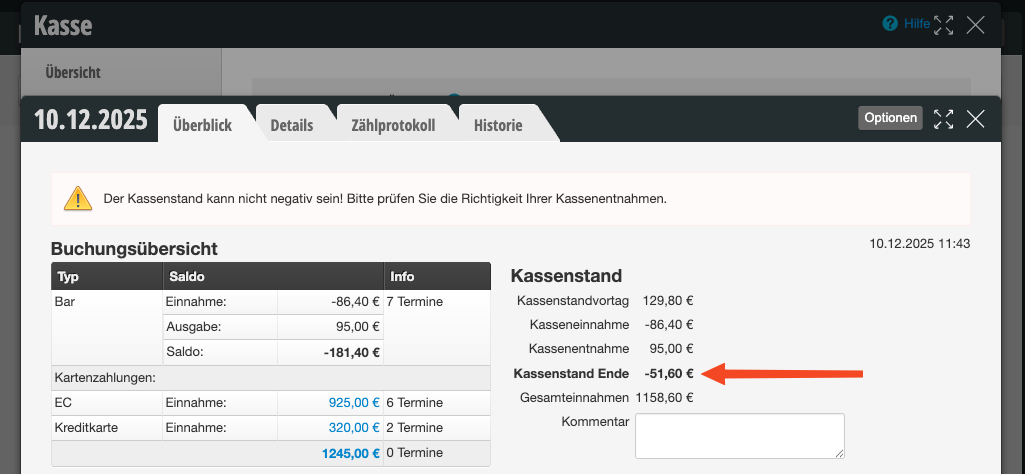
Causes
This can have several causes. In any case, however, it is due to a lack of care in cash register management.
- Tip was paid by card frequently on this day, which should have been taken from the cash register. However, this did not happen, so it was not noticed that the tip given was higher than the actually available balance.
- The actual cash balance from the previous day did not match the amount shown in the daily closing. Either the cash register was not counted or the difference was not corrected.
- A larger return was booked, which could not be paid out to the customer with the cash actually available.
Of course, the cause could also be a combination of these causes.
Fixing the negative cash balance
To fix the problem, the situation must be carefully reviewed and reconciled with the actual cash available.
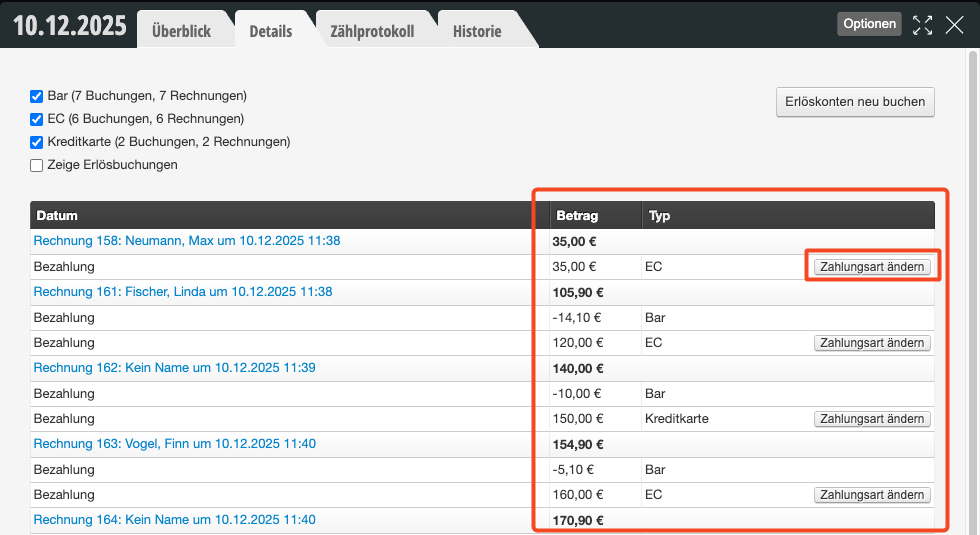
Check details
- Was an appointment that was actually paid in cash possibly recorded incorrectly? The payment method can be corrected afterwards.
- Was too much charged for a tip payment by card? The corresponding invoice must be cancelled and re-recorded.
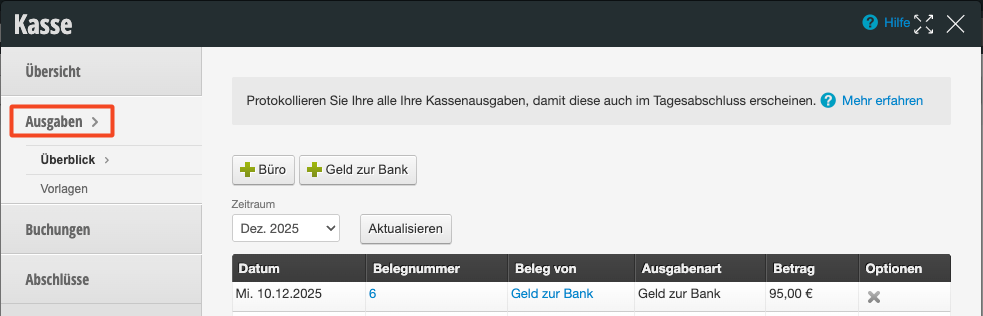
Check expenses
Was an excessively high expense accidentally recorded? This can be deleted and re-entered.
Record cash deposit
If the cause cannot be found, a cash deposit must be recorded to adjust the cash register value to the actual amount. This incident should preferably be reported to the tax office.
Prevent errors
- To prevent the cash register from showing an incorrect amount, it is important to count the cash register every evening and compare it with the total shown in the Belbo daily closing.
- The count sheet helps with counting and checking the cash balance.
- In case of discrepancies, the cause of the discrepancy must be found and the problem must be resolved on the same day.
- If a lot of tips are paid by card, this can also remain in the account instead of being taken out of the cash register.
- Guidelines for proper cash register management can be found in our cash register manual (PDF).