
If you have issued vouchers that have not been recorded in the Belbo voucher management system, you can import them. This may be necessary, for example, if you sold vouchers before you started working with the Belbo calendar.
Import vouchers
To import vouchers, your previous vouchers must be in CSV format. Here you will find an example file for a valid voucher import
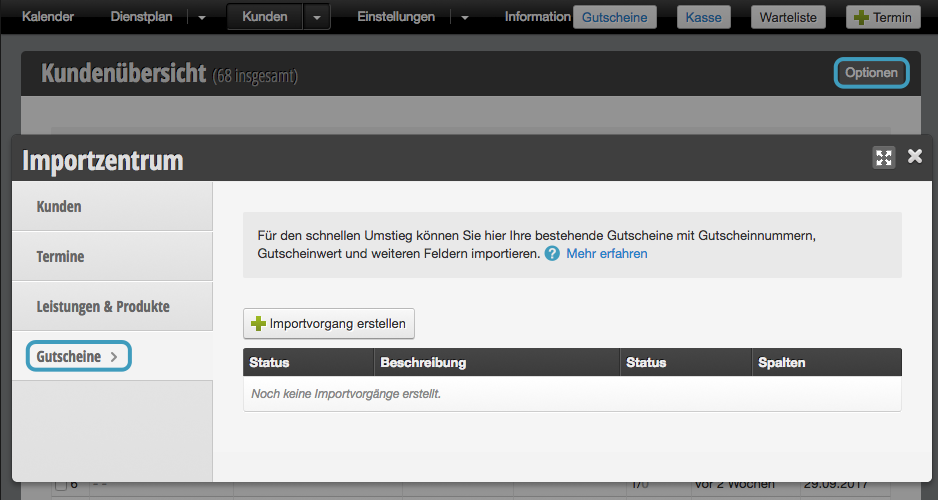
Select Vouchers in the Import Center and click on + Create import process.
After uploading your CSV file, first assign the correct fields.
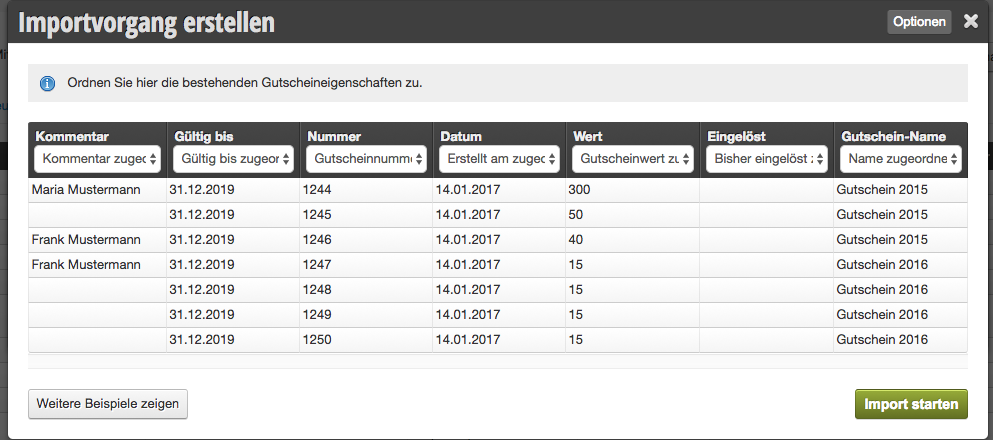
Then start the upload.
You will then find your imported vouchers in the Voucher module. The imported vouchers can now also be found using the voucher code and used in the checkout process.