
belbo
  • Overview
    • Getting to know Belbo
    • Location Settings
    • Switch to Belbo
    • Calendar View & Navigation
    • Recurring Appointments & Courses
    • Appointment Entry & Management
    • Logins & Permissions
    • Multiple Locations & Head Office
    • Manage Employees
    • Absences & Holidays
    • General
    • Working Hours
    • Time Tracking
    • Data Protection (GDPR)
    • Customer Communication (Email, SMS)
    • Customer Management & Records
    • Bonus & Loyalty Programs
    • Campaigns (Newsletter & SMS)
    • Marketing Consents (GDPR)
    • Tracking & Analytics
    • Overview
    • Services & Prices
    • Products
    • Service Packages & Subscriptions
    • Vouchers
    • Purchasing & Suppliers
    • Stock & Inventory
    • Scanning & Sales
    • Materials & Costs
    • Design & Texts
    • Setup & Settings
    • Integration (Website, Google, Instagram, Facebook)
    • Online payment
    • Accounting & Exports
    • Cash Register Settings & Hardware
    • Checkout process
    • Daily Closing & Reports
    • TSE & Cash Register Anti-Tampering Ordinance
    • Export Overview
    • Employee Utilization
    • Revenue & Reports
    • Belbo Satellite
    • Printer
    • EC Terminal & Card Payment
    • Troubleshooting Hardware
    • Scanner & POS Devices
    • General Settings
    • API & Integrations
    • Notifications & Emails
    • Contracts & Legal
Skip to content

Email Settings

Here you can make general email settings.
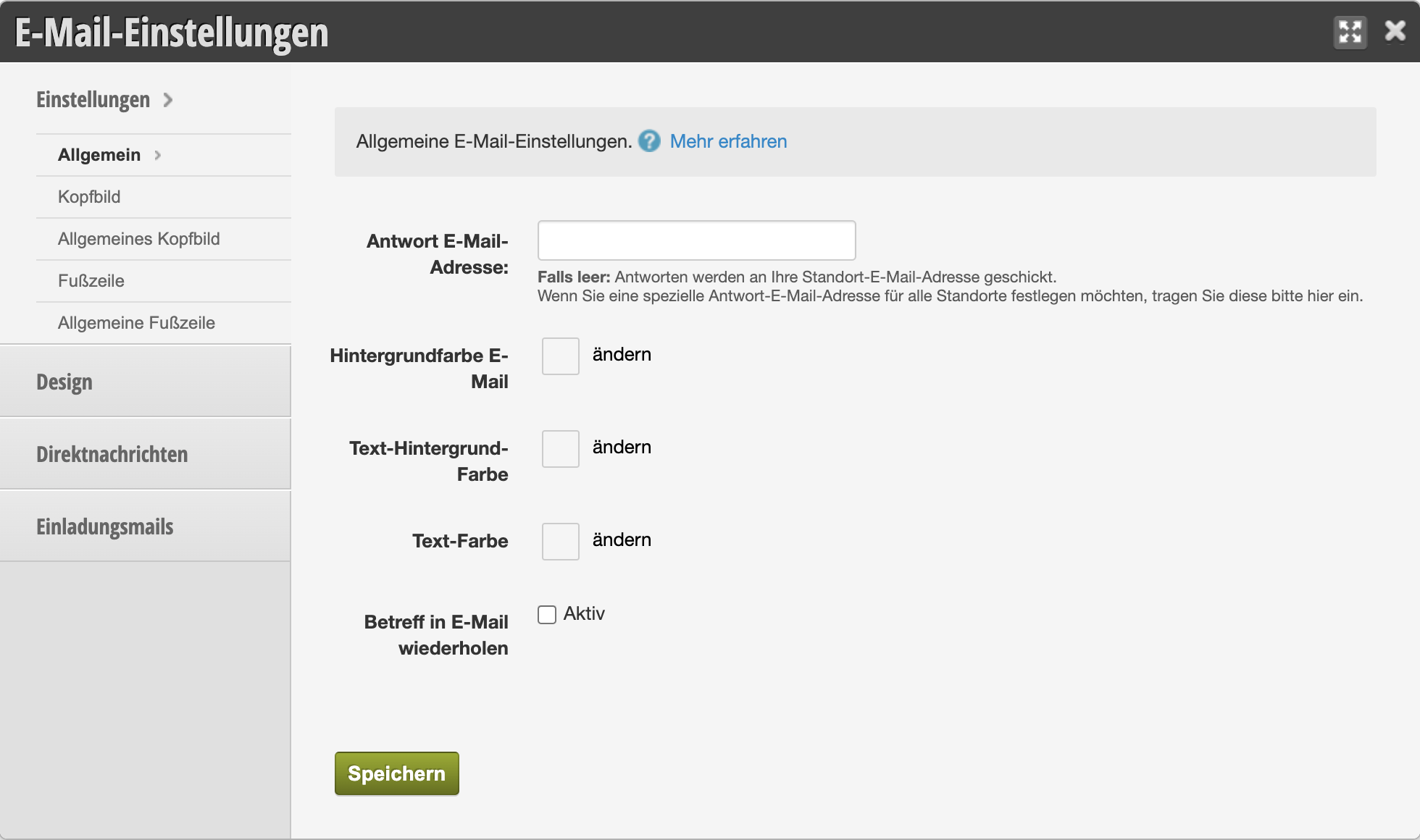
You can access this area via Settings > Email Settings

Reply Email Address

The email address entered here applies to all locations. So only enter something here if you have a single reply email address for all locations. This makes sense if you are an employee of a chain that has a central office that handles the emails.
If empty: Replies will be sent to your location email address, which you can set in the location settings.

Colors

If you want to change the text or background colors of your emails, you can do so here. Please make sure the text remains legible.

Application example:
If your company color is yellow, it makes sense to adjust the background color to yellow, but not the text color.

Repeat Subject in Email

The email subject can be repeated in the header area of the content.

All articles on email and SMS templates can be found here.
Categories: Customer Communication (Email, SMS)
Tags: Antwort-E-Mail-Adresse, E-Mails, Kundennachrichten
This manual is a service by belbo. Legal notice