
In Belbo you can send messages to your customers. For each appointment, the customer can receive confirmation and reminder emails. You can also send your customers direct messages. For technical reasons, most of these messages cannot have attachments. Here you will learn how you can still send documents to your customers.
Upload the document online
You can use your own website or a cloud solution to upload your documents. After uploading your documents, they can be accessed via a link and downloaded by users who know the link. An example of such a link is "https://mycompany.com/consultation.pdf".
Link document in customer message
Depending on the use case, you can now link this document in your customer messages.
- If every customer with an appointment should download it, link the document in the confirmation and reminder emails.
- If you want to send this document to specific customers, use direct messages.
- If only customers who have booked a specific service should receive the document, use the "detailed description" feature in your services.
Linking a document in the email message
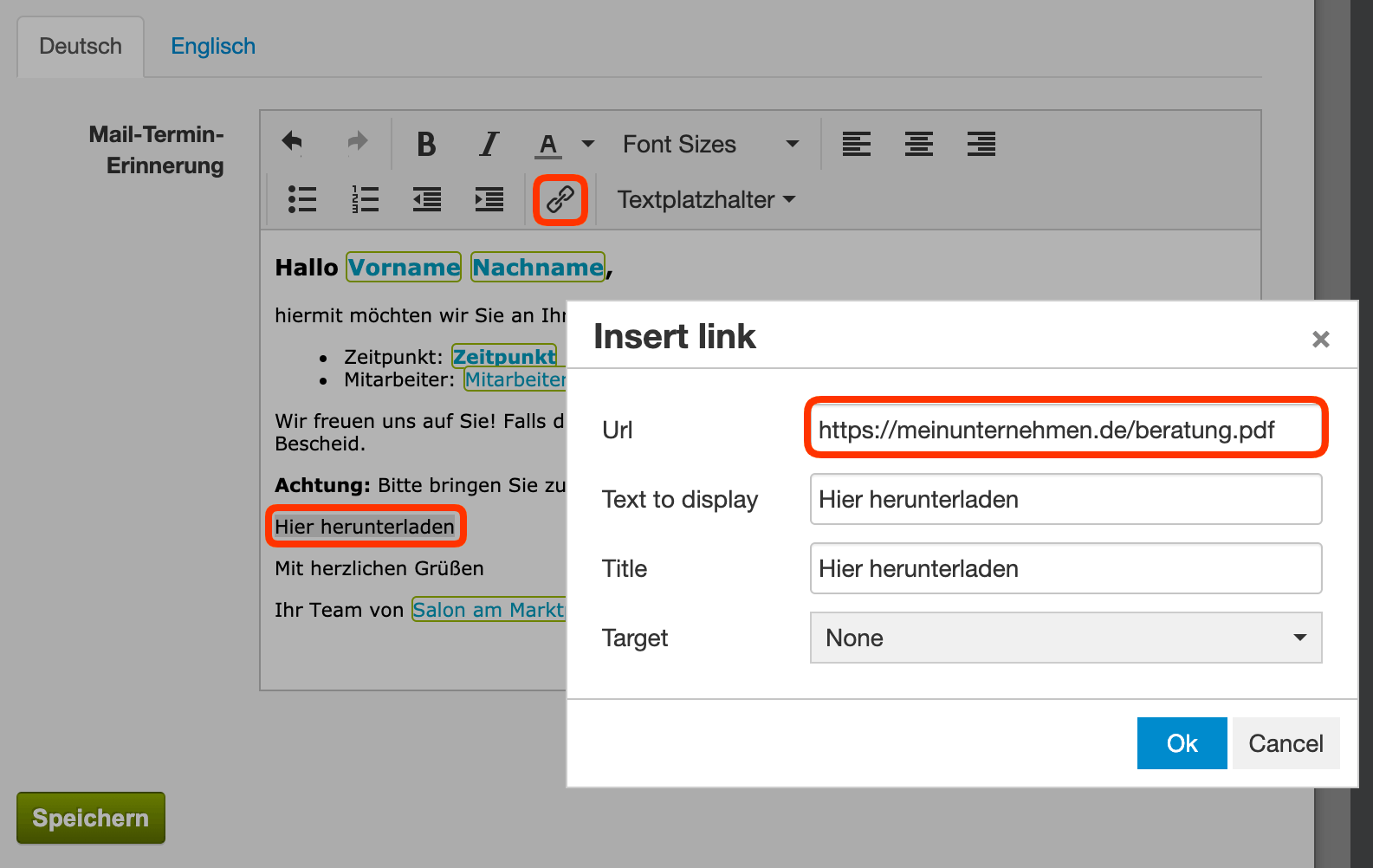
- Open the text template in which you want to link the document.
- Write the text with which you describe the document. Use a call-to-action ("Download now") to encourage customers to download the document.
- Highlight the text that prompts the download.
- Click on the link icon and enter the document URL.
Linking a document using the example of a reminder email:
Your customers can now download the documents and further process them if needed. This approach is also useful if your customers need to read long contracts or treatment information before the appointment. By sending the documents in advance, you can save time, even if the customer ultimately only signs in person at your location.
Please note that using hyperlinks via SMS is not possible for technical reasons. This is an international standard that Belbo cannot change. If you want to link your document in your SMS, the URL itself must be placed in the text. This can be correctly interpreted by most modern smartphones. However, the URL increases the character count and may therefore contribute to increasing SMS costs. We recommend sending your documents exclusively via email.
