
belbo
  • Overview
    • Getting to know Belbo
    • Location Settings
    • Switch to Belbo
    • Calendar View & Navigation
    • Recurring Appointments & Courses
    • Appointment Entry & Management
    • Logins & Permissions
    • Multiple Locations & Head Office
    • Manage Employees
    • Absences & Holidays
    • General
    • Working Hours
    • Time Tracking
    • Data Protection (GDPR)
    • Customer Communication (Email, SMS)
    • Customer Management & Records
    • Bonus & Loyalty Programs
    • Campaigns (Newsletter & SMS)
    • Marketing Consents (GDPR)
    • Tracking & Analytics
    • Overview
    • Services & Prices
    • Products
    • Service Packages & Subscriptions
    • Vouchers
    • Purchasing & Suppliers
    • Stock & Inventory
    • Scanning & Sales
    • Materials & Costs
    • Design & Texts
    • Setup & Settings
    • Integration (Website, Google, Instagram, Facebook)
    • Online payment
    • Accounting & Exports
    • Cash Register Settings & Hardware
    • Checkout process
    • Daily Closing & Reports
    • TSE & Cash Register Anti-Tampering Ordinance
    • Export Overview
    • Employee Utilization
    • Revenue & Reports
    • Belbo Satellite
    • Printer
    • EC Terminal & Card Payment
    • Troubleshooting Hardware
    • Scanner & POS Devices
    • General Settings
    • API & Integrations
    • Notifications & Emails
    • Contracts & Legal
Skip to content

Detailed description of a service in confirmation and reminder emails

If certain services require explanation or if customers need to pay attention to something before their appointment, you can also include this information in the confirmation and reminder emails. This ensures that your customers receive the information after booking the service.

Store information in the service

Please first add this information to the service as detailed description. This information can then also be displayed directly in the online booking.

  • Click on Prices & Competencies under Settings.
  • Click on the desired service.
  • Write your information in the "Detailed Description" field and save your entry.
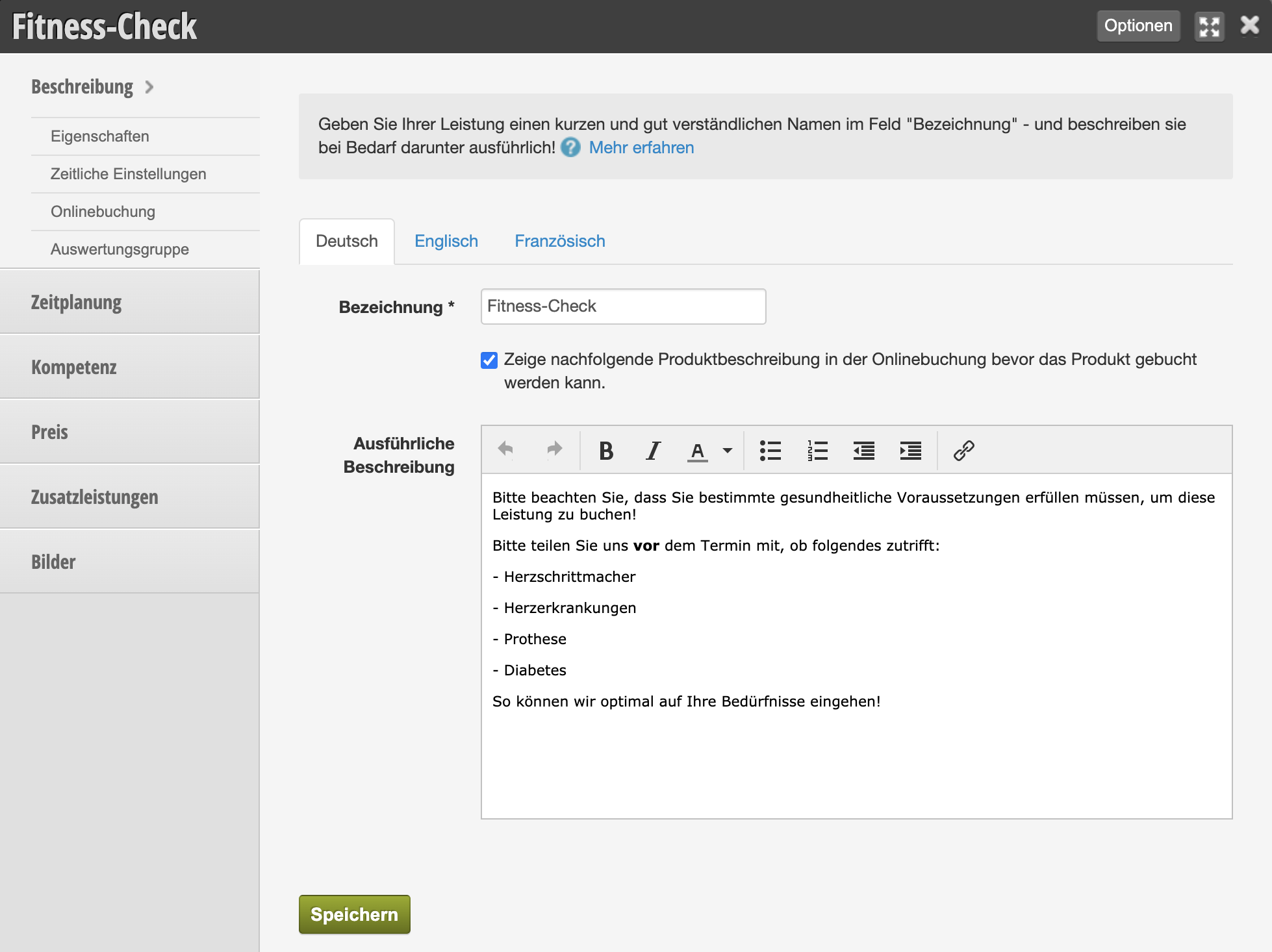
Detailed description in the email

You can then specify that this text appears in confirmation and reminder emails when the customer books the corresponding service.

  • Click on Appointment confirmations & reminders under Settings.
  • Select the desired email type here under "Emails".
  • Place the placeholder "Detailed description of booked services" at the desired location and save your entry.
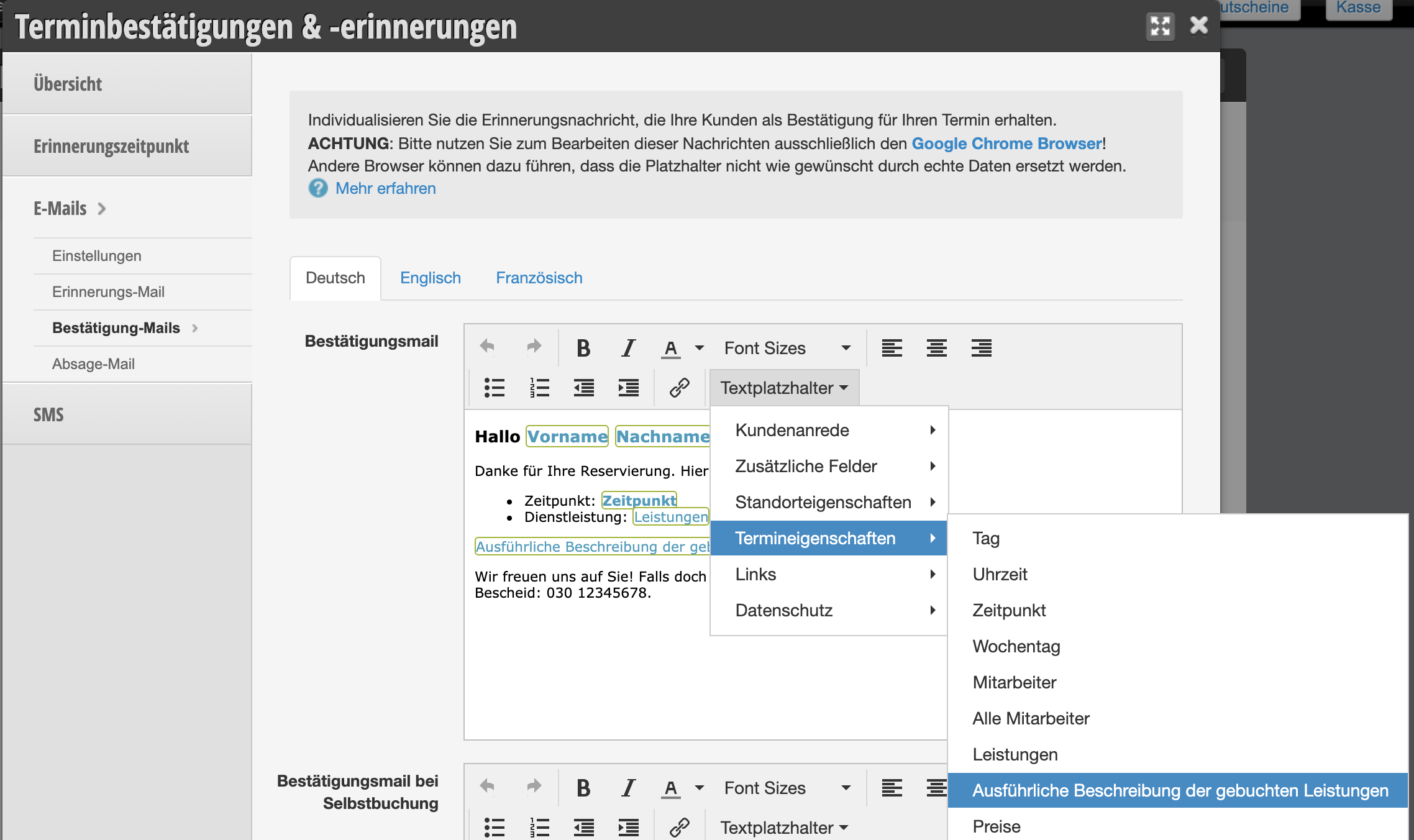
External documents in the description

If you wish, you can also place a link to a website in the detailed description. This is useful if the information is complex or illustrated. You can also link a document that the customer should print out and bring signed to the appointment.

  • Upload the document to your website or create a subpage where you store the information.
  • Link the document or website in the detailed description of your service.
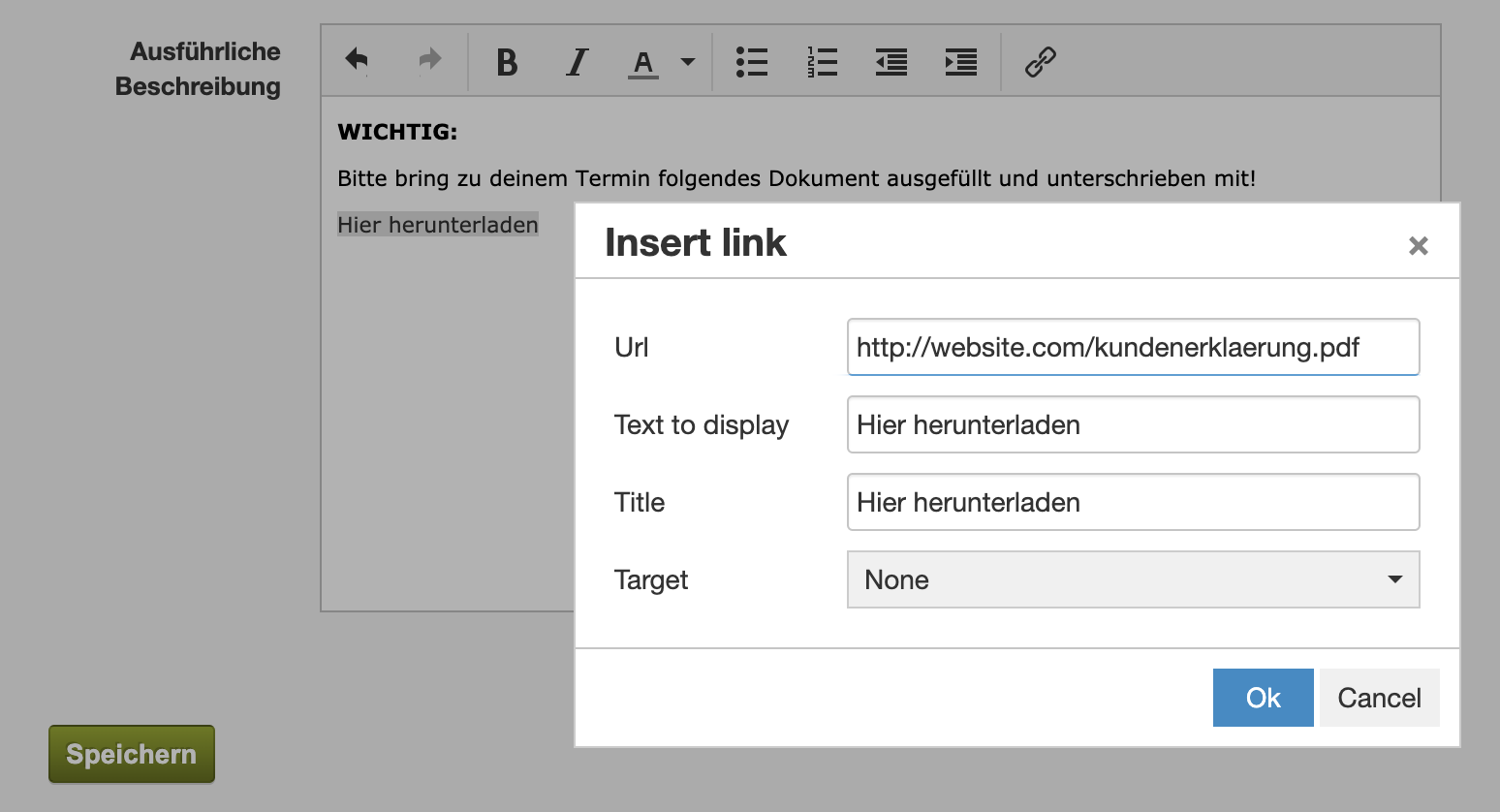
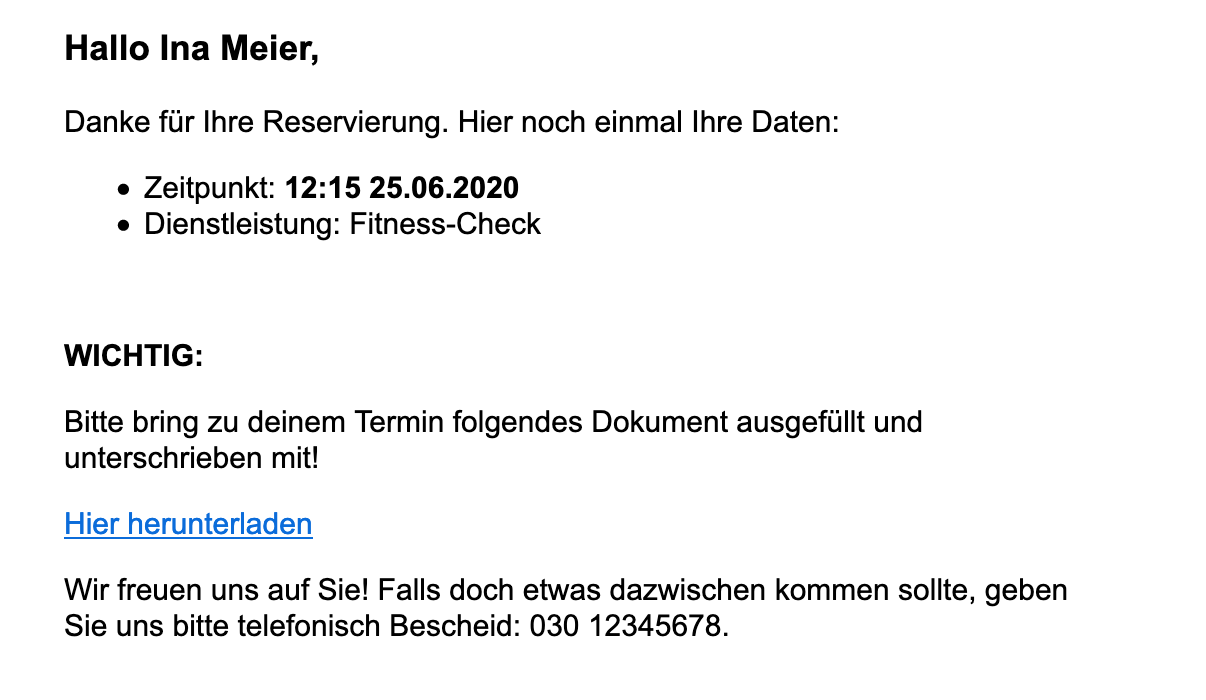
Example: Confirmation email with detailed information

The information is now shown in the email when the customer has booked this service:
Categories: Customer Communication (Email, SMS)
This manual is a service by belbo. Legal notice