belbo
  • Overview
    • Getting to know Belbo
    • Location Settings
    • Switch to Belbo
    • Calendar View & Navigation
    • Recurring Appointments & Courses
    • Appointment Entry & Management
    • Logins & Permissions
    • Multiple Locations & Head Office
    • Manage Employees
    • Absences & Holidays
    • General
    • Working Hours
    • Time Tracking
    • Data Protection (GDPR)
    • Customer Communication (Email, SMS)
    • Customer Management & Records
    • Bonus & Loyalty Programs
    • Campaigns (Newsletter & SMS)
    • Marketing Consents (GDPR)
    • Tracking & Analytics
    • Overview
    • Services & Prices
    • Products
    • Service Packages & Subscriptions
    • Vouchers
    • Purchasing & Suppliers
    • Stock & Inventory
    • Scanning & Sales
    • Materials & Costs
    • Design & Texts
    • Setup & Settings
    • Integration (Website, Google, Instagram, Facebook)
    • Online payment
    • Accounting & Exports
    • Cash Register Settings & Hardware
    • Checkout process
    • Daily Closing & Reports
    • TSE & Cash Register Anti-Tampering Ordinance
    • Export Overview
    • Employee Utilization
    • Revenue & Reports
    • Belbo Satellite
    • Printer
    • EC Terminal & Card Payment
    • Troubleshooting Hardware
    • Scanner & POS Devices
    • General Settings
    • API & Integrations
    • Notifications & Emails
    • Contracts & Legal
Skip to content

Cloud-TSE


German flagThis article is particularly relevant for users from Germany.

With the Cloud-TSE, you can collect appointments in a legally compliant manner. What is a TSE?


You can access this area via Settings > TSE
If this function is not activated, it can be activated via "Settings > Add Function".

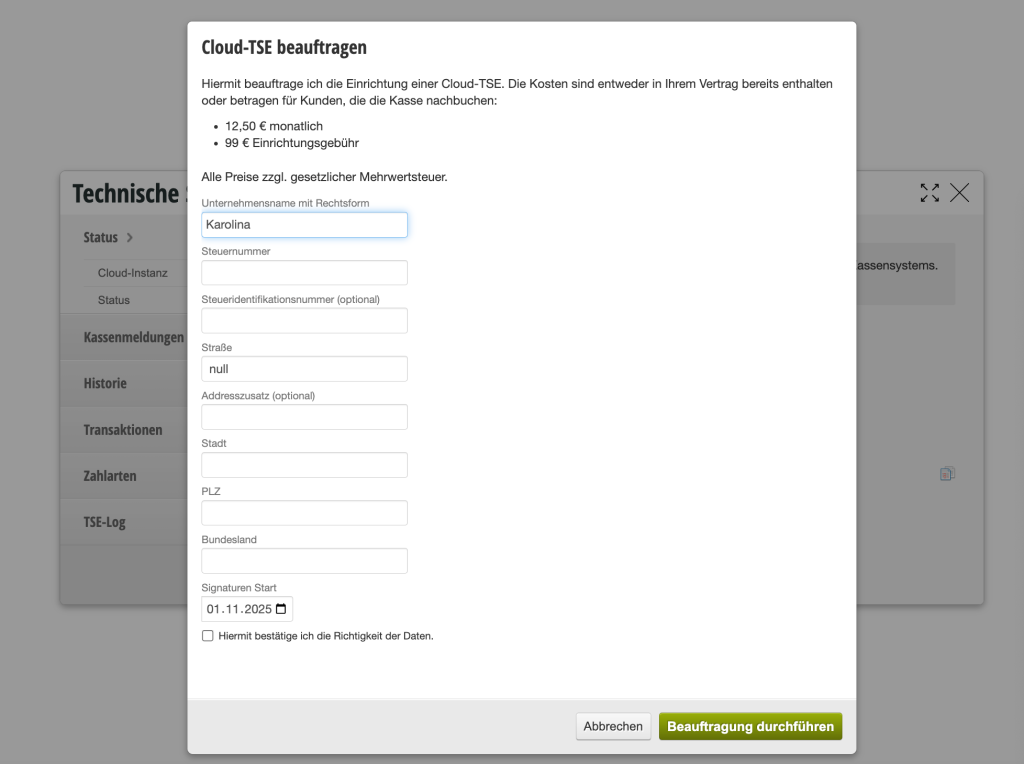
1) Order Cloud-TSE

Before you start with the Belbo cash register, you can order the Cloud-TSE. Please plan a few weeks for activation.


  • Click the "Order Cloud-TSE" button under Settings > TSE.
  • Fill in your business details carefully.
  • Save your entry.

Status

Your TSE will be activated at the earliest possible time. After activation, the Chip ID will appear in the status tab. This usually takes 1-4 weeks.
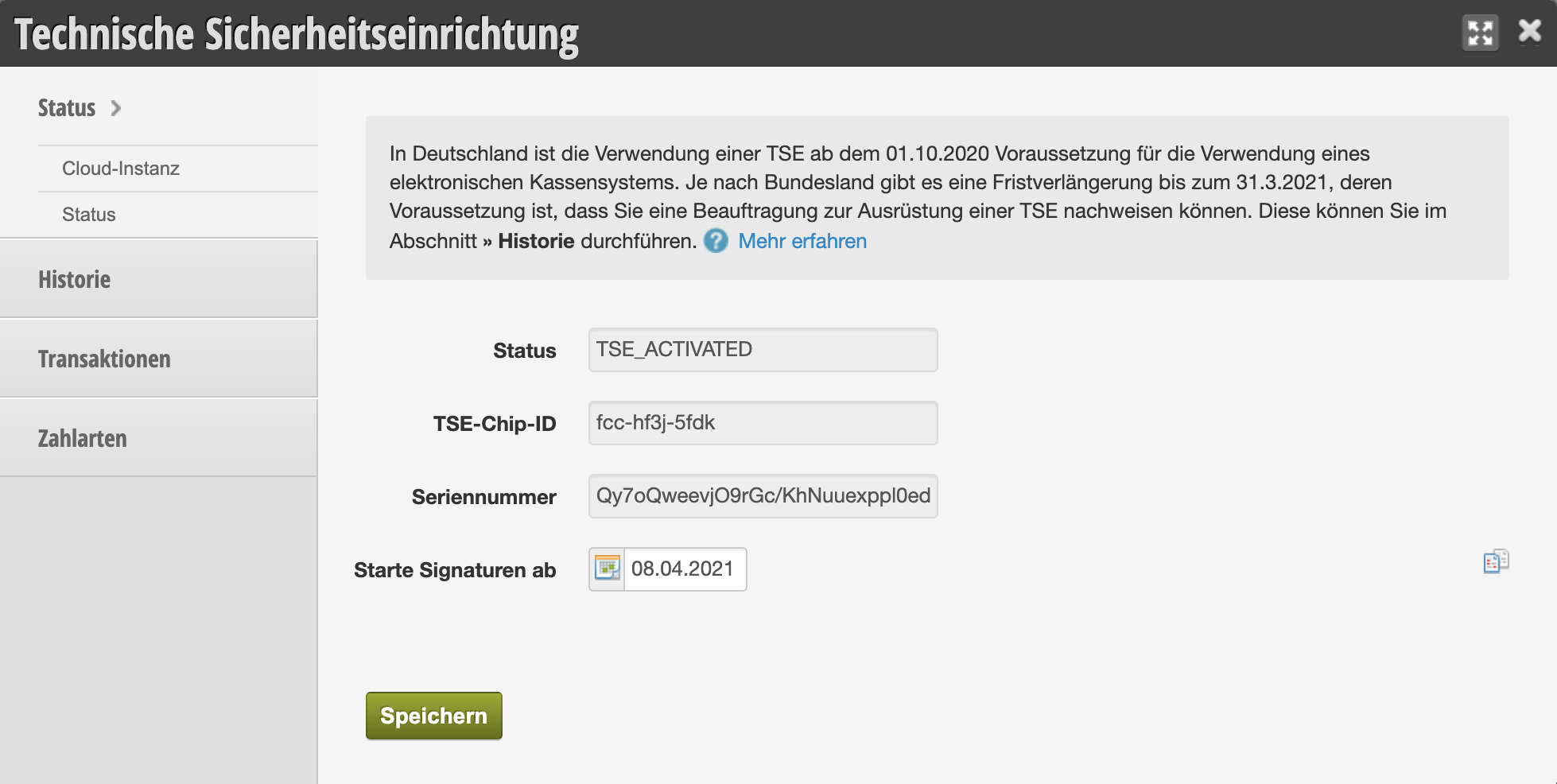

Once the TSE has been activated on our side, the cash register report can be executed. More information

Categories: TSE & Cash Register Anti-Tampering Ordinance
Tags: Technische Sicherheitseinrichtung, TSE
This manual is a service by belbo. Legal notice