
If the small business exemption applies to you, or if you have recently become subject to sales tax, you can quickly and easily change the sales tax rates for your services and products.
Change taxes for products and services
Under Settings > Prices & Competencies (EU) or Settings > Services / Products (CH) you can click on "Options" in the top right:
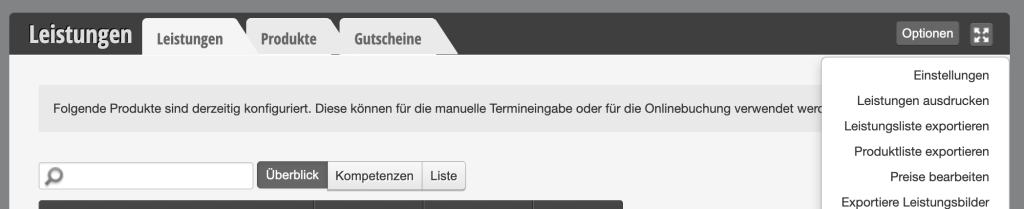
Here you select the menu item "Edit prices".
In the following dialog, select "Change sales tax":
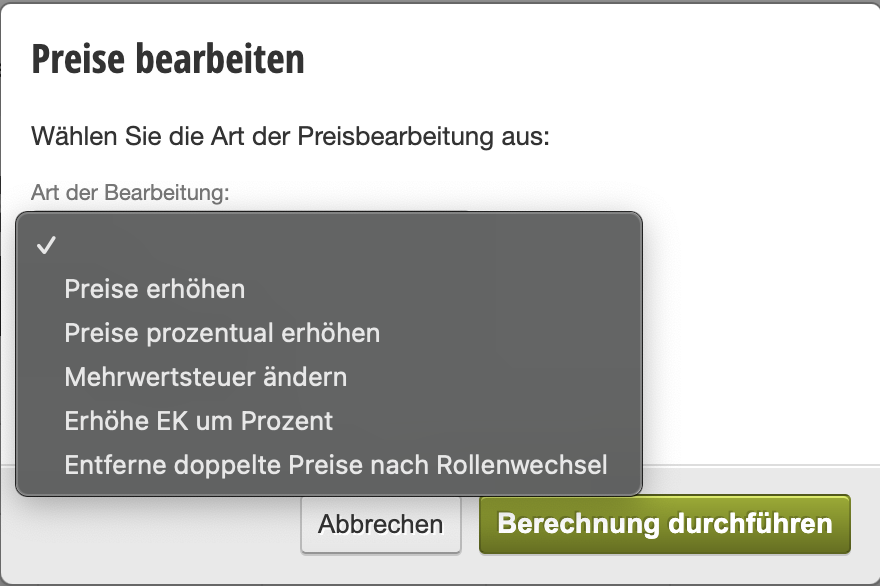
Then you can select the desired category and the applicable tax rate for you and perform the calculation:
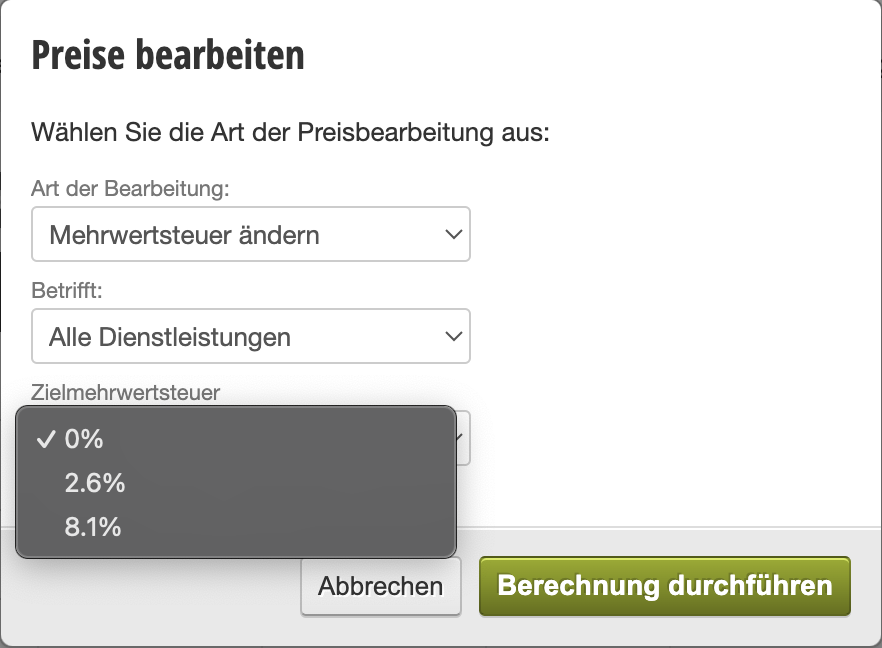
Example image for Swiss tax rates (as of 2025). The tax rates offered here are automatically the rates of your country, which are taken from the address in the location settings.
Please note: The sales tax change takes effect from the moment you have recalculated it and is not retroactive for appointments already invoiced.
Taxation of vouchers
There is much to consider when it comes to the taxation of vouchers. We have summarized this for you in a separate article, which you can read here.