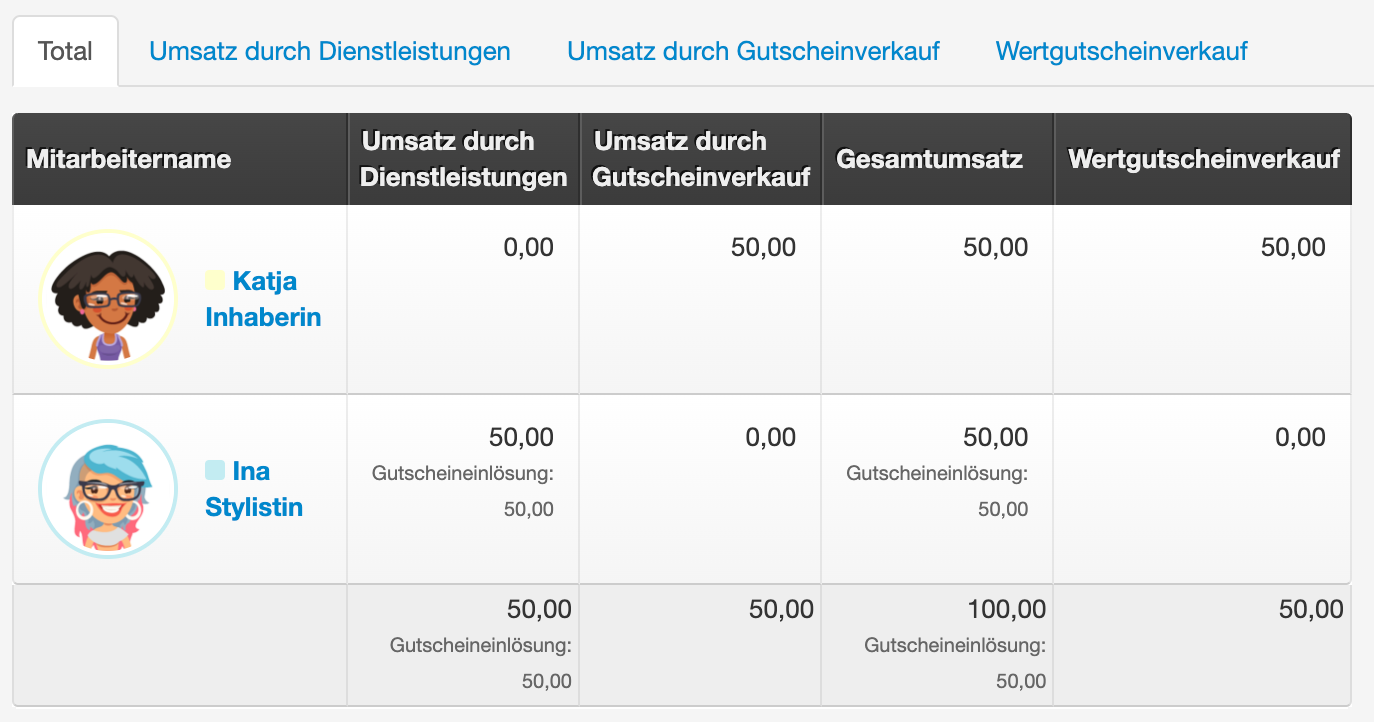
Depending on when you tax your vouchers, you can create templates for value vouchers or service vouchers in Belbo, which are used when selling via the Belbo cash register system.
- Service voucher: Template contains a VAT rate and is taxed at the time of sale.
- Value voucher: Template contains no VAT rate and is taxed at the time of redemption.
The time of taxation is also the time at which the turnover is shown in the cash register's sales statistics.
Creating templates
Under Settings > Prices & Services > Vouchers or in Switzerland Settings > Services / Products > Vouchers you will find the voucher templates.
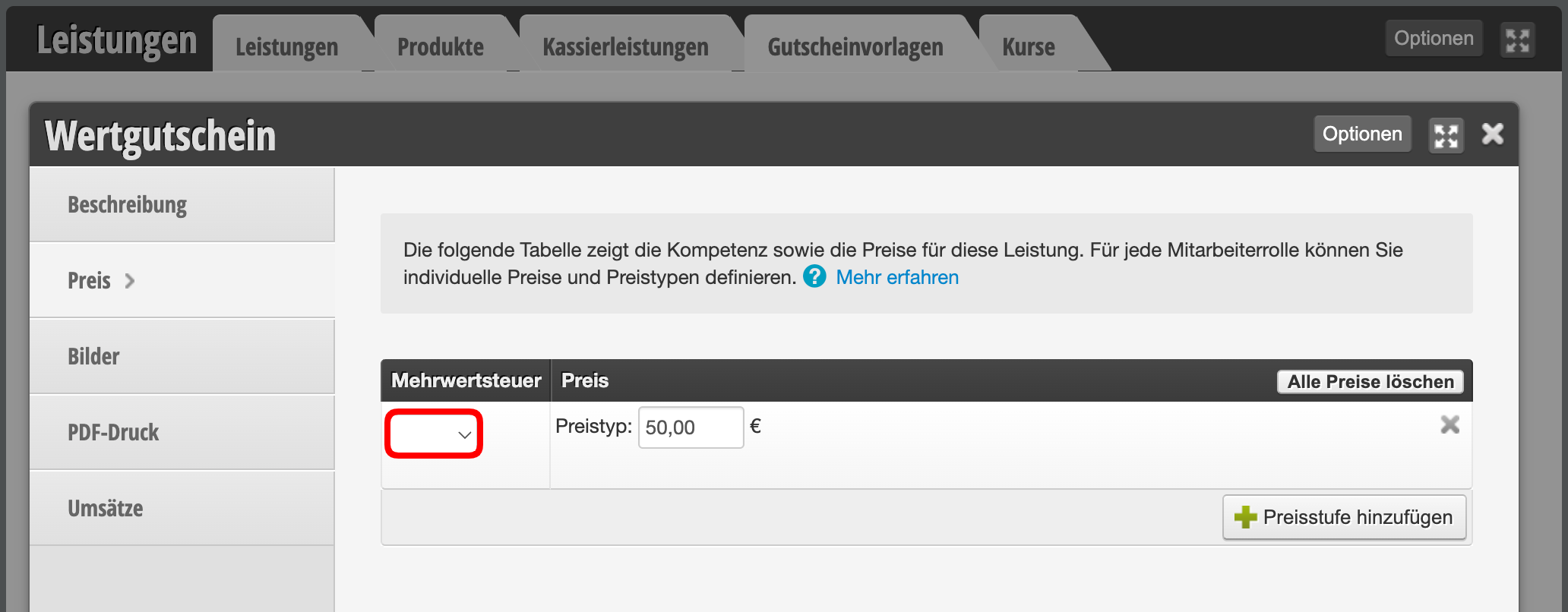
Value voucher
If taxation and turnover are to occur at redemption, enter no tax in the template:
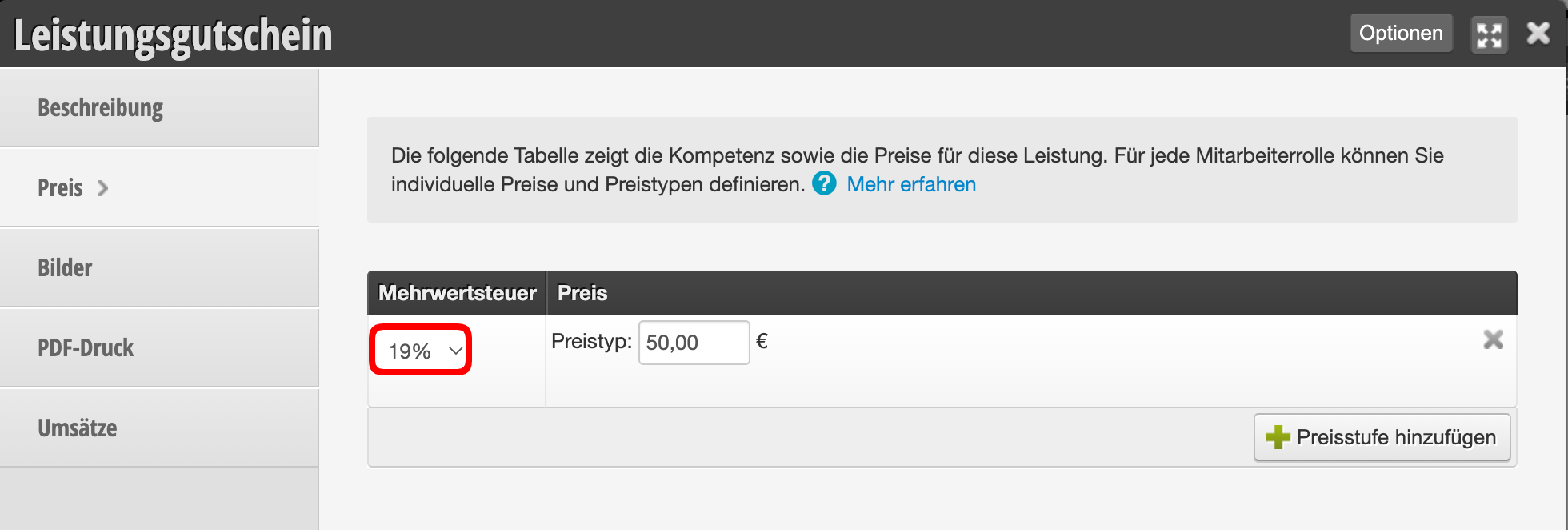
Service voucher
If taxation and turnover are to occur at the time of sale, enter the VAT rate applicable for the service in the template:
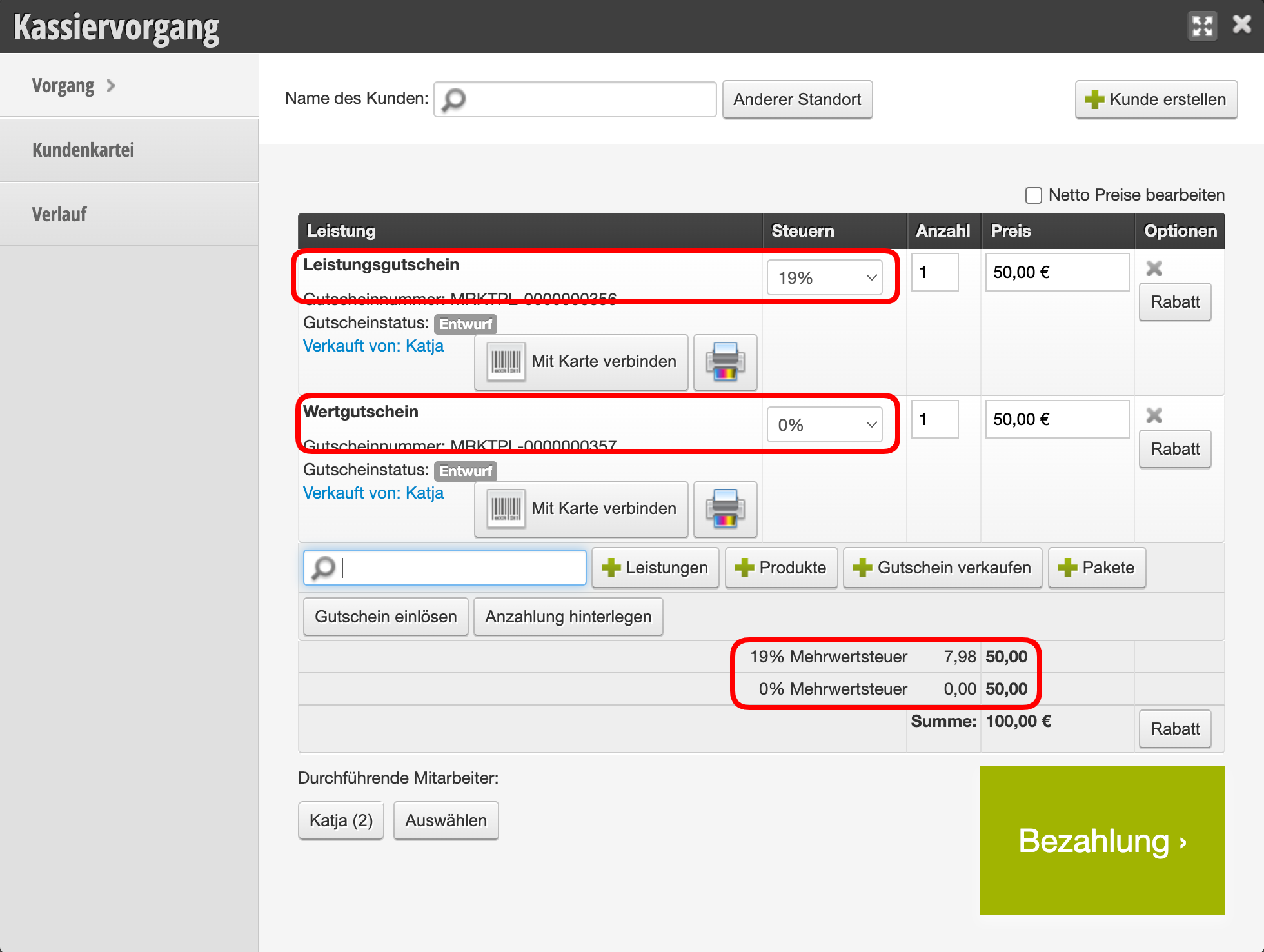
Voucher sales in the cash register process
When you use these templates in the cash register process, the tax used in the template is correctly displayed:
- Service vouchers are taxed immediately and contribute to turnover.
- Value vouchers are not yet taxed and do not contribute to turnover initially.
Voucher redemption in the cash register process
When the sold vouchers are redeemed, the tax is also correctly determined here:
- Service vouchers that were already taxed at the time of sale are not taxed again and do not contribute to turnover.
- The value vouchers that were not taxed at the time of sale are now taxed and contribute to turnover.

Vouchers in the daily closing
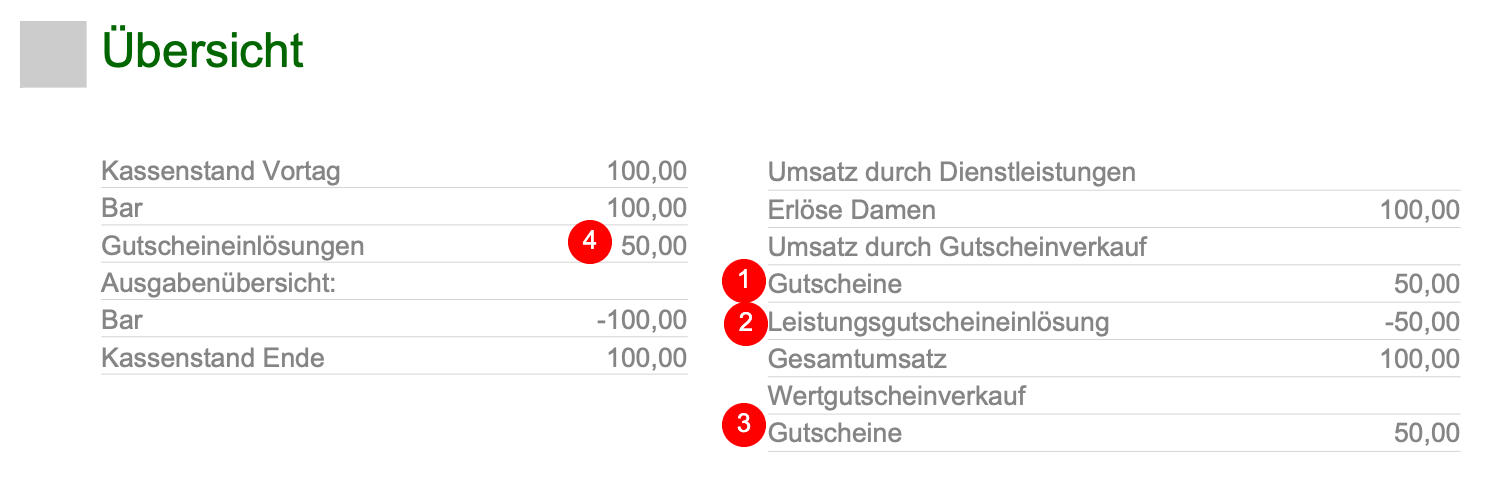
In the daily closing, vouchers and their taxation are correctly displayed.
- Service voucher sales are included in total turnover (1).
- Service voucher redemptions are deducted from total turnover (2).
- Value voucher sales are not counted in total turnover but are explicitly shown (3).
- Value voucher redemptions are added to total turnover and shown in the payment method overview (4).
Vouchers in the sales overview
In the monthly overview of the cash register, voucher sales and redemptions are shown.
- Service voucher sales are directly added to the turnover of the selling person.
- Service voucher redemptions are not added to the turnover of the redeeming person but are explicitly shown.
- Value voucher sales are not added to the turnover of the selling person but are explicitly shown.
- Service voucher redemptions are added to the turnover of the redeeming person.