
belbo
  • Overview
    • Getting to know Belbo
    • Location Settings
    • Switch to Belbo
    • Calendar View & Navigation
    • Recurring Appointments & Courses
    • Appointment Entry & Management
    • Logins & Permissions
    • Multiple Locations & Head Office
    • Manage Employees
    • Absences & Holidays
    • General
    • Working Hours
    • Time Tracking
    • Data Protection (GDPR)
    • Customer Communication (Email, SMS)
    • Customer Management & Records
    • Bonus & Loyalty Programs
    • Campaigns (Newsletter & SMS)
    • Marketing Consents (GDPR)
    • Tracking & Analytics
    • Overview
    • Services & Prices
    • Products
    • Service Packages & Subscriptions
    • Vouchers
    • Purchasing & Suppliers
    • Stock & Inventory
    • Scanning & Sales
    • Materials & Costs
    • Design & Texts
    • Setup & Settings
    • Integration (Website, Google, Instagram, Facebook)
    • Online payment
    • Accounting & Exports
    • Cash Register Settings & Hardware
    • Checkout process
    • Daily Closing & Reports
    • TSE & Cash Register Anti-Tampering Ordinance
    • Export Overview
    • Employee Utilization
    • Revenue & Reports
    • Belbo Satellite
    • Printer
    • EC Terminal & Card Payment
    • Troubleshooting Hardware
    • Scanner & POS Devices
    • General Settings
    • API & Integrations
    • Notifications & Emails
    • Contracts & Legal
Skip to content

Appointment search

If appointments are changed, moved or deleted from the calendar, you can track when these changes were made in various ways. If you use the Employee PIN function, you can also see which of your employees made these changes.

The following options are available for your appointment search:

Appointment Details
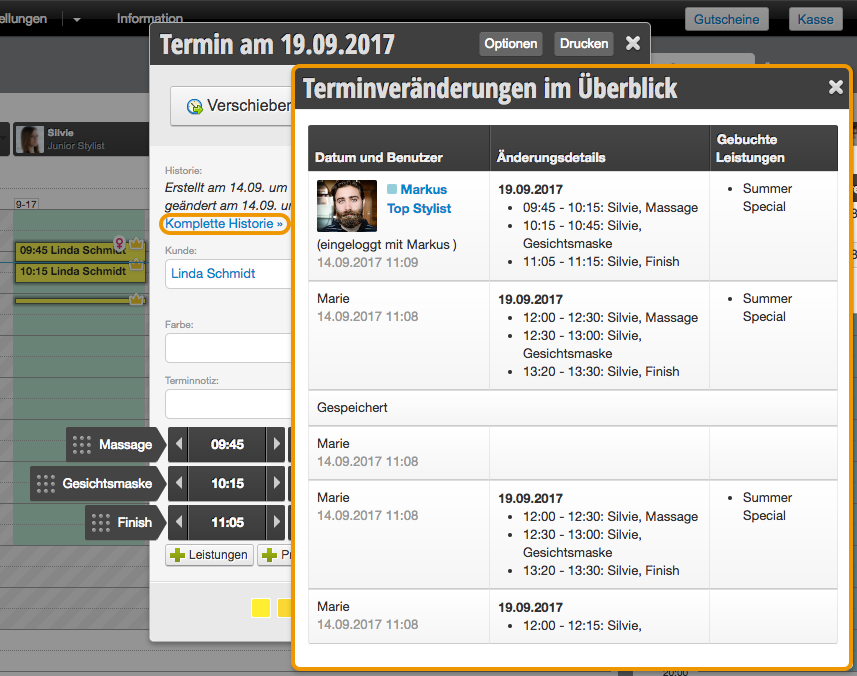
If the appointment is still in the calendar, you can click on it. After clicking on Complete History, you can see when the appointment was created and when (and by whom) it was changed.

Customer File
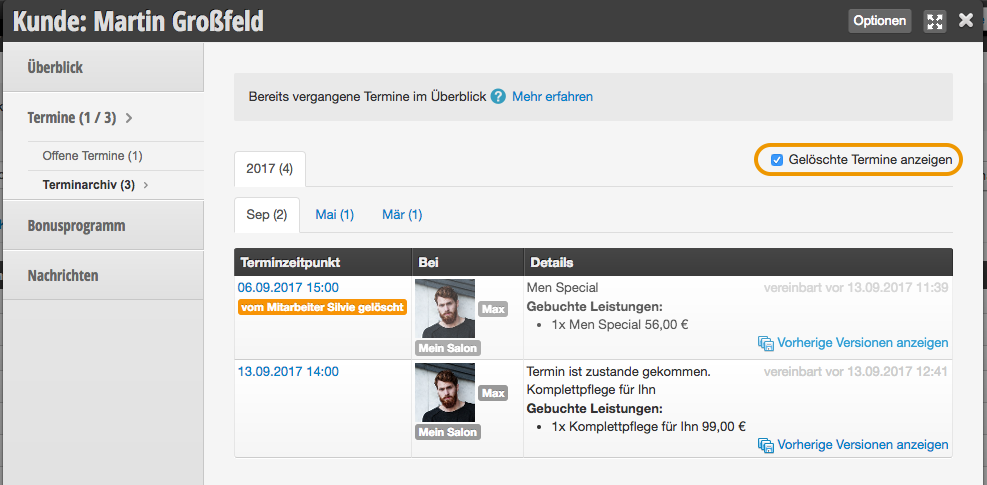
In each customer file, you can view a customer's past and future appointments. You can also display deleted appointments here.
If an appointment can no longer be found in the calendar, it can be found through the customer file.

Appointments in Log
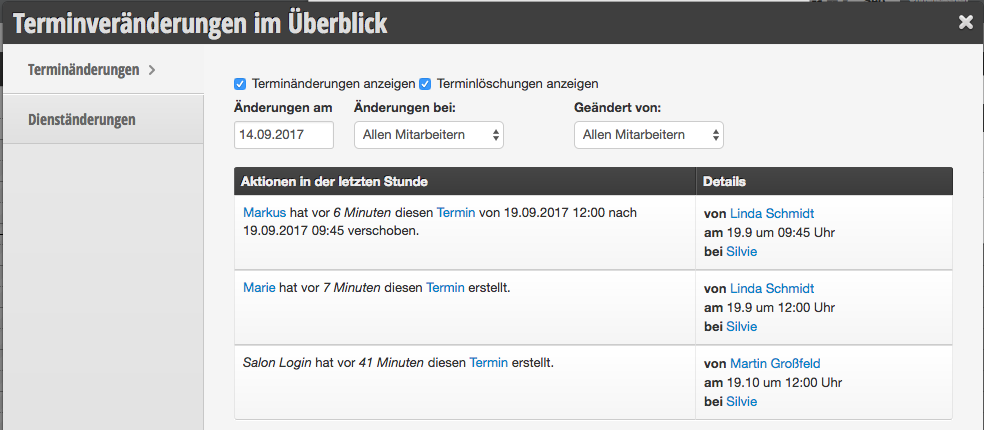
In the log, you can view all appointment changes within any time period.

Working Hours in Log
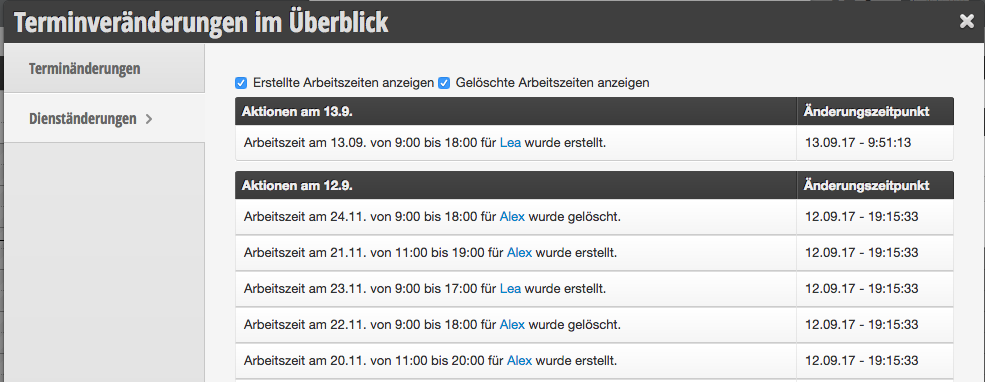
In the log, you can view all working hours changes within any time period.

Categories: Appointment Entry & Management
Tags: Termin gelöscht, Termin verändert, Termin verschwunden
This manual is a service by belbo. Legal notice