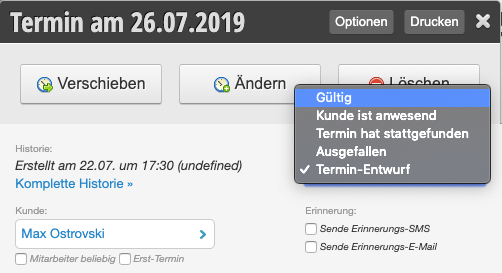
If you don't want to allow trainees or new employees to create actual appointments in the calendar, you can enable the appointment drafts function. Employees whose PIN is marked with draft mode in their profile can only save appointments in draft mode. These appointments must be approved by authorized persons.
The prerequisite for this function is that you work with the Employee PIN.
Activate appointment drafts and select employees
After you have activated the function, you can specify in the corresponding module which of your employees are only allowed to create appointment drafts:
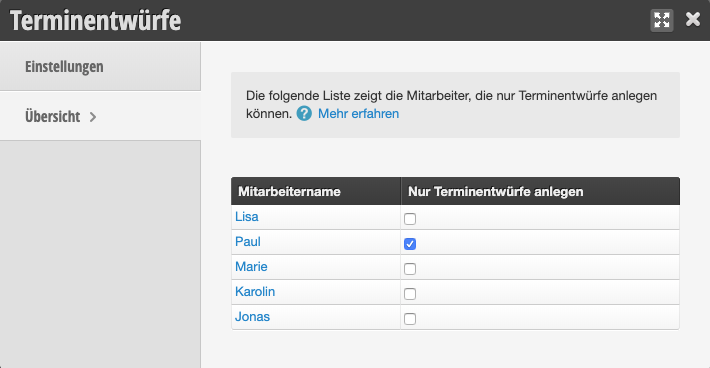
Appointment drafts in the calendar
When the selected employees create an appointment in the calendar, it will be displayed in a special way. Attention: As long as the appointment is in draft status, online booking customers can book these appointments online.

Release appointment drafts
Employees who are authorized for normal appointment saving can then release the appointment. After that, double bookings are no longer allowed.