
If you want to contact all customers on a specific day (for example, because an employee is sick), you can do this in Belbo via email and SMS.
Select customers of a specific team member
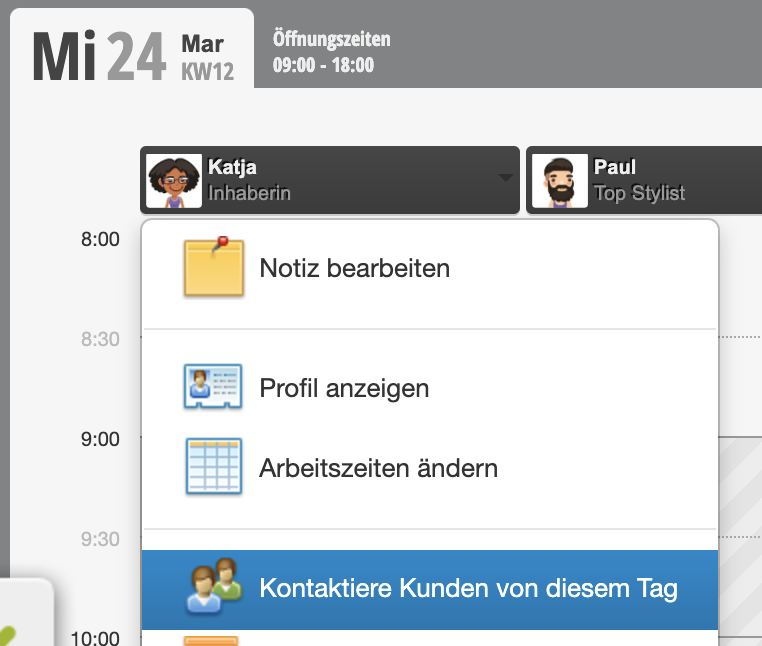
You can click on the employee in the calendar whose customers you want to contact. Here you will find the option "Contact customers from this day":
Select customers of the entire team
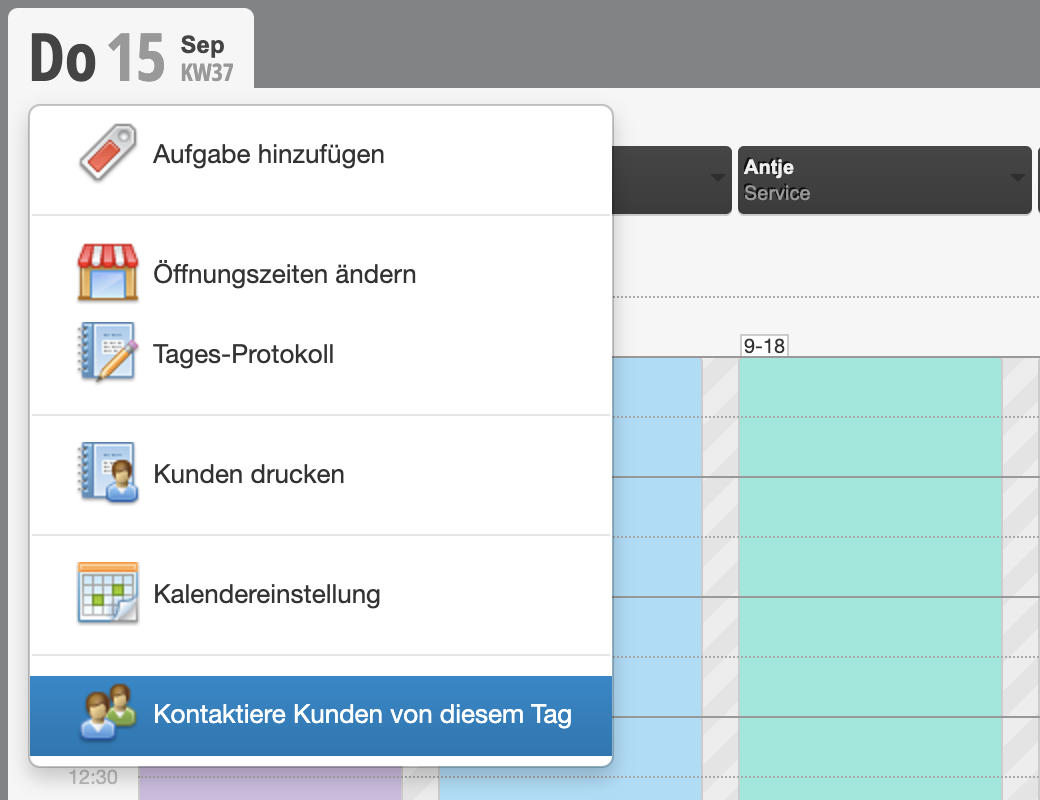
You can click on the date in the calendar whose customers you want to contact. Here you will find the option "Contact customers from this day":
Compose message
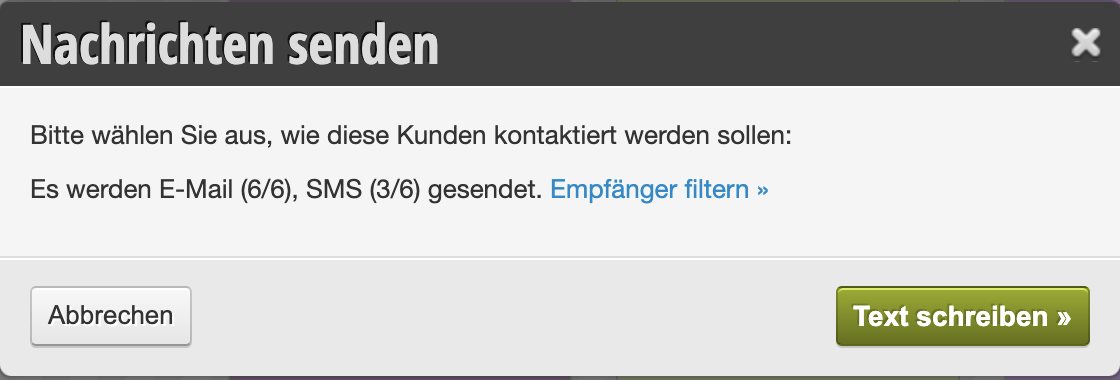
After you select this option, a dialog opens that shows you the number of planned recipients.
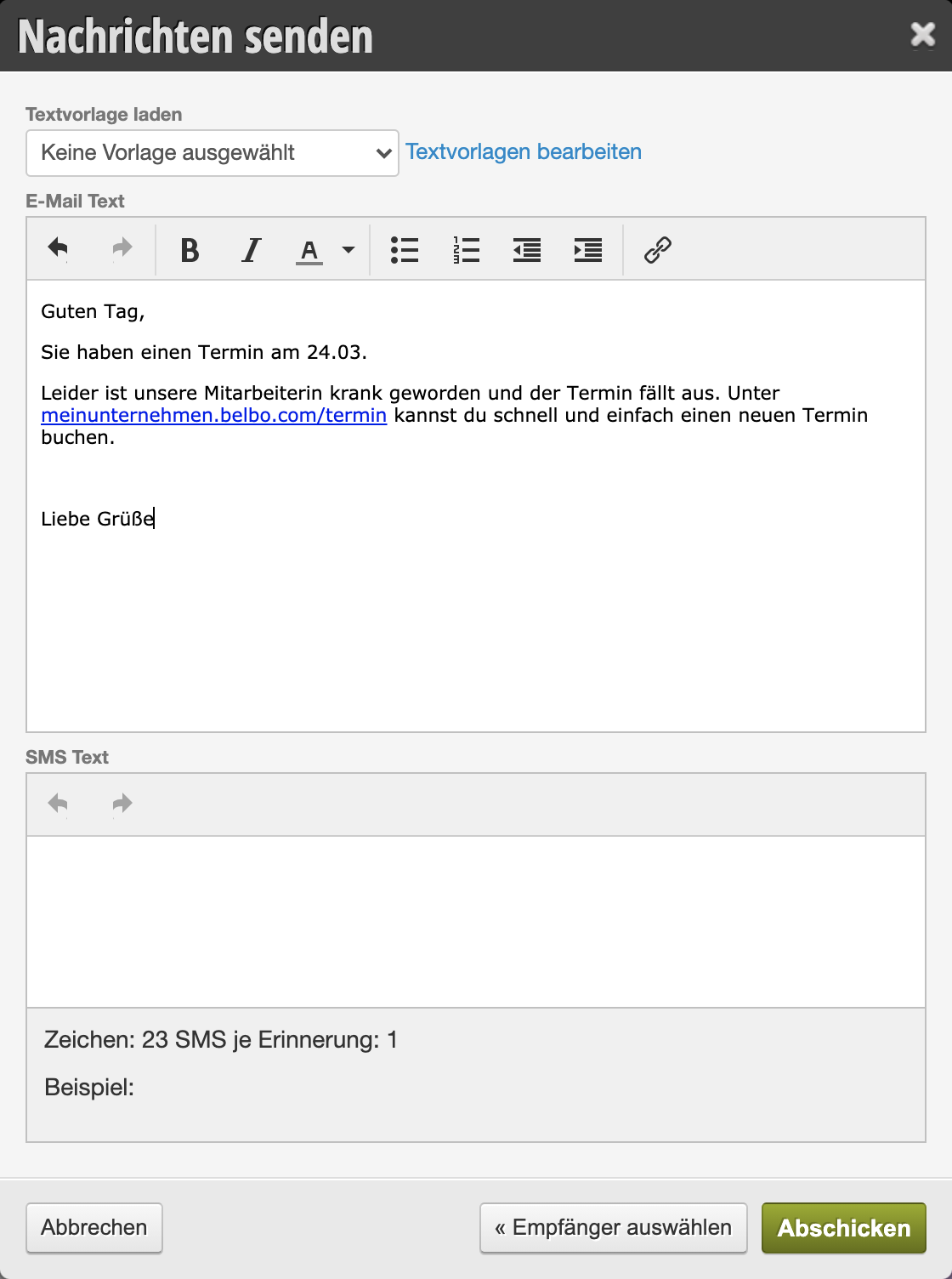
Below you can compose the text for your customers and send the message.
- If you only fill in the email text, only an email will be sent, but no SMS.
- If you only fill in the SMS text, only an SMS will be sent, but no email.
- If you fill in both texts, both will be sent.
- Please note that the SMS function must be active to send SMS. Extra costs are incurred depending on the length of the SMS and your contract with Belbo.
Contact customers of multiple employees
If you want to contact customers of multiple employees (but not the entire team), you can save the entered text locally (for example, in a text file on your computer or mark the text with your mouse and copy it). This way, the same text can be used for other employees without having to rewrite it.
Alternatively, you can send a newsletter to customers from a specific period. However, it is important that customers have marketing approval.