
Please set the special settings here. Ask us if you have any questions about the various options.
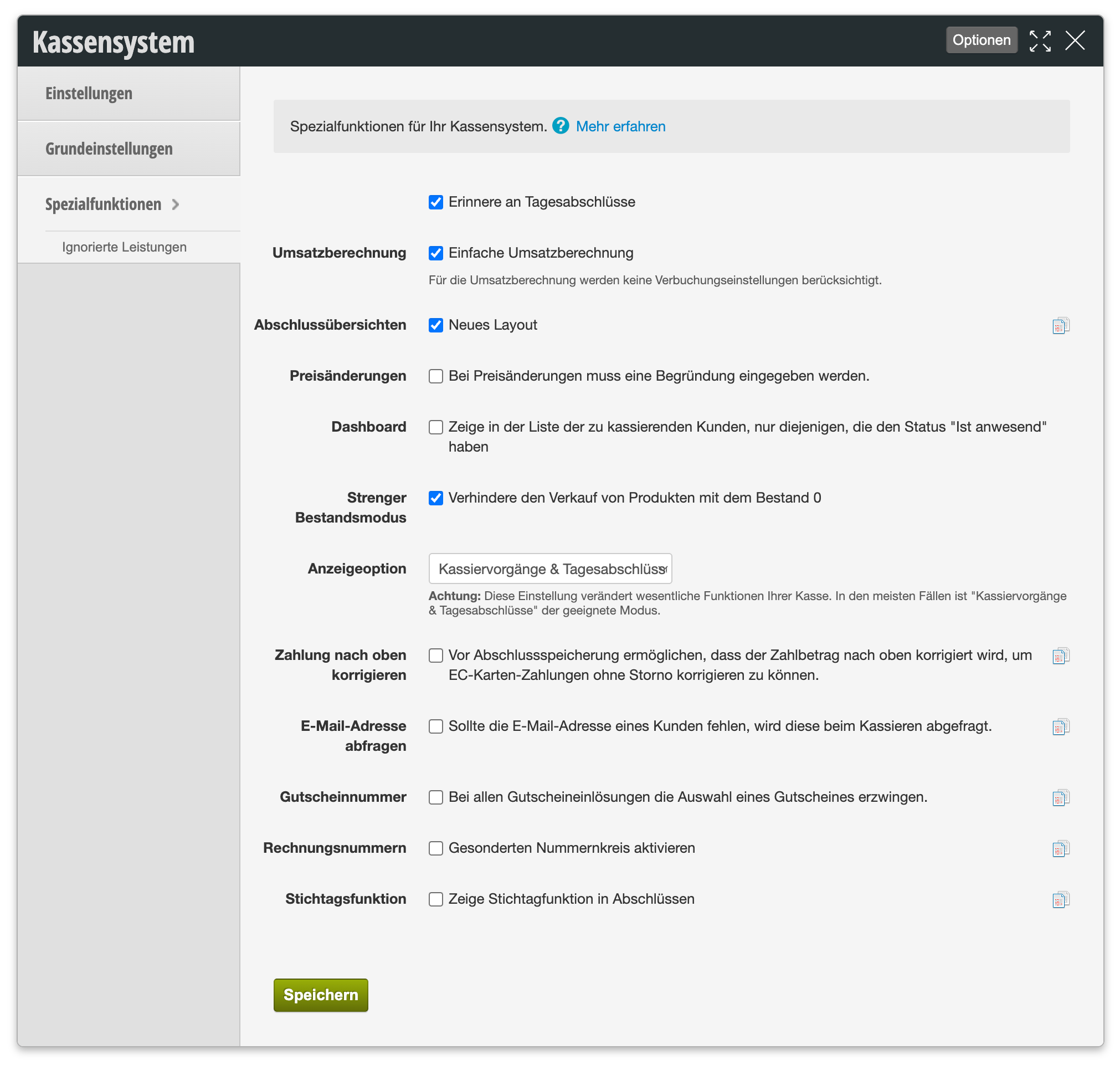
You can access this dialog via Settings > Cash System > Special Functions. The following table shows an overview of all available settings:
| Setting | Description |
|---|---|
| Daily Closing Reminder |
"Remind me of daily closings"
Reminds you regularly to perform the daily closing so that it is not forgotten. |
| Sales Calculation |
"Simple sales calculation"
Simplifies the calculation of sales in the daily closing. Posting settings are not taken into account for sales calculation. |
| Closing Overviews |
"New Layout"
Displays the overviews of daily closings in the revised, new layout. |
| Price Changes |
"A reason must be entered when prices are changed."
If you activate this option, a reason will be required each time an original price is changed. To simplify input, you can create change templates. |
| Dashboard |
"Show in the list of customers to be charged only those with the status 'Present'"
If you have a large number of appointments, it may make sense to show only present customers in the cash register overview. |
| Strict Inventory Mode |
"Prevent sale of products with inventory 0"
If you work with Belbo's inventory system and enter inventory regularly, your cash register prevents the sale of products whose stored inventory is already at 0. |
| Display Option |
Selection field, default: "Cash Transactions & Daily Closings"
Affects which functions your cash register provides. Recommended is the selection "Cash Transactions & Daily Closings" for a comprehensive cash register. The other options are only suitable in special cases or only for those customers who maintain their financial accounting outside of Belbo. |
| Correct Payment Upward |
"Allow the payment amount to be corrected upward before closing storage to correct EC card payments without reversal."
Allows the payment amount to be corrected upward before saving a daily closing draft to correct EC card payments without reversal. |
| Query Email Address |
"If a customer's email address is missing, it will be requested during checkout."
If a customer file does not have an email address entered, a popup appears during the customer's checkout process that requests this information. This helps you maintain your customer data. |
| Voucher Number |
"Force selection of a voucher for all voucher redemptions."
For all voucher redemptions, the selection of a voucher is forced. The checkout process cannot be completed without entering the voucher number. |
| Invoice Numbers |
"Activate separate number range"
Activates an independent, separate numbering sequence for invoices that is independent of other receipt types (e.g. cash register receipts). |
| Key Date Function |
"Show key date function in closings"
Displays a key date function in daily closings that allows reports to be related to a specific key date. |