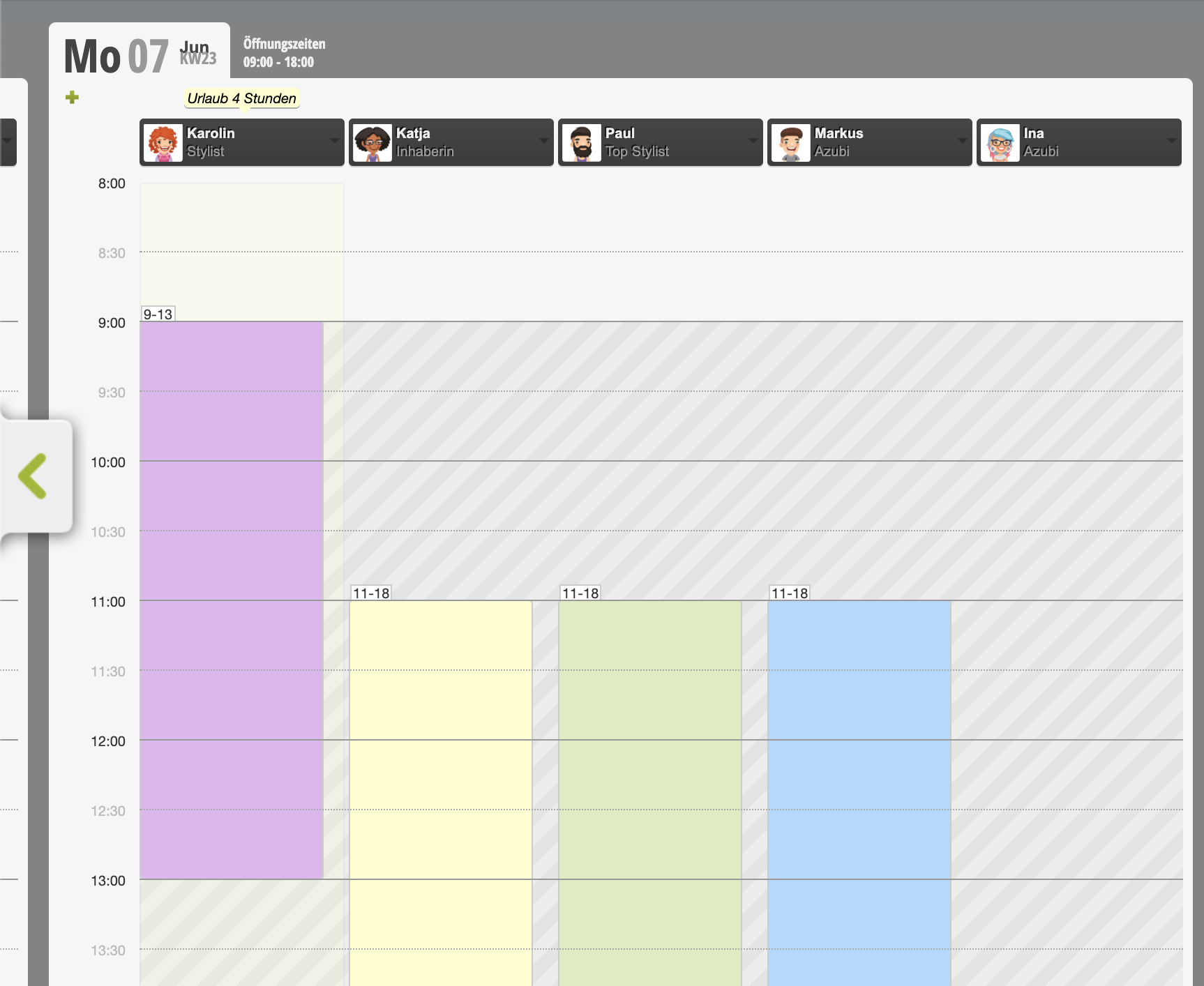
In Belbo können Sie den Urlaub und weitere absences Ihrer Mitarbeiter planen. Sollte ein Mitarbeiter einen halben Tag Urlaub nehmen wollen, können Sie dies eintragen wie folgt.
Create template
- Click on "Schedule" in the main menu.
- In the schedule you will find the "Settings" link in the top right.
- Go to "Absences" here
Create an absence here with the following properties:
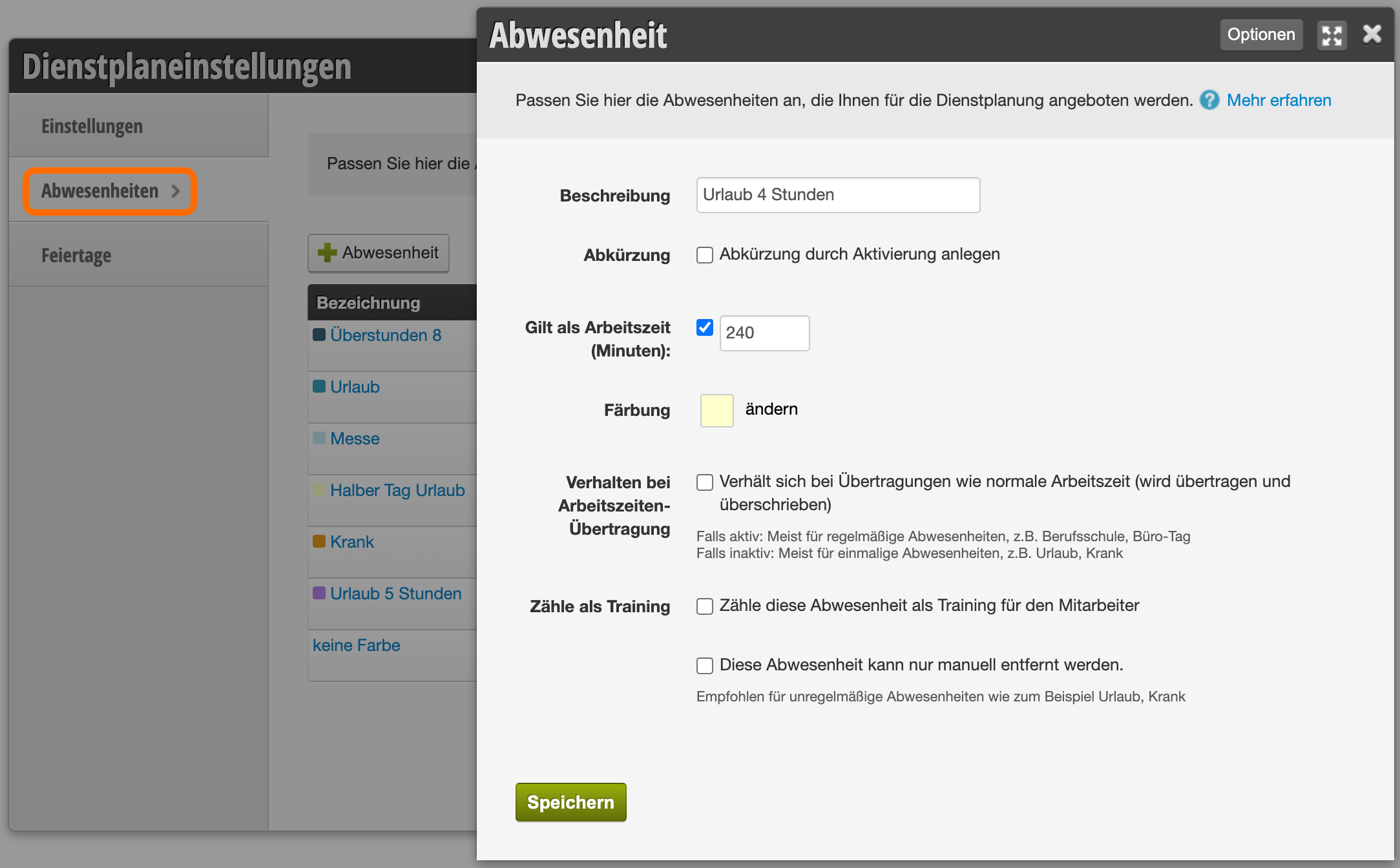
For each absence, you can specify how many working hours it should be counted as. Examples include:
- If an employee works 8 hours a day, a half day of vacation for them is 4 hours long. For a 4-hour absence, you must enter 240 minutes (4 x 60 minutes).
- If an employee works 5 hours a day, a half day of vacation for them is 2.5 hours long. For a 2.5-hour absence, you must enter 150 minutes (2.5 x 60 minutes).
If you have employees with different working hours, create different templates for the "half vacation day" case. Name them meaningfully so you can find them easily.
Enter vacation
- Click on the day in the schedule on which you want to enter the half day.
- Select the correct absence in the working hours dialog under "Absences".
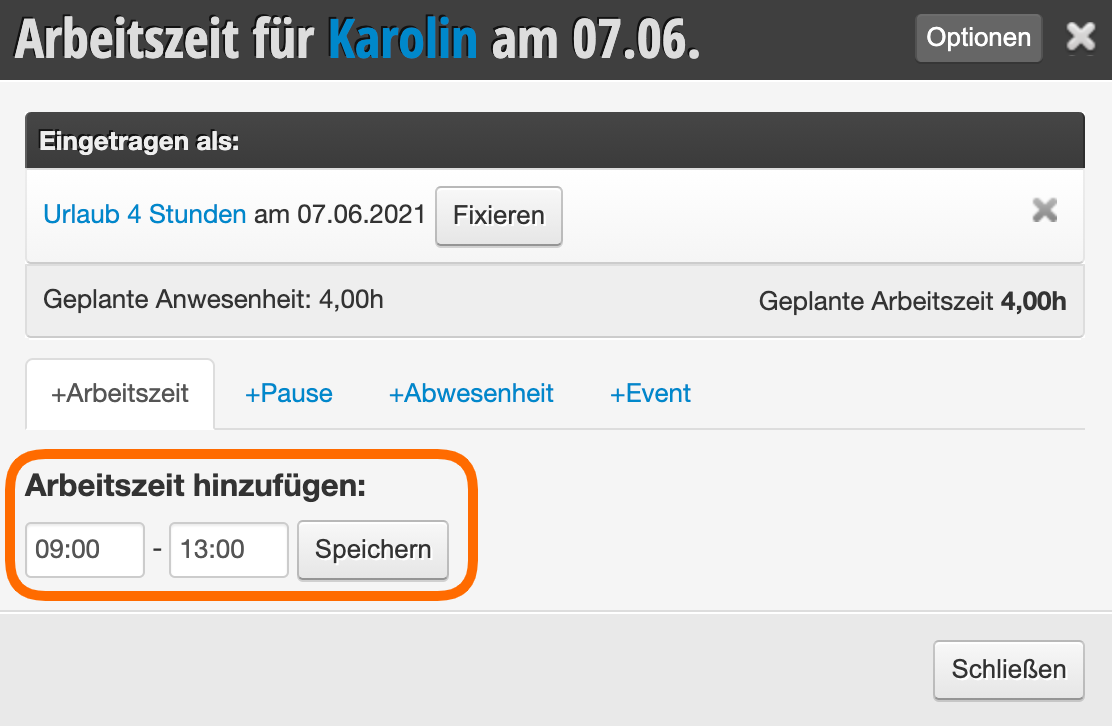
Create working time
If the employee is to work a few hours on that day, the remaining working time of the day must be entered afterwards.
- Enter the desired working time.
- Click Save
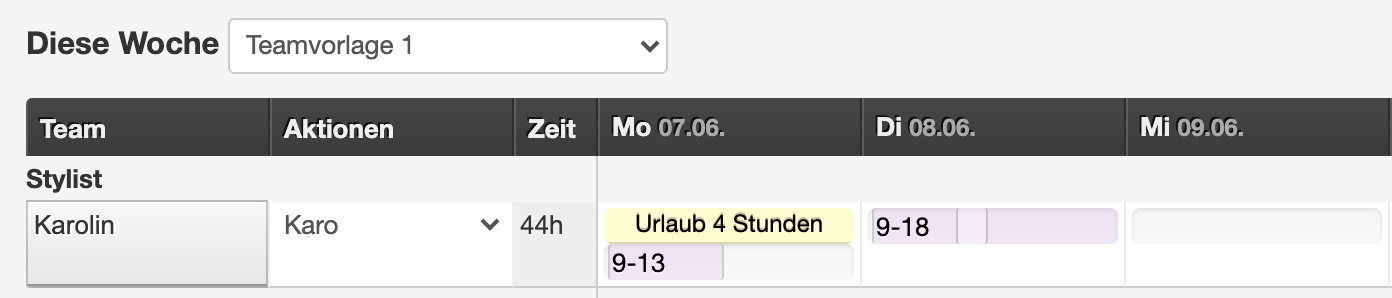
The schedule then shows both an absence and a working time:
Half vacation day in the calendar
Both an absence and a working time are also entered in the calendar afterwards: