
belbo
  • Overview
    • Getting to know Belbo
    • Location Settings
    • Switch to Belbo
    • Calendar View & Navigation
    • Recurring Appointments & Courses
    • Appointment Entry & Management
    • Tasks
    • Overview
    • Multiple Locations & Head Office
    • Manage Employees
    • Logins
    • Rights
    • Overview
    • Absences & Holidays
    • Working Hours
    • Time Tracking
    • Overview
    • Data Protection (GDPR)
    • Customer Communication (Email, SMS)
    • Customer Management & Records
    • Overview
    • Bonus & Loyalty Programs
    • Campaigns (Newsletter & SMS)
    • Marketing Consents (GDPR)
    • Tracking & Analytics
    • Overview
    • Services & Prices
    • Service Packages & Subscriptions
    • Vouchers
    • Products
    • Purchasing & Suppliers
    • Inventory & Stock Count
    • Scanning & Sales
    • Goods Used & Costs
    • Overview
    • Design & Texts
    • Setup & Settings
    • Integration (Website, Google, Instagram, Facebook)
    • Online payment
    • Overview
    • Accounting & Exports
    • Cash Register Settings & Hardware
    • Checkout process
    • Daily Closing & Reports
    • TSE & Cash Register Anti-Tampering Ordinance
    • Overview
    • Export Overview
    • Employee Utilization
    • Revenue & Reports
    • Belbo Satellite
    • Printer
    • EC Terminal & Card Payment
    • Troubleshooting Hardware
    • Scanner & POS Devices
    • General Settings
    • API & Integrations
    • Notifications & Emails
    • Contracts & Legal
Skip to content
Services›Vouchers

Vouchers – Images

If you want to create a gift certificate shop to enable your customers to purchase gift certificates online, you can upload a suitable image for each gift certificate offered.

You can access this area via Settings > Prices & Services > Gift Certificates
If this function is not enabled, it can be activated via "Settings > Add Function".

Upload a gift certificate image

To add a gift certificate image to a gift certificate, click on the desired gift certificate in the gift certificate overview and then on the "Images" submenu item.
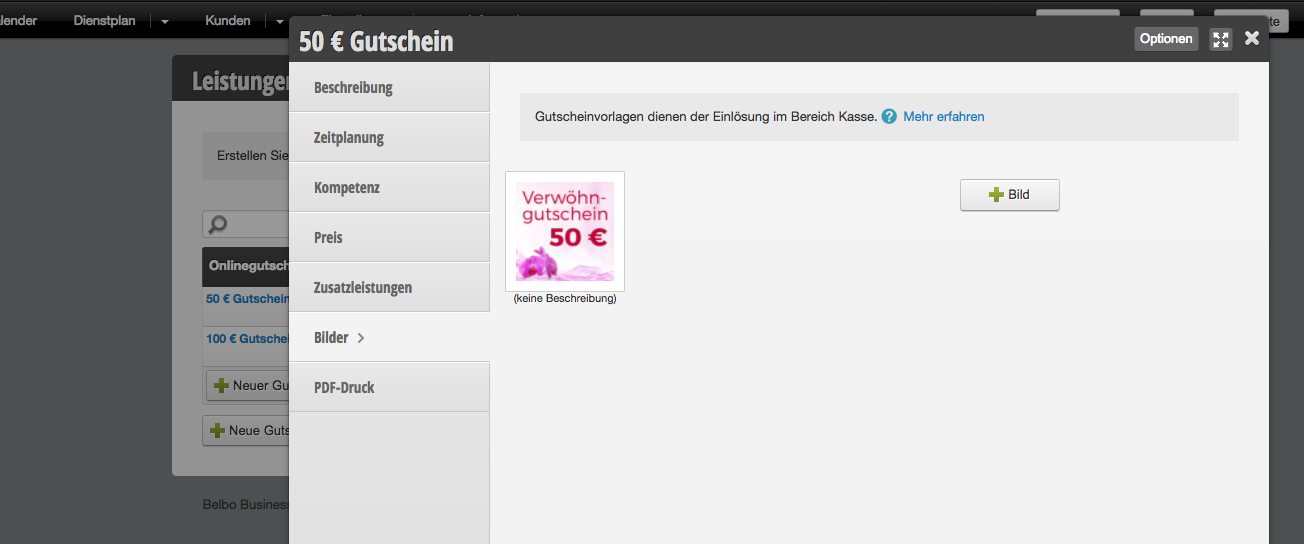
Use the + Image button to select a graphic from your computer or tablet. Please note the file size limit of a maximum of 1 MB.

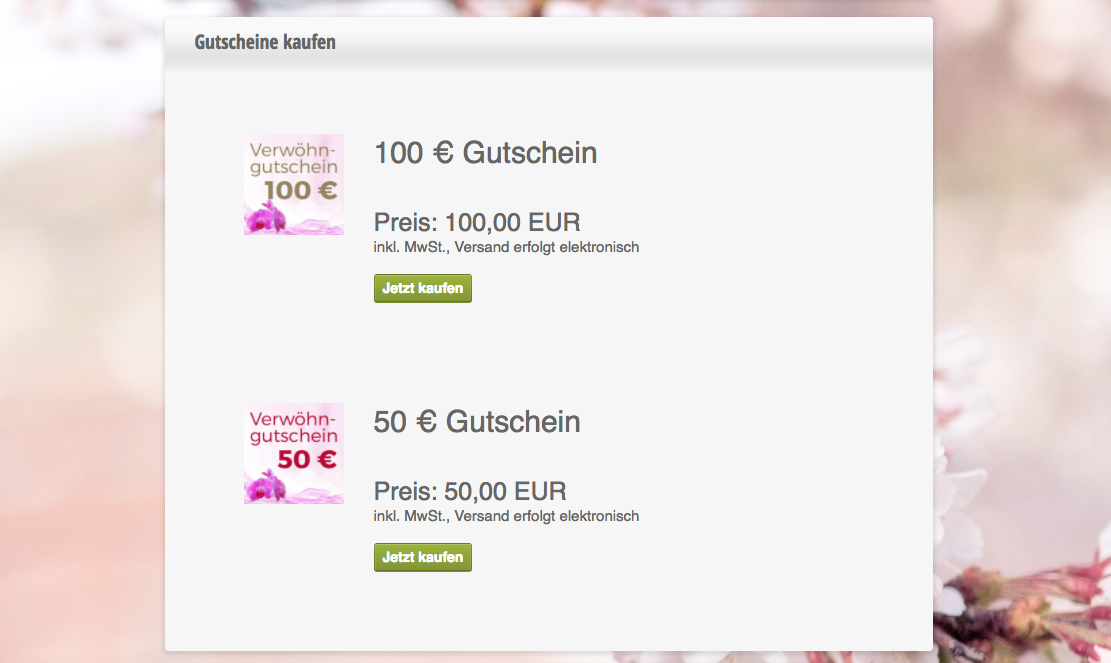
Gift certificates in the gift certificate shop

Example of a gift certificate shop with illustrated gift certificates:
Categories: Vouchers

Have a question? Ask it here.

This manual is a service by belbo. Legal notice