
If you offer online payment, customers can pay for your appointments online. If an appointment is cancelled within the cancellation period, the deposit must be refunded. You can decide for yourself whether this should happen automatically or not.
Option 1: Manual Refund
You can specify that the deposit will not be refunded automatically. In the event of a refund, proceed as described here. In the online payment settings, the Appointment cancellation option is set to "no action".
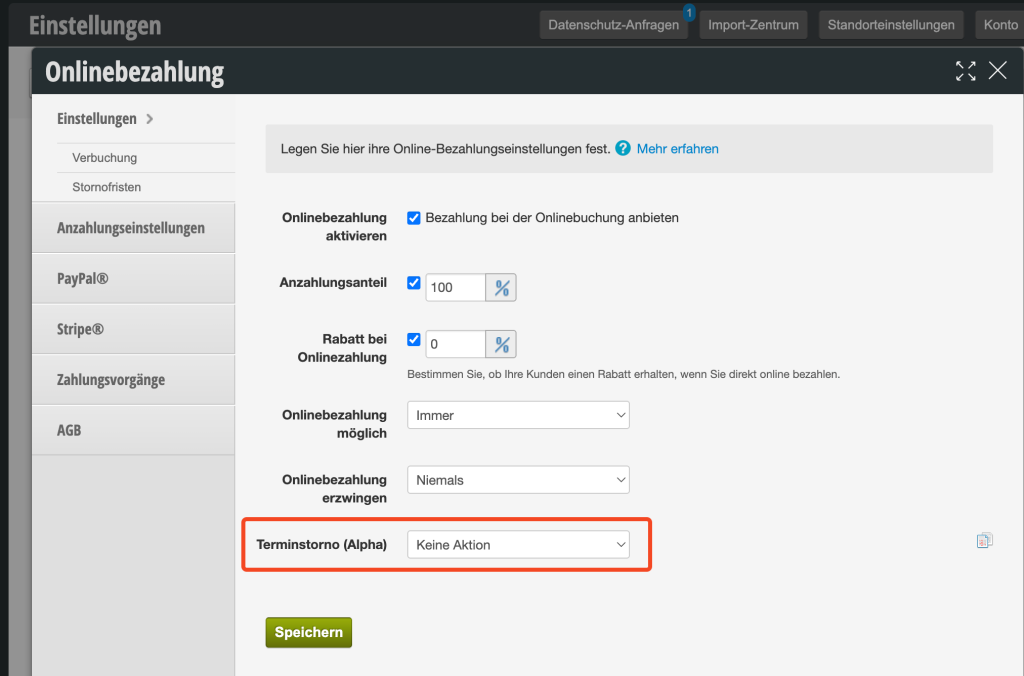
- Disadvantage: If customers cancel within the cancellation period unnoticed, they will not receive the refund automatically and will need to contact you.
- Advantage: You have an overview of refunds
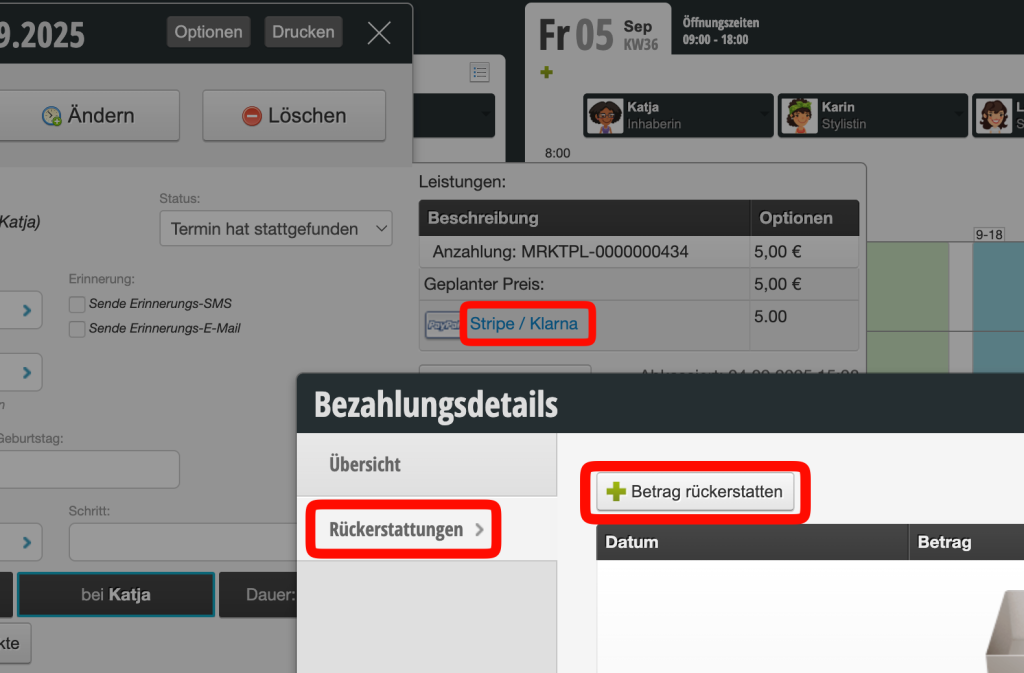
The payment can be refunded directly from the appointment.
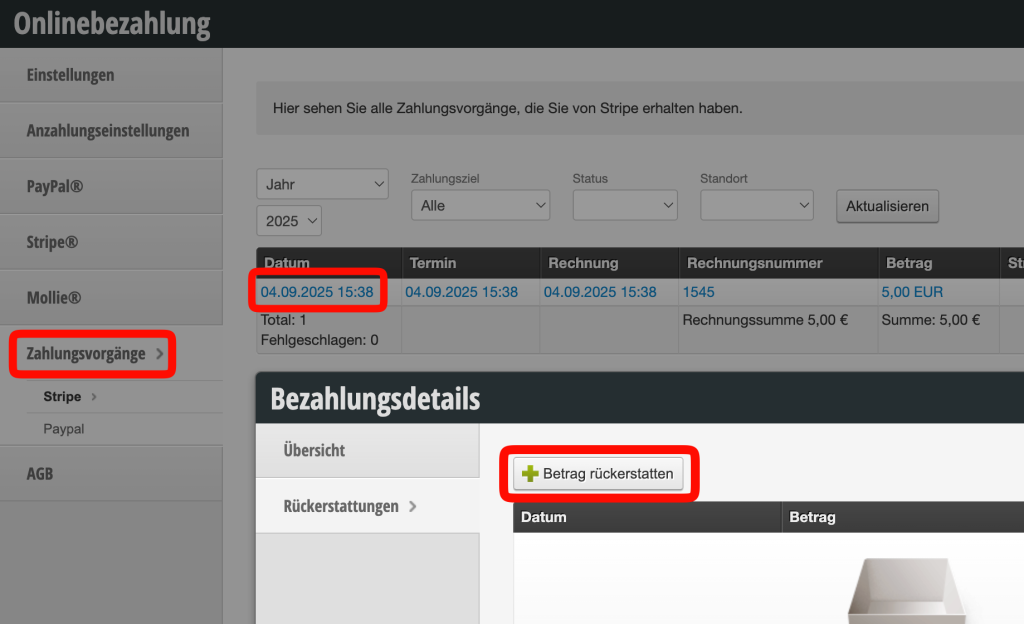
If the appointment has already been deleted, it can be refunded via the payment module under Settings > Online Payment:
Option 2: Automatic Refund
To automatically refund payments when the customer cancels an appointment online, the Appointment cancellation option must be set to "Payment reversal":

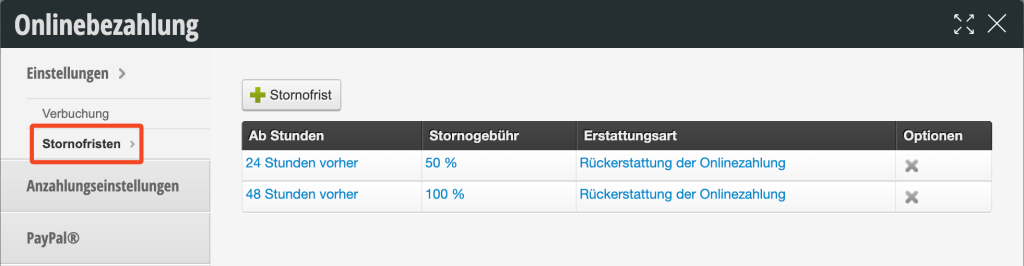
If this option is selected, you must specify under "Cancellation deadlines" until when an appointment can be cancelled within the cancellation period:
Alternative: Replacement Voucher (in the future)
We plan to allow the issuance of a voucher instead of a refund. However, as of 11/2025, this function is not yet available.
Important Prerequisite
To ensure that the deposited amounts can be refunded to customers, you must set a sufficiently high minimum balance in your payment account with PayPal or Stripe, which must always remain in the account.
- To the help article Minimum balance at Stripe
- With PayPal, the minimum balance is stored as part of setting up automatic transfers. To the help article Automatic transfers with PayPal