belbo
  • Overview
    • Getting to know Belbo
    • Location Settings
    • Switch to Belbo
    • Calendar View & Navigation
    • Recurring Appointments & Courses
    • Appointment Entry & Management
    • Logins & Permissions
    • Multiple Locations & Head Office
    • Manage Employees
    • Absences & Holidays
    • General
    • Working Hours
    • Time Tracking
    • Data Protection (GDPR)
    • Customer Communication (Email, SMS)
    • Customer Management & Records
    • Bonus & Loyalty Programs
    • Campaigns (Newsletter & SMS)
    • Marketing Consents (GDPR)
    • Tracking & Analytics
    • Overview
    • Services & Prices
    • Products
    • Service Packages & Subscriptions
    • Vouchers
    • Purchasing & Suppliers
    • Stock & Inventory
    • Scanning & Sales
    • Cost of goods & expenses
    • Design & Texts
    • Setup & Settings
    • Integration (Website, Google, Instagram, Facebook)
    • Online payment
    • Accounting & Exports
    • Cash Register Settings & Hardware
    • Checkout process
    • Daily Closing & Reports
    • TSE & Cash Register Anti-Tampering Ordinance
    • Export Overview
    • Employee Utilization
    • Revenue & Reports
    • Belbo Satellite
    • Printer
    • EC Terminal & Card Payment
    • Troubleshooting Hardware
    • Scanner & POS Devices
    • General Settings
    • API & Integrations
    • Notifications & Emails
    • Contracts & Legal
Skip to content

The importance of the role

Each employee as well as rooms and equipment is assigned a role. This makes it easier for you to determine which employee is responsible for which service and when rooms and equipment are available.

For the role of employees, this means:

In the schedule, employees with the same role are displayed grouped together
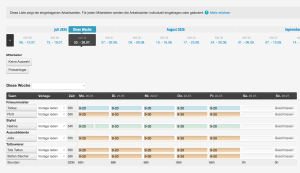
Gruppierung der Rollen im Dienstplan

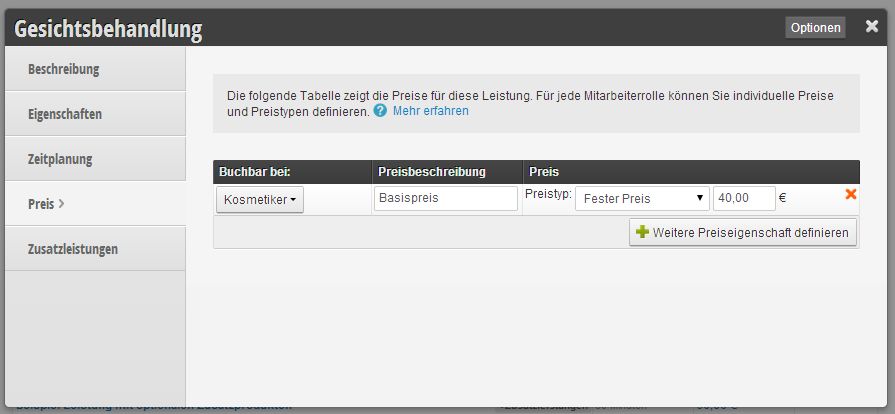
Hairdressers are responsible for cuts and beauticians for facial treatments
Friseure für Schneide Kostmetiker für Gesichtsbehandlung

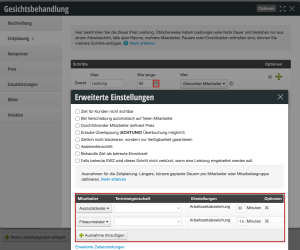
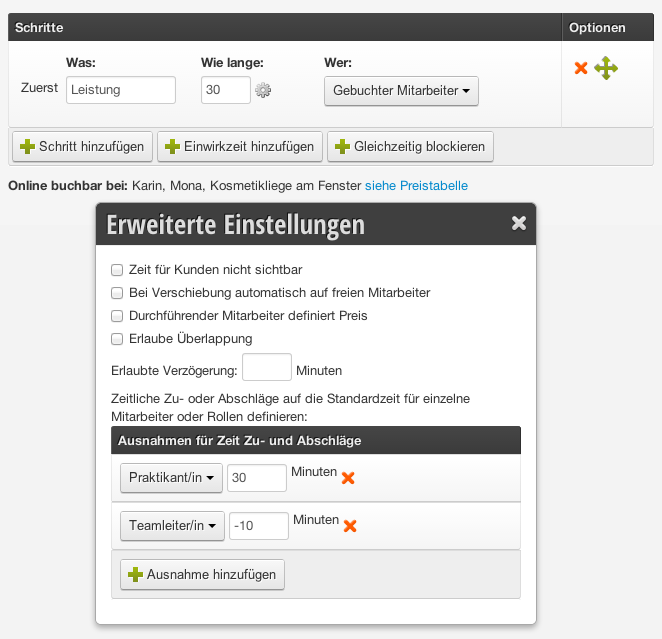
Same time scheduling for the same roles
For example, the employee with the role "intern" needs more time for a cut than the employee with the role "team leader". This helps the role assignment when booking in the calendar:
Zeitplanung_PraktikantIn:TeamleiterIn

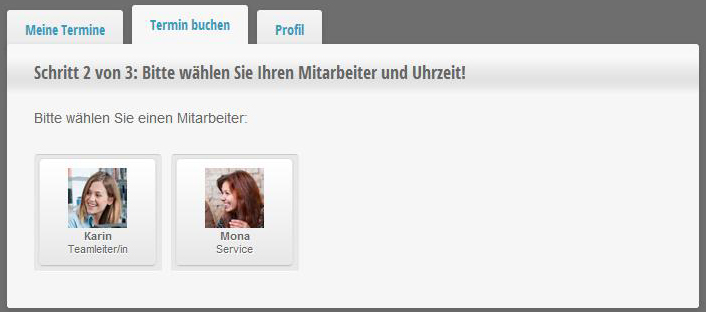
These roles also appear in online booking
Below the employee's name is their respective role. This allows the customer to choose whether they want to book their appointment with the team leader or service:
Rolle in der Buchungsmaske

For the role of the resource, this means:

no double-booking
If you work with rooms and equipment that should be blocked during an appointment, you can specify this in your services here. This prevents double-bookings.


Categories: Logins & Permissions
Tags: Mitarbeiter-Rolle, Rollen
This manual is a service by belbo. Legal notice